Apps
App development: apps your team uses every day
An app for your clients or your staff: ordering, booking, leave, reports or scanning. Simple, in their own language.
An app for your clients or your staff: ordering, booking, leave, reports or scanning. Simple, in their own language.
The app some 30 drivers open every day.
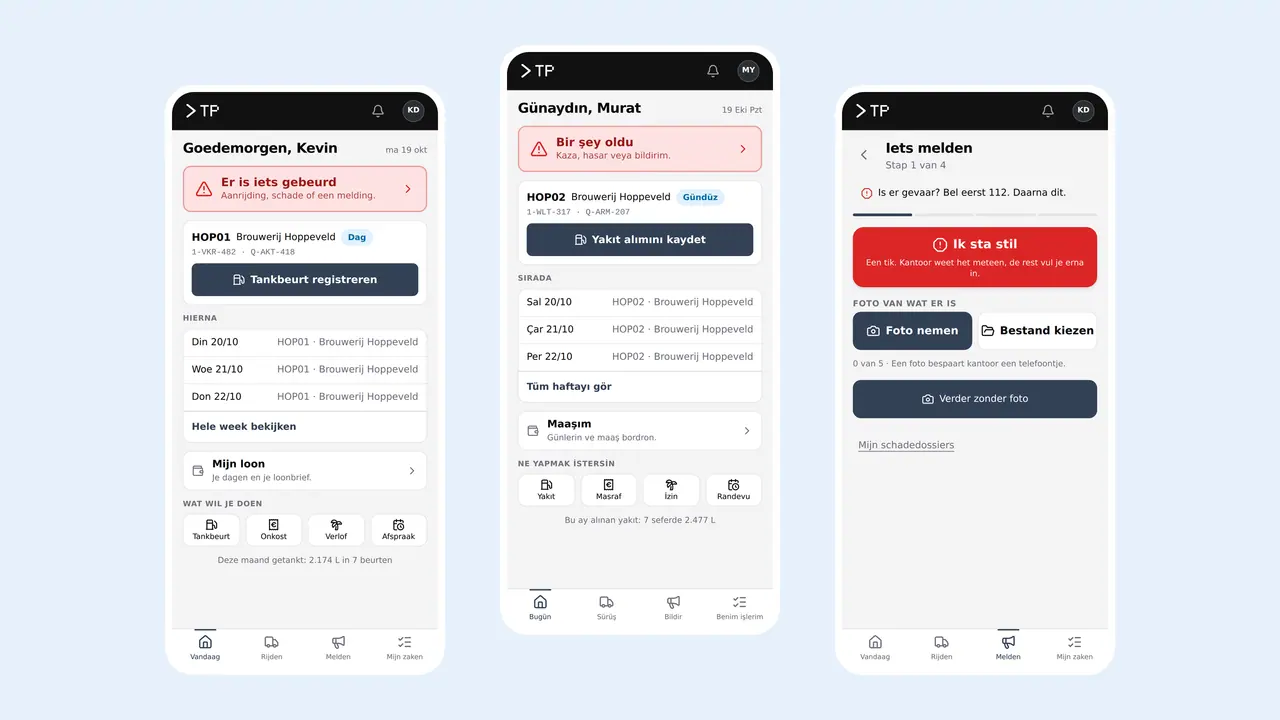
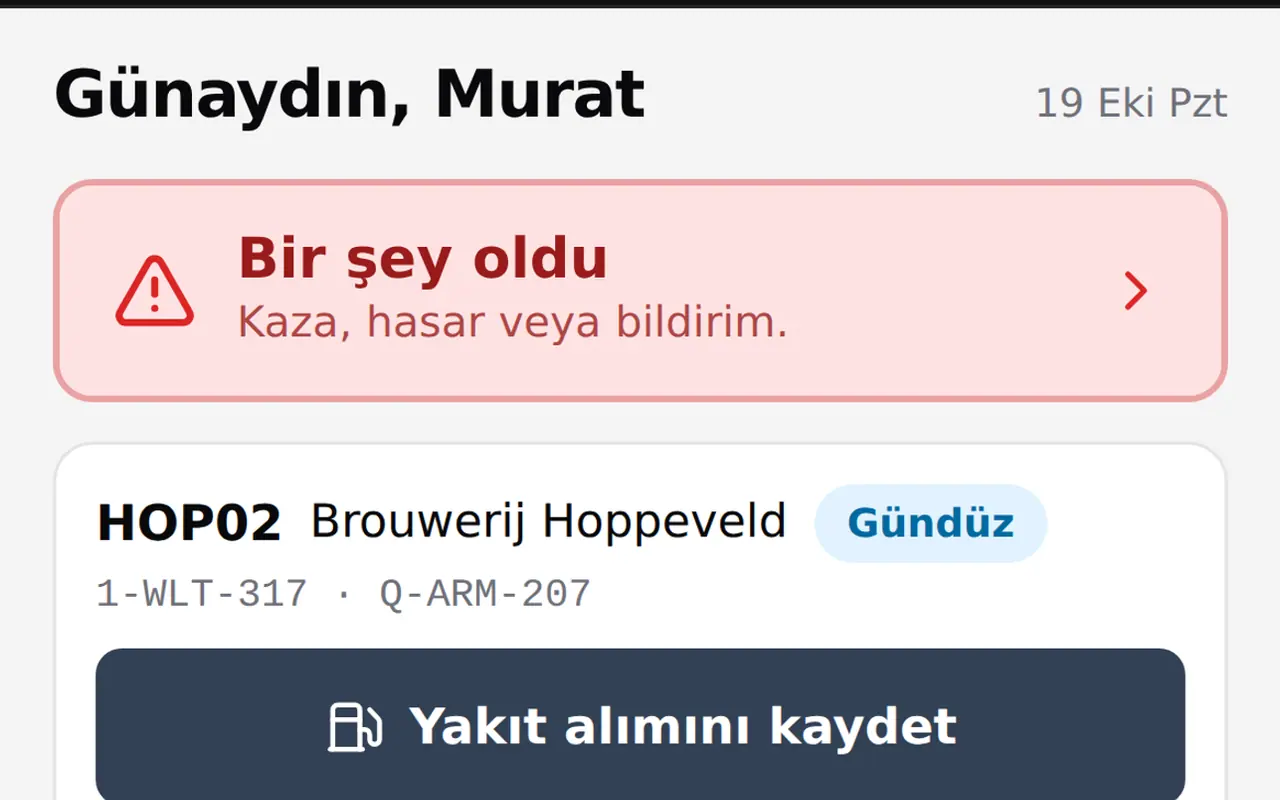
The driver app of the transport platform: today's route, a refuel, reporting something to the office. Log in with a name tile and four digits.
- 01
In their own language
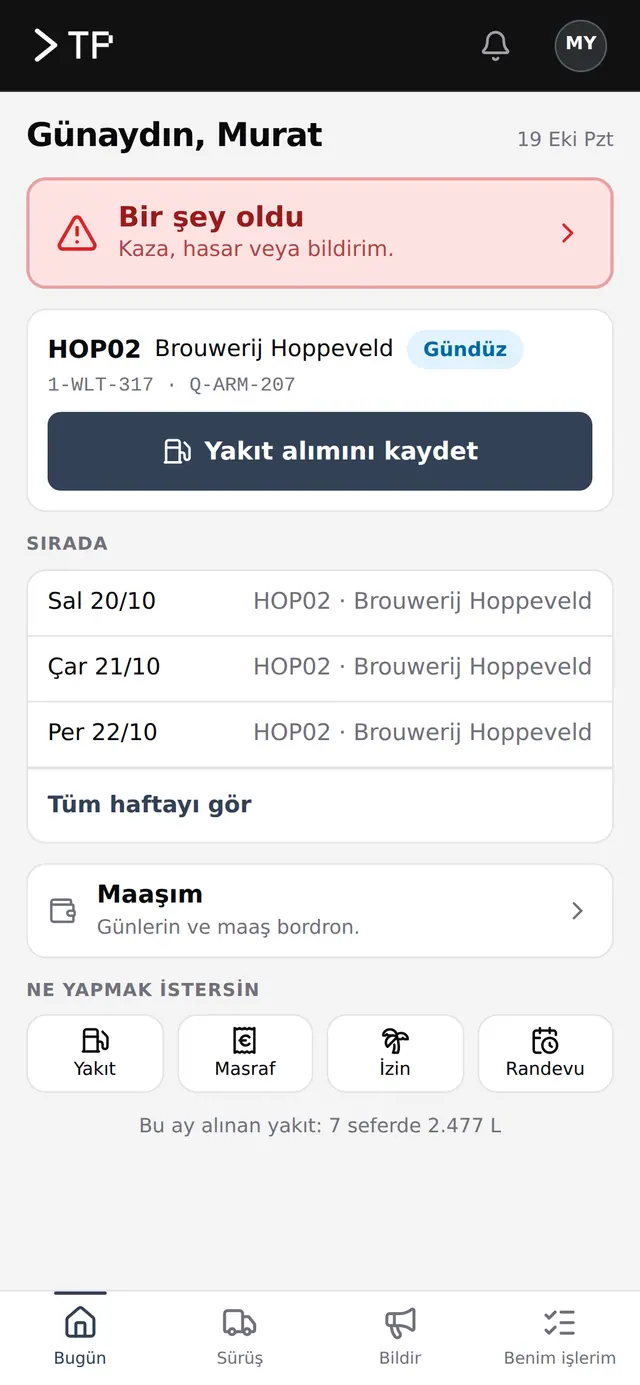
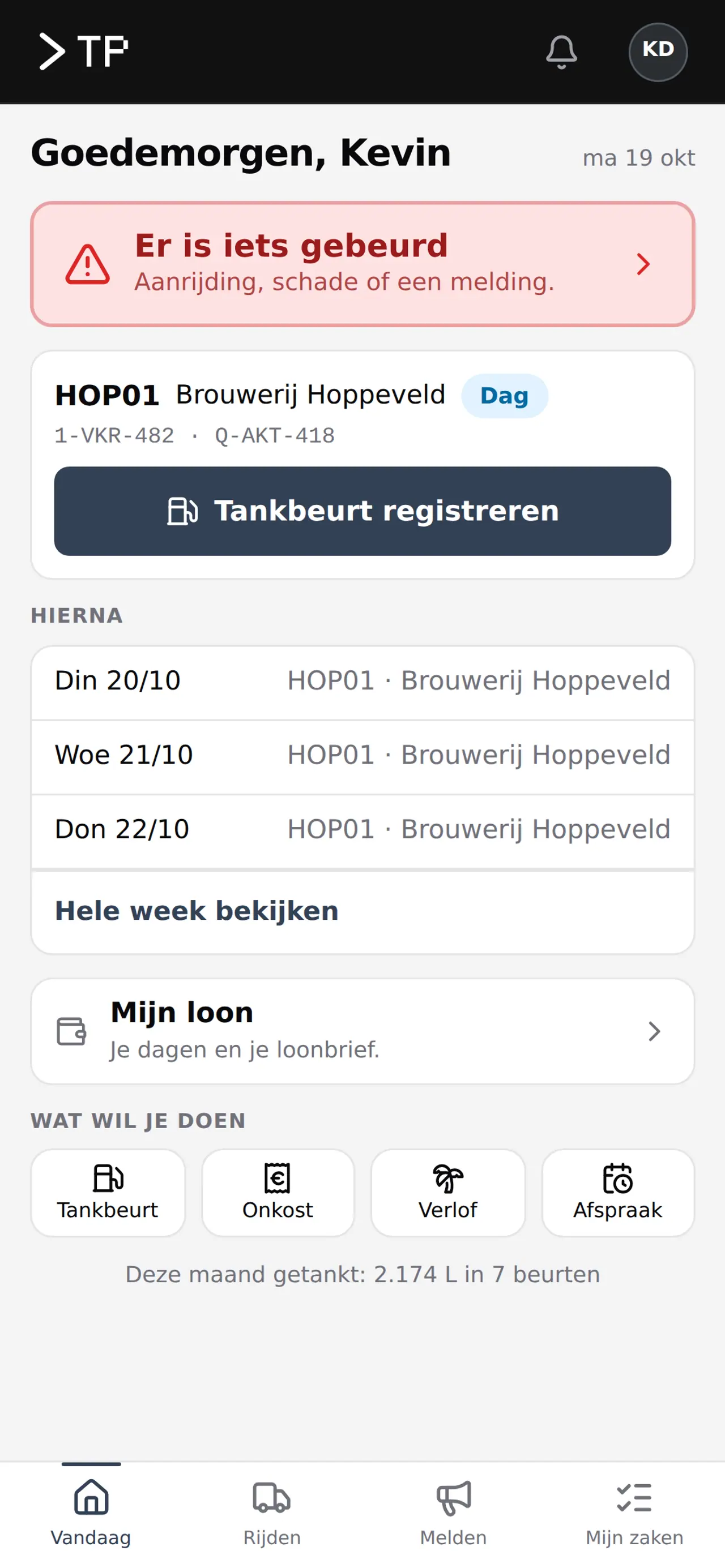
The same app in Dutch, English or Turkish.
- 02
The day on one screen
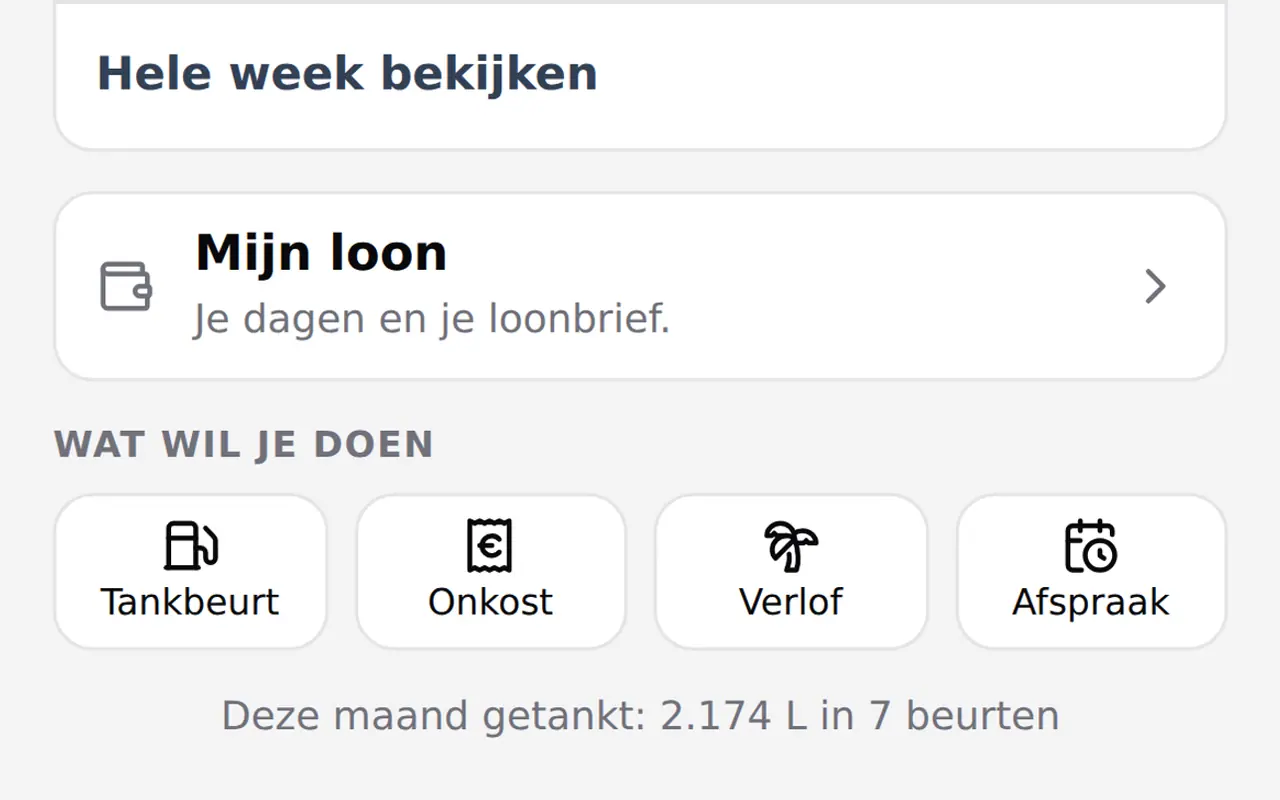
Today's route, logging a refuel, the rest of the week.
- 03
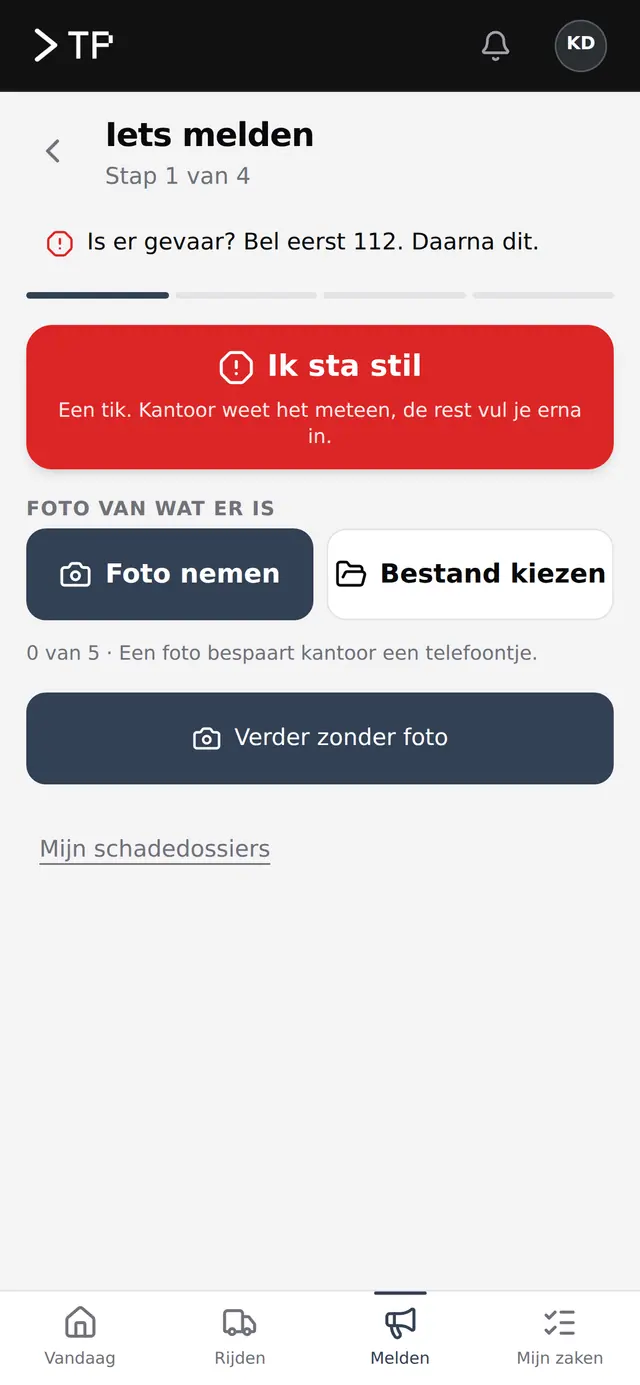
Report something
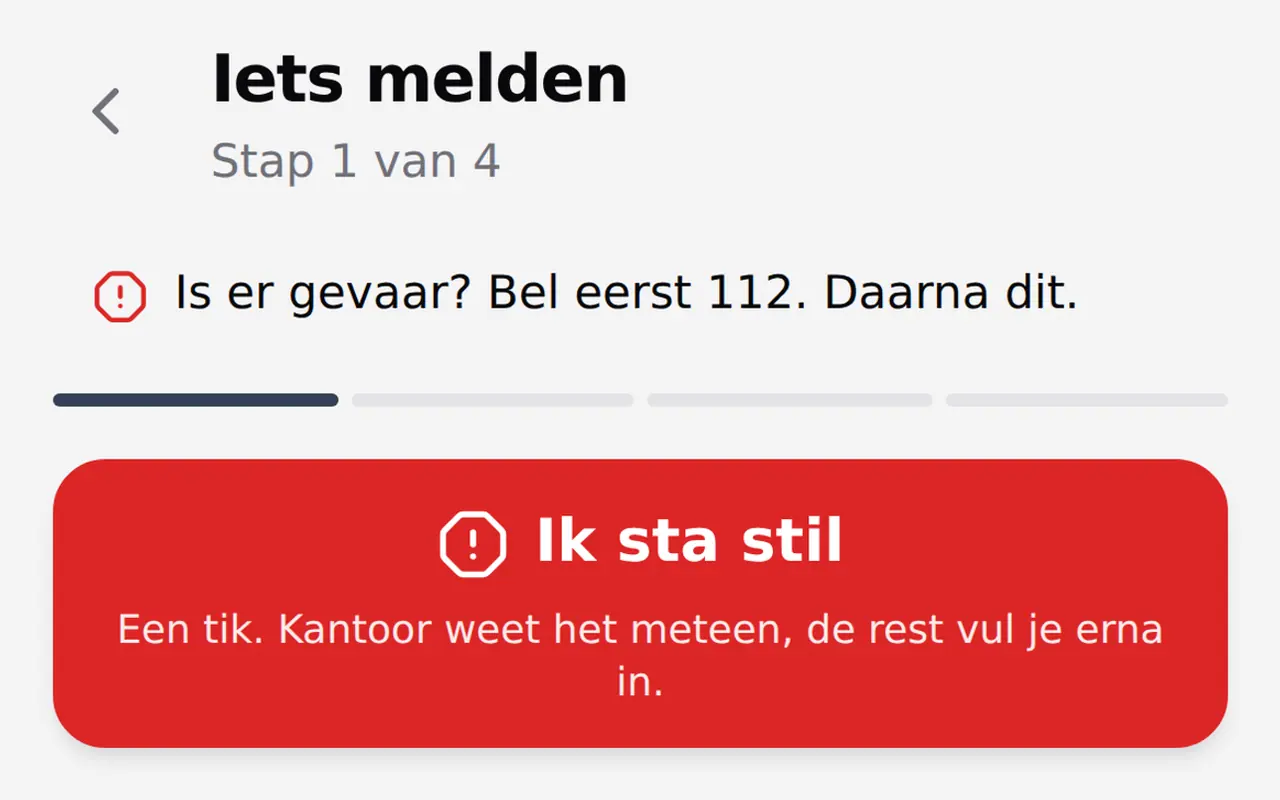
Damage or a problem, in four steps with a photo. The office knows at once.
Example with demo data
An app for your clients, or for your team?
Two kinds of app, in every sector. They often go together.
- What they do
- For your clientsOrder, book an appointment, follow the status of an order or file, pay, receive messages.
- For your staffPass on hours and leave, report something with a photo, work through checklists, have documents at hand, scan.
- For example
- For your clientsA practice or hairdresser where clients book themselves, a bakery or wholesaler where regular clients order, a club with members.
- For your staffDrivers, field technicians, builders on site, cleaning crews or care staff.
- What it brings
- For your clientsFewer phone calls, clients who come back more often and orders that are right at once.
- For your staffNo more slips of paper and loose messages: everything reaches the office at once, in the right file.
- How they get it
- For your clientsIn the App Store and Google Play, or as a web app from a link.
- For your staffOften as a web app from a link, with signing in in a few taps.
What a client orders or books can show up at once in your team's app. That is how we build it when you need both.
Building blocks that fit every app.
- Notifications on the phoneA reminder, a new job or an order that is ready.
- Working offlineOn site or on the road without signal the app keeps working, and sends everything on as soon as there is a network again.
- ScanningA barcode, a QR code or a document, with the phone's camera.
- Photos attachedDamage, a finished job or a receipt, straight into the right file.
- Signing in without fussWith a short code or a link in the email, so even people who rarely sign in get in at once.
- In their own languageDutch, French, English, Turkish or another language, chosen per user.
- Linked to your systemsYour planning, your accounting or your own platform, so nobody retypes anything.
Three steps, each shown on the driver app.
How we make an app, shown on the app some 30 DA Logistics drivers open every day. Screens with demo data.
- Who will use it?We look at the people who will open the app: where they stand, what they hold and which language they read. At DA Logistics every driver picks Dutch, English or Turkish.
- The three main tasksWe build what happens most first, as simply as possible: a refuel, expenses, leave, an appointment. Each a button on the first screen.
- Test for real, then roll outA few users test the app in their normal work. What does not go by itself, we change. Reporting something became four short steps, with a photo. Then everyone gets access, with an explanation in their own language.
The DA Logistics driver app
- fuel fills in the platform behind the app, on 3 August 2026
- 1,182
- trips in the same platform
- 668
How much an app costs depends on this.
After a first conversation you get a proposal with a price and a schedule. We start with what happens most often, and build on from there.
- How many tasksAn app that does three things well is ready sooner than one that does everything. So we start small and expand.
- Store or linkAn app in the App Store and Google Play takes more than a web app that opens from a link.
- IntegrationsWith your planning, accounting, till or a platform you already have.
- Offline, scanning and languagesEvery extra capability is work, and makes the app usable for the people who really need it.
One app for some thirty drivers, in three languages.
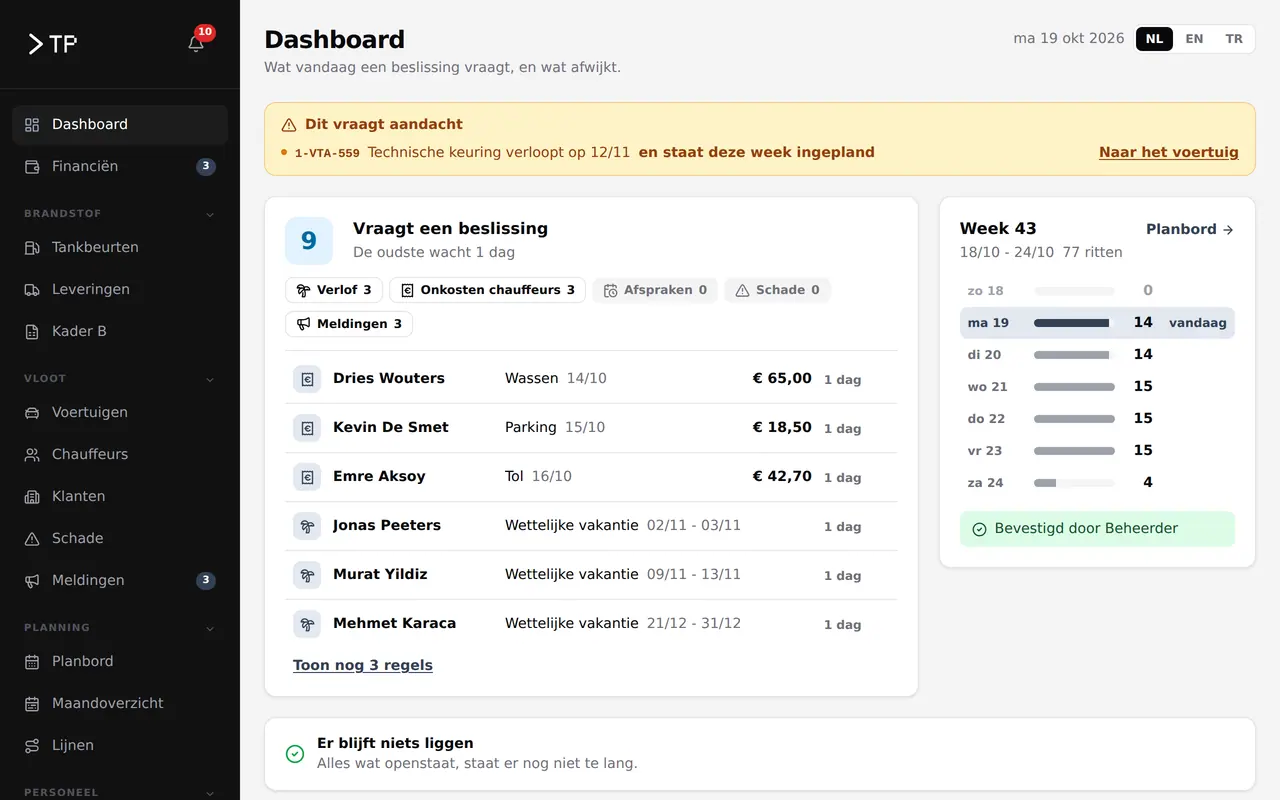
The DA Logistics driver app is part of a platform for fuel, planning and fleet. In daily use since July 2026.
DA LogisticsView the case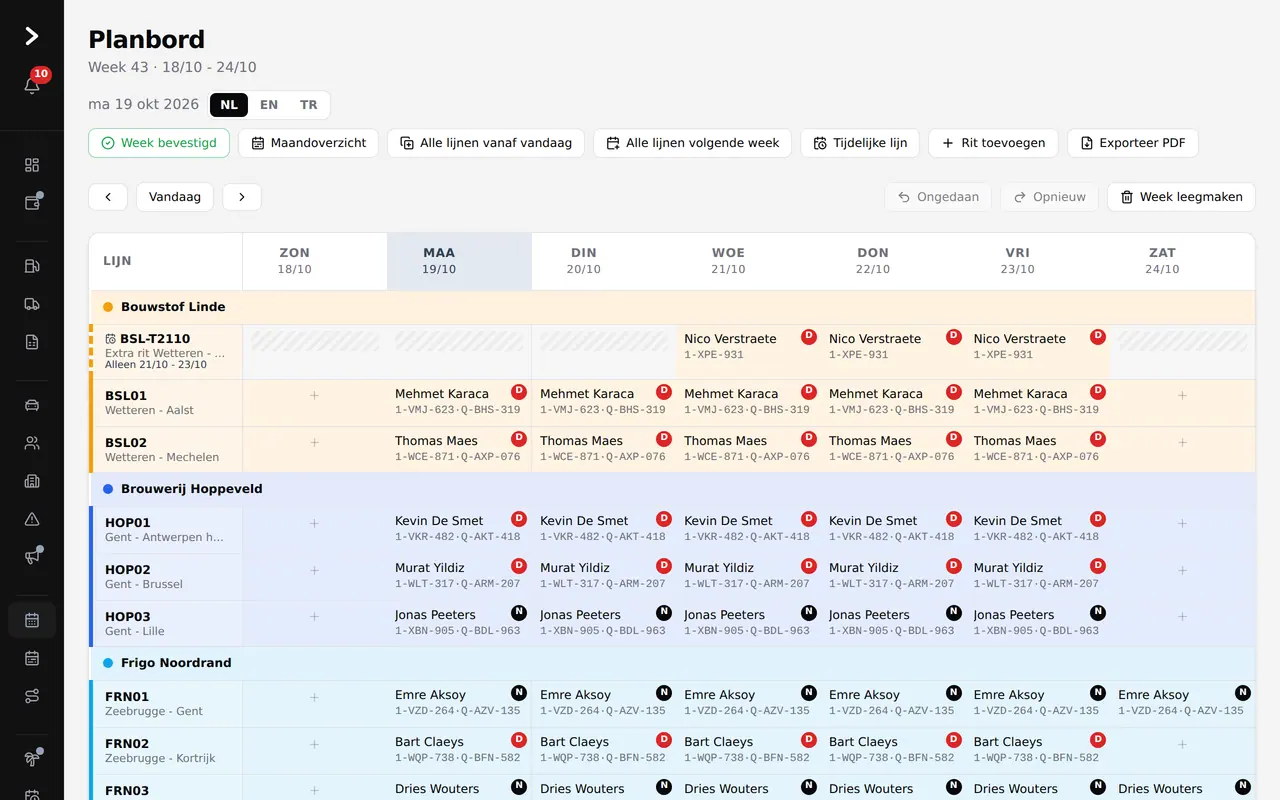
A report on the phone, a row at the office
When a driver opens the app, they see today's trip and can log a fuel fill straight away. Reporting something, from a receipt to a collision, takes a few short steps.
Everything the driver passes on lands straight in the platform at the office, in the right queue, without retyping.
- Sign in with name and four digits
- Leave, receipts, appointments and reports
- Dutch, English and Turkish
An app your team will actually use?
Tell us who will use the app and what they need to pass on. We reply within 24 hours.
Rather get in touch right away?