Client portal
A client portal where clients serve themselves
Your clients sign in, see their file and handle what they can themselves. Fewer emails, less retyping at the office.
Your clients sign in, see their file and handle what they can themselves. Fewer emails, less retyping at the office.
What your client sees when they log in.
The client portal of the management platform, built for a social bureau. The employer logs in with a link in their email and handles things themselves.
Example with demo data. The platform itself is in Dutch.
- 01Overview
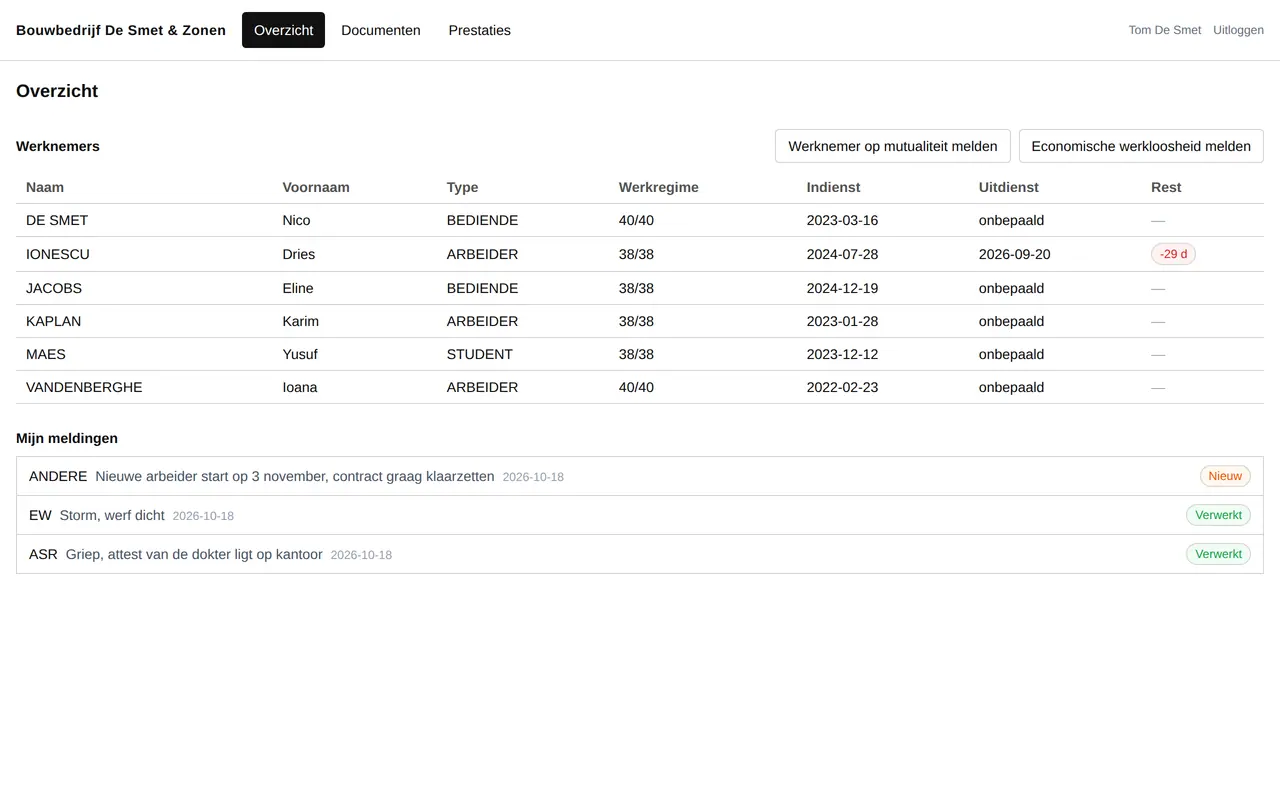
Their people and their reports
The employer sees their employees, with contract and end date, and follows what they reported.
- 02Hours
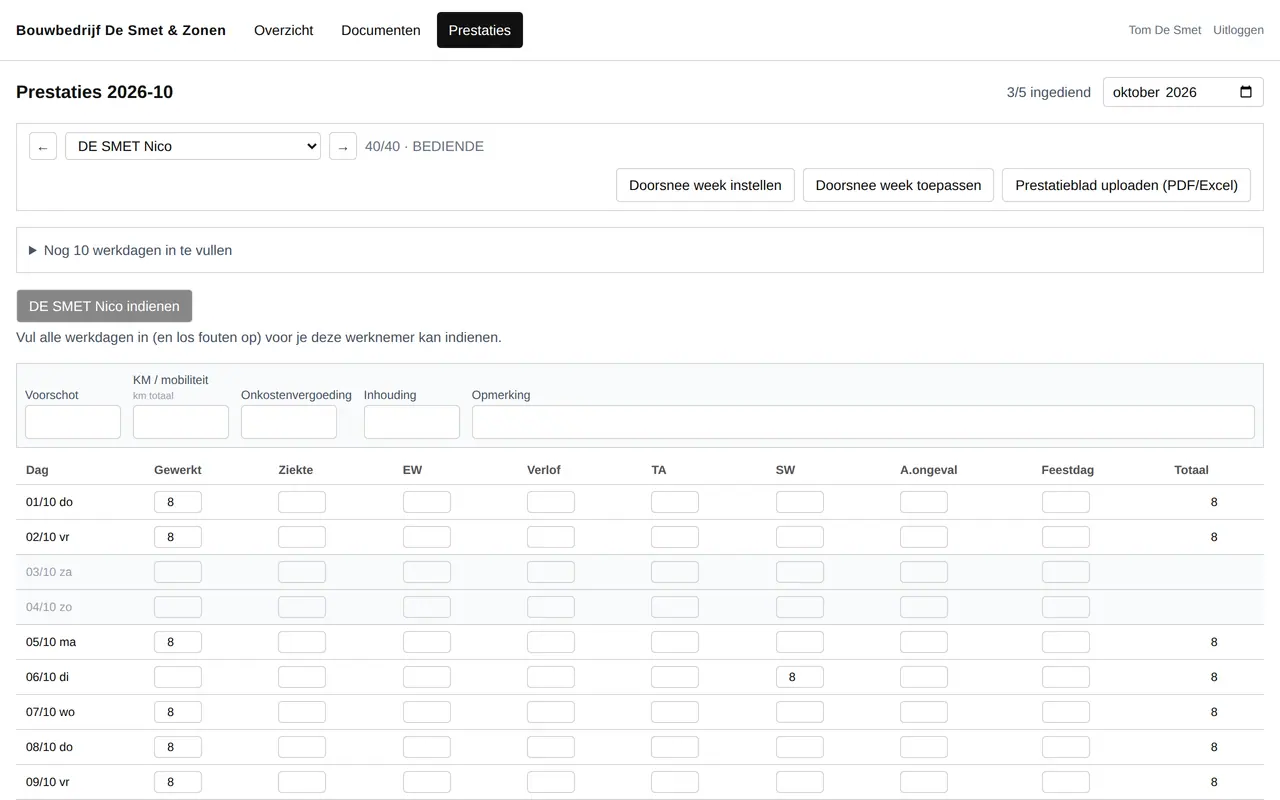
Filling in the month
Per employee and per day: worked, sick, leave. Then submitted with a button.
- 03Office
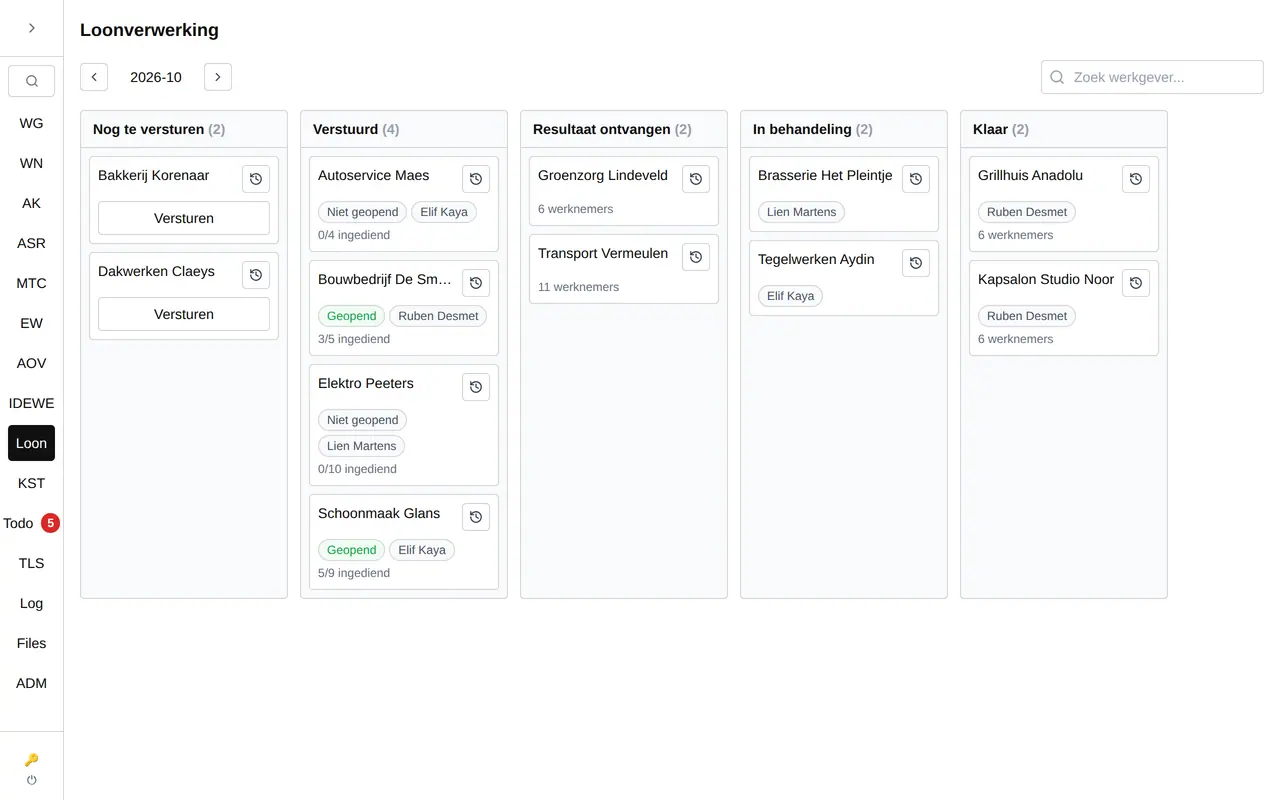
At the office, in the same platform
The office works in the same system, with the month's payroll as a board.
Every email a client does not have to send is time back.
Every business that works for clients gets the same emails every week: a document, a question about where a file stands, an appointment that moves. Someone reads them, finds the file and retypes it. A client portal turns that around: the client signs in, sees their own file and handles what they can themselves.
That works in every sector. An accountant who collects documents without emailing. A lawyer who shares where a file stands. A builder who shows quotes, plans and the progress on site. A practice or service provider where clients book an appointment themselves. For Business Centrum we built such a portal for their employers, for FK Boekhouding a portal where clients book appointments.
Handled by the client, without email or phone.
- Sharing and collecting documents, both ways.
- Viewing and approving quotes.
- Viewing and paying invoices.
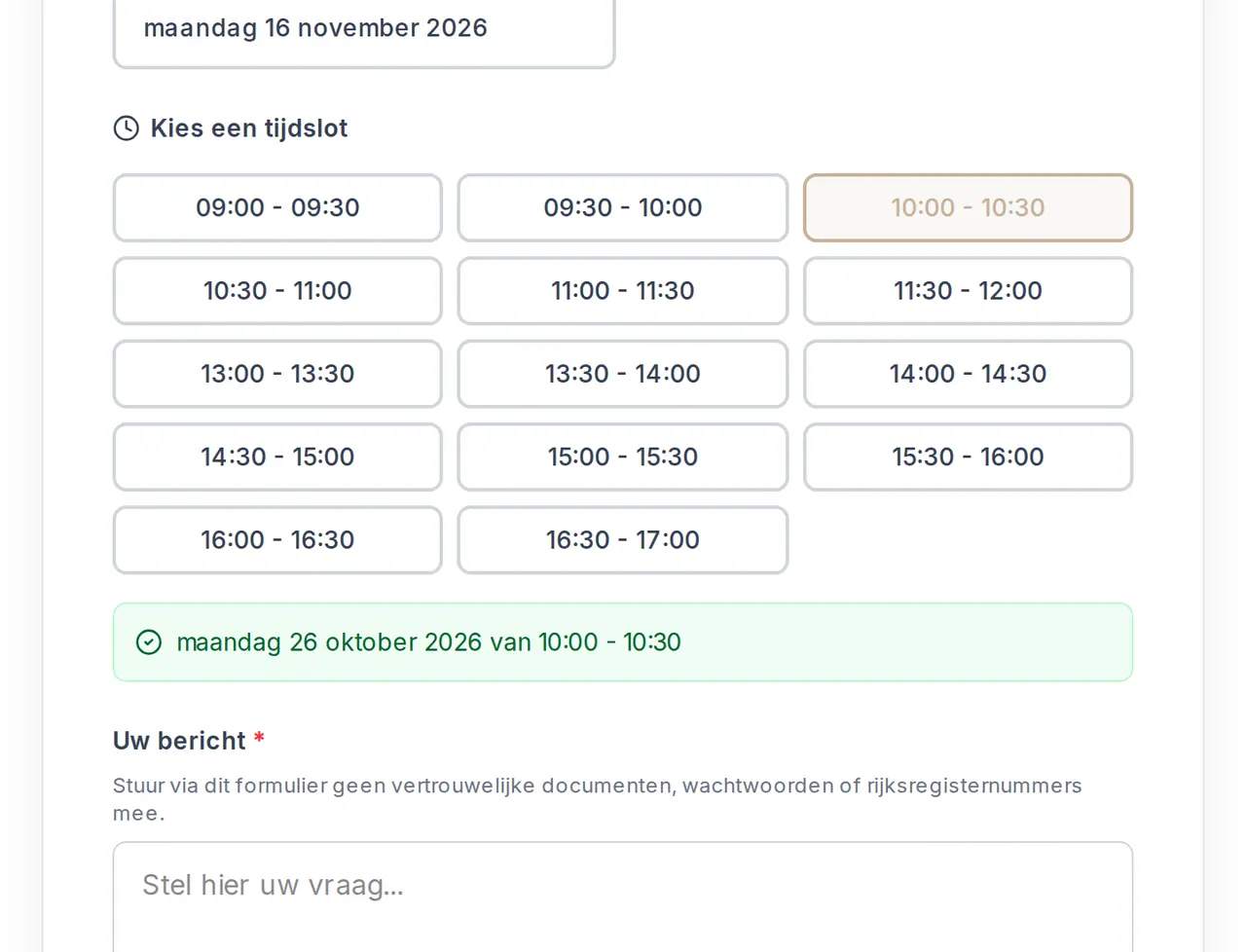
- Booking or moving an appointment.
- Following the status of a file, an order or a building site.
- Uploading files and photos.
- Sending messages, kept with the right file.
- Passing on details: hours, absences, changes.
- Getting a notification when something is needed from them.
What your client does alone, from signing in to passing things on.
Secure sign-in
With a link in the email or a code, without passwords clients forget. Whoever wants can turn on two-step verification.
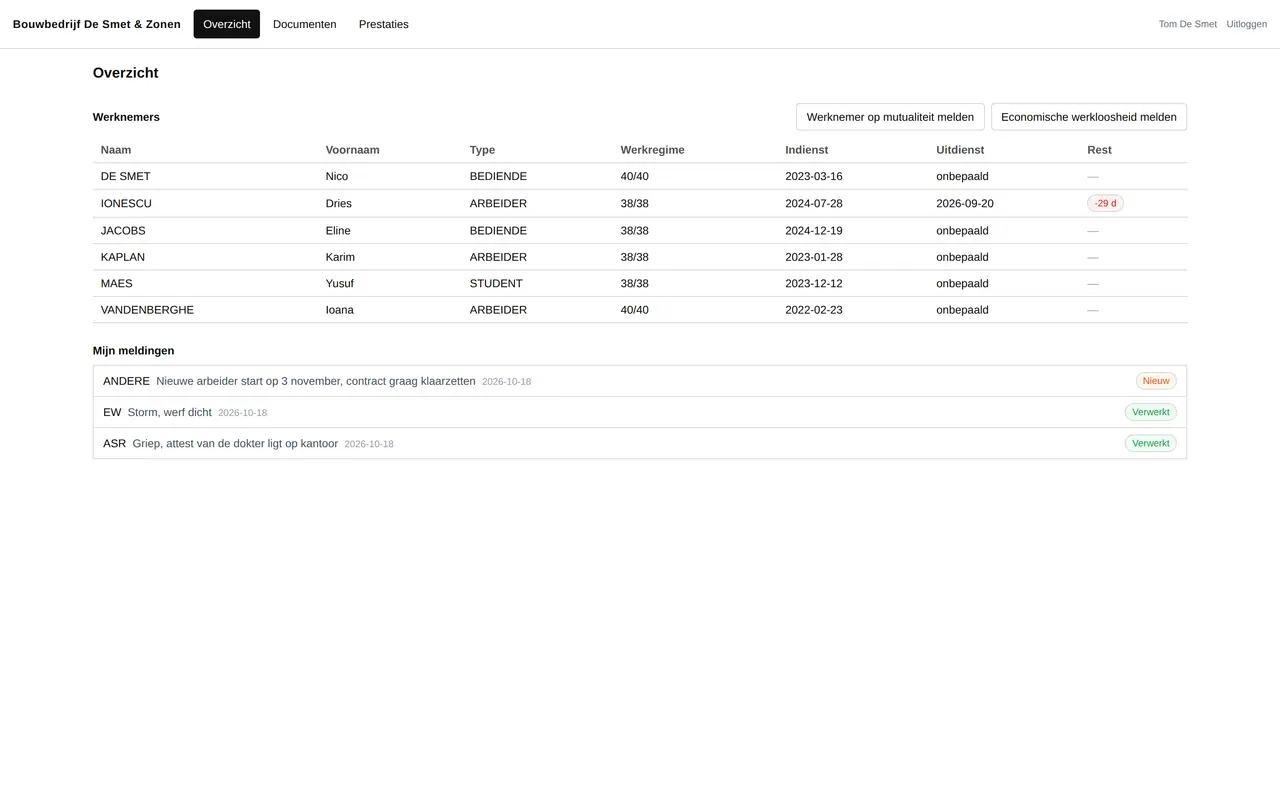
Their own file
Clients see only their own data: documents, status, invoices or employees.
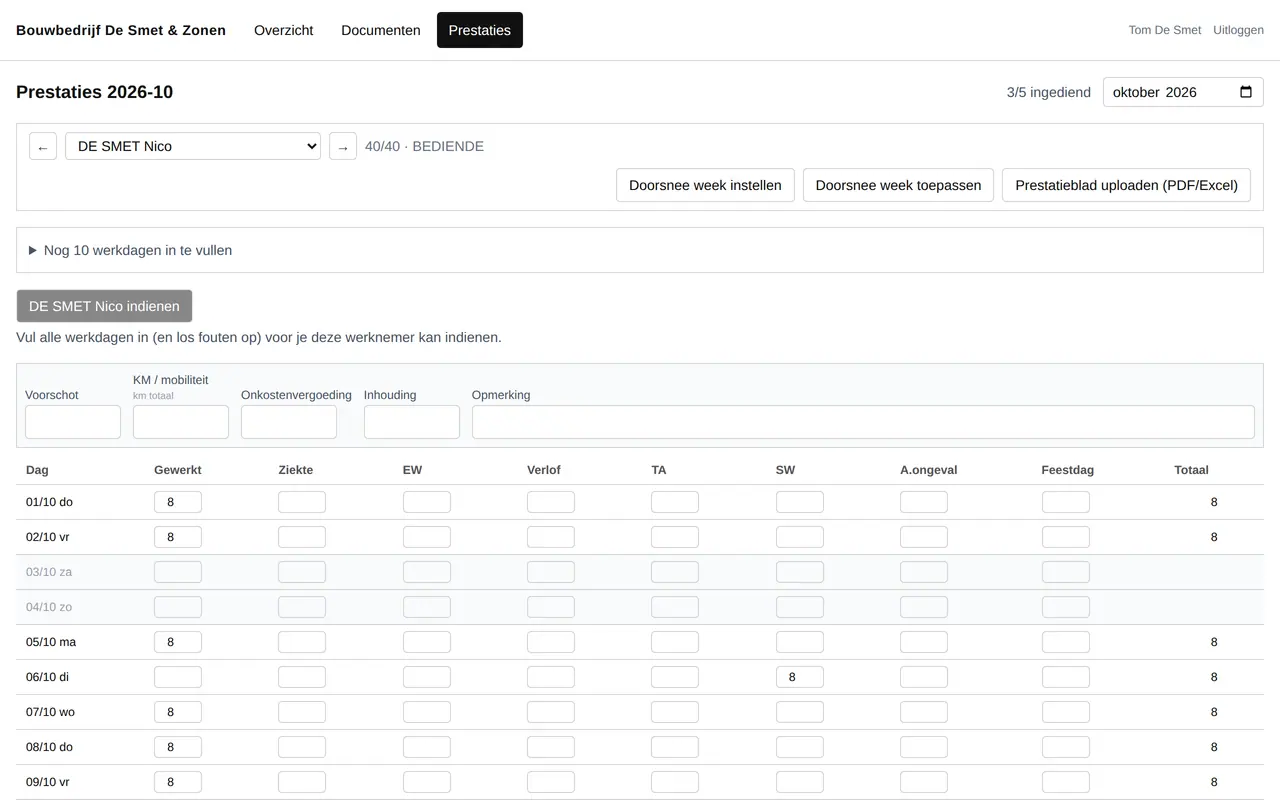
Passing things on
Absences, timesheets, changes or documents, in a form your office processes straight away.
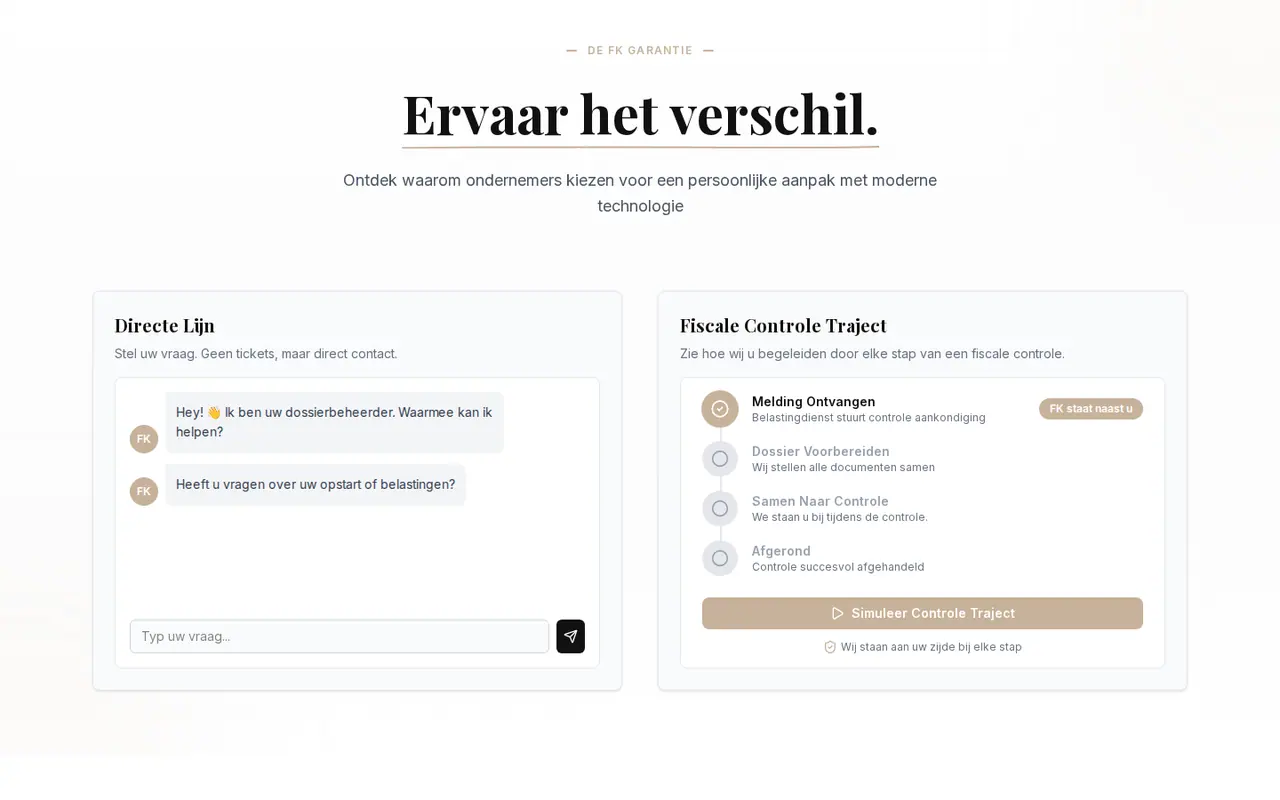
Booking appointments
Clients choose a time themselves, as in the FK Boekhouding portal.
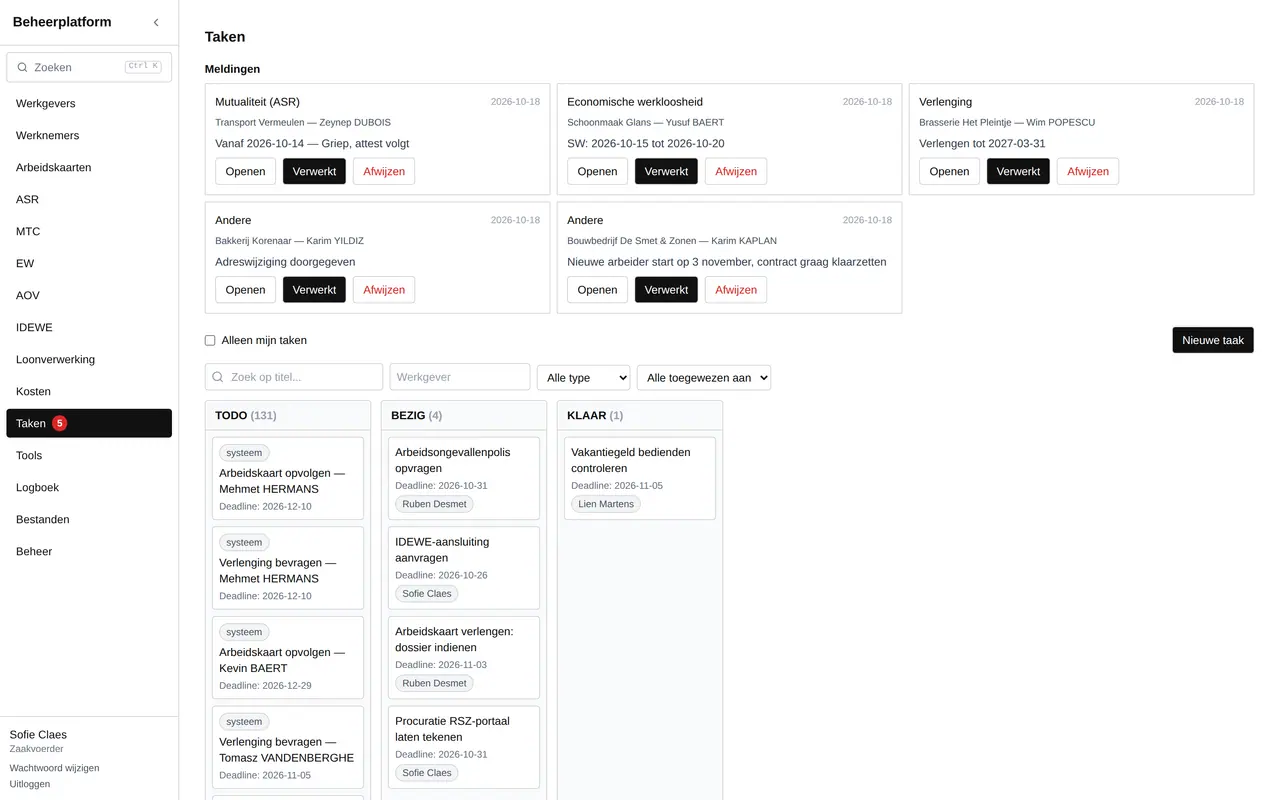
Notifications
An email to the client when something is needed from them, and to the office when something comes in.
In your client's language
If your clients prefer French, English or Turkish, we build the portal in several languages.
How your portal comes about.
You start with what happens most often, and expand whenever you want.
- What comes in nowWe look at which emails, calls and documents your office gets every week. Those become the first features.
- Design and integrationWe design the portal in your house style and link it to your own systems, or build the office side along with it.
- Testing with a few clientsA few clients use it first. Whatever does not go smoothly, we adjust.
- Rolling out and expandingThen all your clients get an invitation by email. New features we add when you need them.
Portals for a payroll office and an accounting firm
What you want to know before your clients sign in.
- What is a client portal?
- A secure place on the web where your clients sign in to see their own data and pass things on, such as documents, absences or appointments.
- How do my clients get access?
- They get an invitation by email and sign in with a link or a code. No app to install: the portal opens in the browser, on their computer or their phone.
- Can a client portal work with my CRM or ERP?
- Often, yes. The portal can read from and write to your own systems, if they allow an integration or export. We look at that in the first conversation.
- Is a client portal secure?
- It has to be. Every client sees only their own data, sign-in happens with a secure link or two-factor sign-in, and sensitive data is encrypted.
- What does a client portal cost?
- That depends on what clients need to be able to do and what the portal has to connect with. After a first conversation you get a proposal with a price.
Fewer emails, more overview?
Tell us what your clients send you most often. We reply within 24 hours.
Rather get in touch right away?