Custom dashboard
Custom dashboard development that shows what needs you today
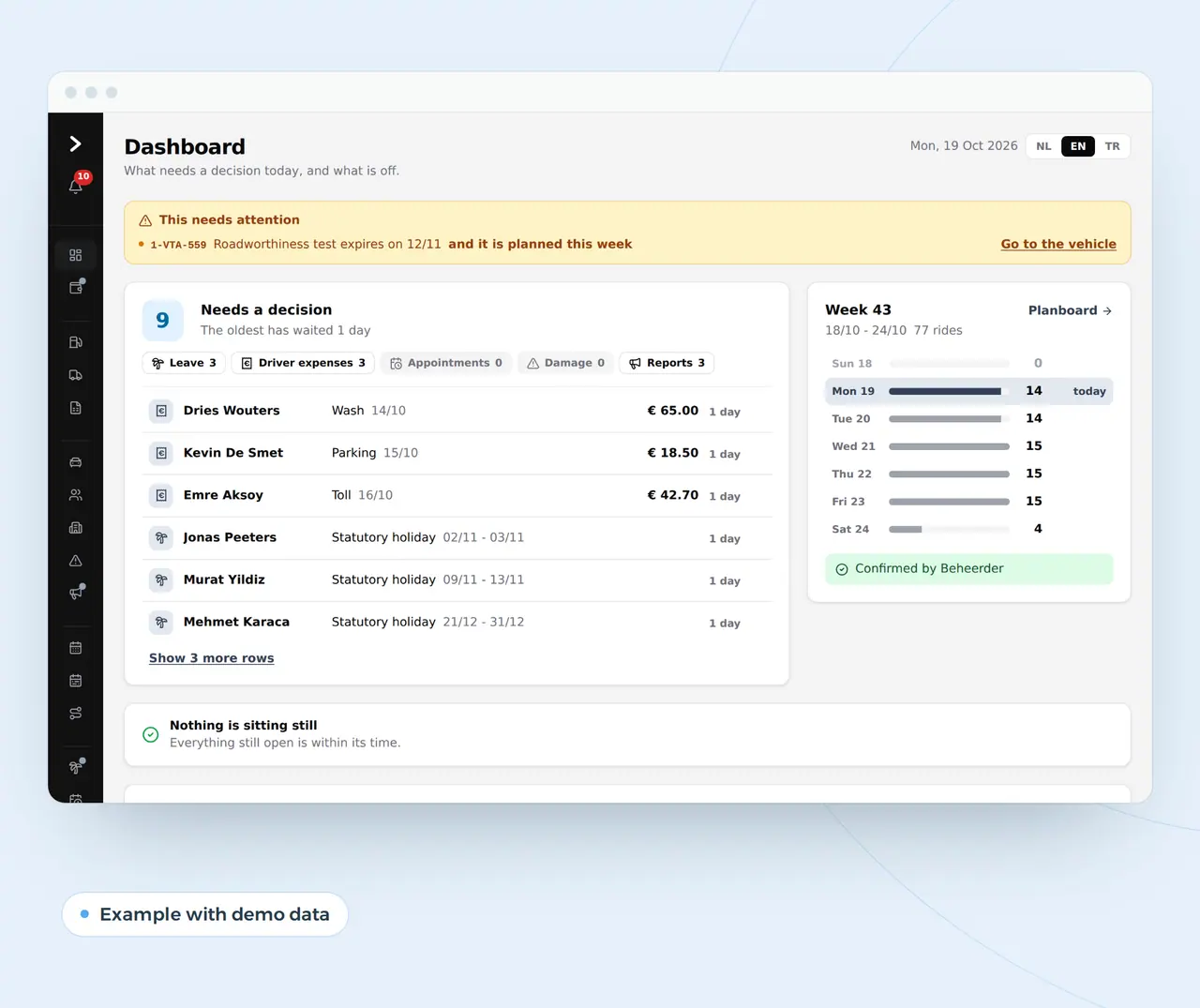
A custom dashboard on your own data: what needs a decision, how your week runs and what is off.
Business numbers exist, but nobody looks at them
Most companies already have the data. It sits across five systems and three spreadsheets.
Whoever wants to know how many trips ran this week, which client costs the most work or how many enquiries the website brought asks a colleague, who spends an afternoon lining up exports. By the time the overview is ready, the week is over and the decision was made on gut feeling.
A custom dashboard fetches the numbers itself, every day or every quarter of an hour, and shows only what you want to know. The best dashboard is not a wall of charts but a screen that tells you what needs a decision today, and an email on Monday with what changed last week. We build them from Ghent, Belgium, in English, for companies across Europe.
Two dashboards, two kinds of data
Trips per day, week 43
Example with demo data
77 trips this week, straight from what drivers and planners enter.
Google impressions per day
Business Centrum, 13 September to 20 October 2026
On the left a screen from the transport platform, on the right the numbers we pull from Search Console for a client. A custom dashboard shows what you want to know every morning, from data you already have.
Per weekly question: source, refresh and decision
A good dashboard does not start with charts but with the questions you ask every week. Per question we pick the source, how often the numbers refresh and which decision follows.
| Question you ask every week | Source | Refreshes | Decision that follows |
|---|---|---|---|
| What is waiting for me? | Your own platform: leave, expenses, reports | At once | Approve or forward, oldest first |
| How is the week running against the plan? | Planning board, calendar, orders | Every 15 minutes | Adjust before it is too late |
| Which client or project costs more than it earns? | Hours, costs and invoices per client | Daily | Change the price or the way you work |
| What is off? | Fuel use, stock, payments | Daily | Find out why, before it becomes a cost |
| What do my website and marketing bring in? | Google Search Console, your forms, your ads | Daily | Move budget to what works |
| What expires soon? | Files with dates | Daily | Book the appointment, request the certificate |
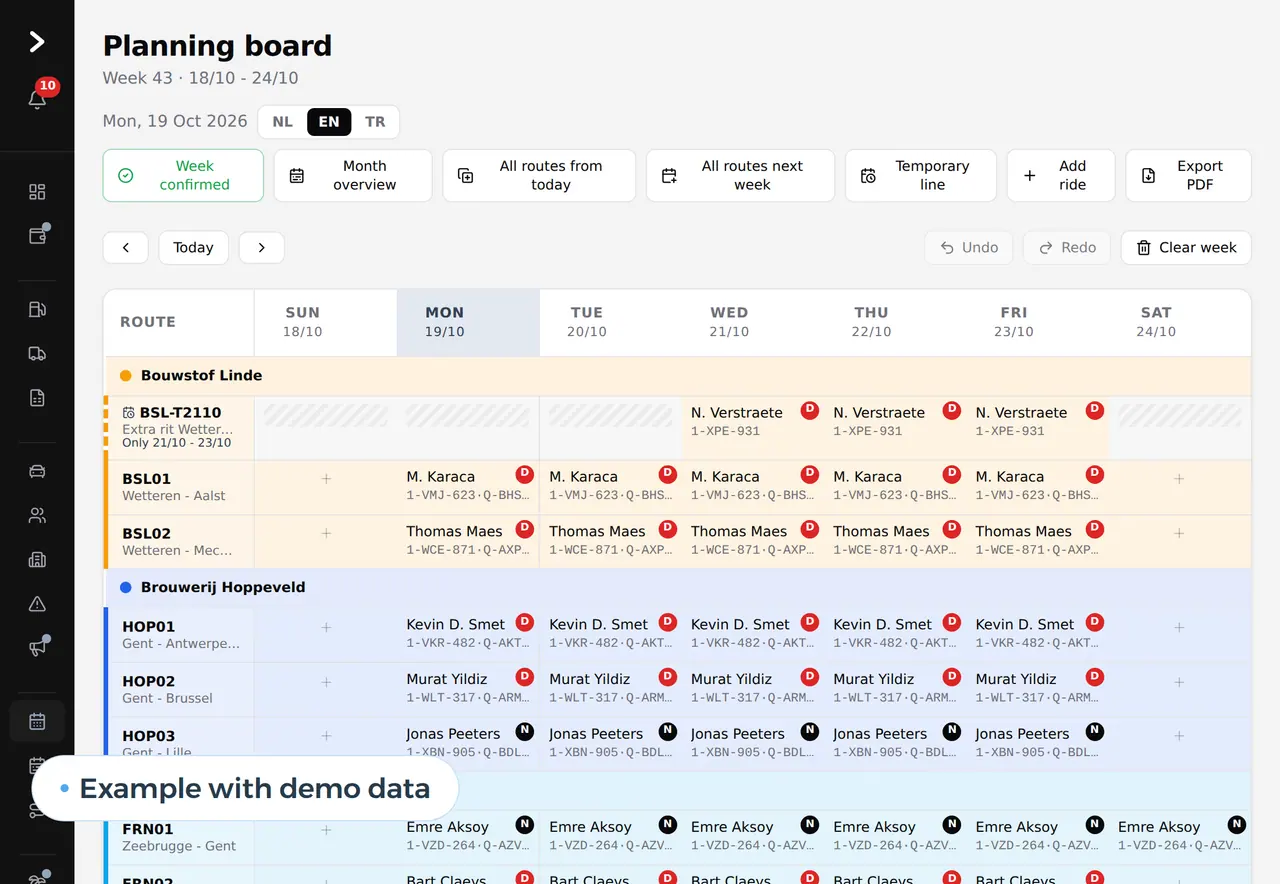
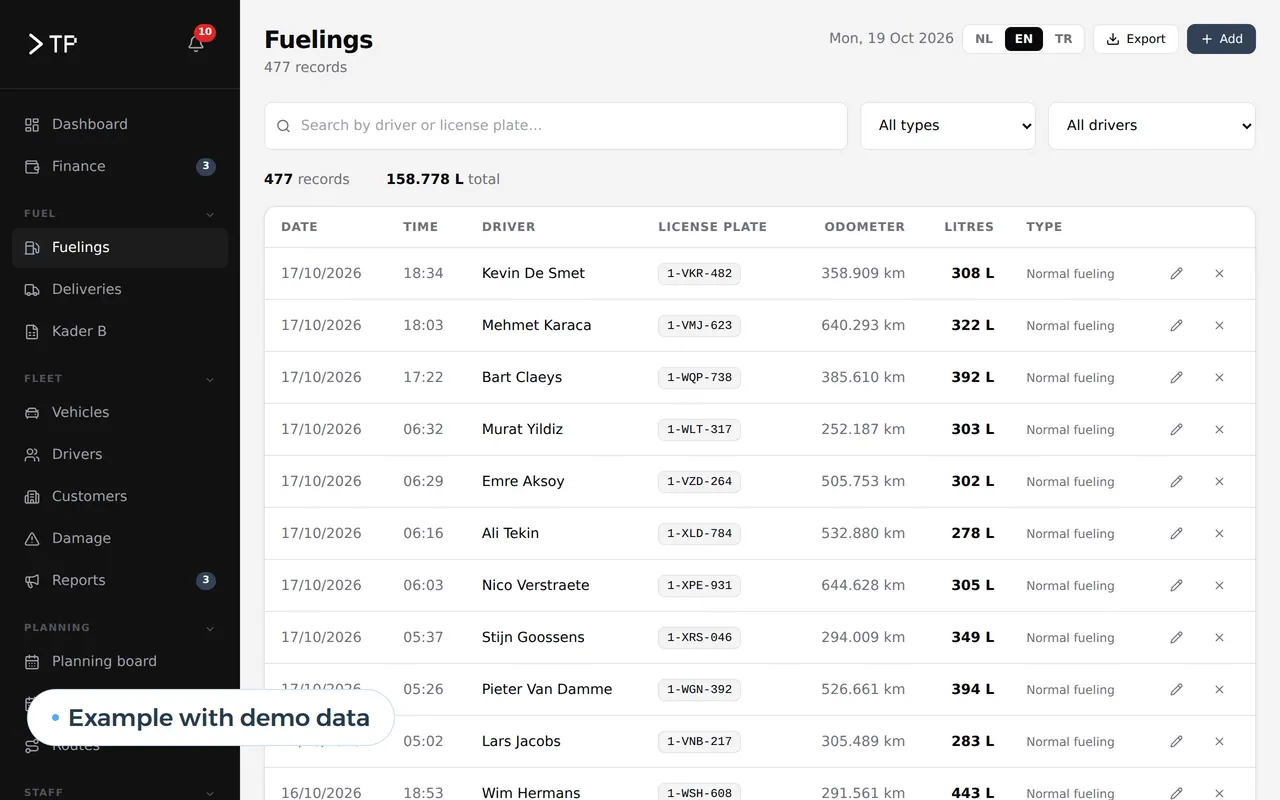
The dashboard of a transport platform we built opens every morning with what needs a decision, then the week's trips, then fourteen days of fuel. The numbers come straight from the transport management software and the inventory management of the same platform. What Search Console tells you about your site is explained on how long until my website shows on Google. A dashboard is often the window on a larger system: a custom ERP, fleet management software or a custom CRM. An AI agent that fetches your numbers every Monday, summarises and emails them is on AI agent development; why a team in Belgium can build it for you is on nearshore software development.
Dashboard screens we build
- What needs a decisionLeave, expenses or reports waiting, oldest first.
- Your week at a glanceTrips, jobs, orders or appointments per day, against the plan.
- What is offFuel use going up, a client ordering less, a document about to expire.
- Your website and marketingImpressions, clicks and enquiries from Google Search Console and your own forms.
- A screen per roleThe owner sees the week, the planner his trips, accounts the costs.
- A report in your inboxEvery Monday last week's numbers, without anyone opening anything.
Overviews already in daily use
A company of 25, worked out, and what Power BI costs
Take a company of 25 people where the owner wants an overview every Monday and a colleague puts it together each week. The figures are assumptions; run them again with your own week.
| Task | Without a dashboard | With a custom dashboard |
|---|---|---|
| Lining up exports for the weekly overview | 4 hours a week | 0 hours, the report arrives itself |
| Looking up numbers when someone asks | 2 hours a week | 0.5 hours |
| Month-end per client or project | 6 hours a month | 1 hour |
| Per year | 348 hours | 35 hours |
That is 313 hours a year, worth 14,085 euros at an assumed 45 euros an hour. The bigger gain is harder to count: a client who takes too much time shows after a month instead of after a year.
And Power BI? Often a good choice, when your data already sits neatly in a database. This is what Microsoft asks in the eurozone, excluding VAT:
| Option | Price | For 10 users per year |
|---|---|---|
| Power BI Pro | 12.10 euros per user per month, billed yearly | 1,452 euros |
| Power BI Premium per user | 20.80 euros per user per month, billed yearly | 2,496 euros |
| Google Looker Studio | Free version, paid Pro version for teams | 0 euros and up |
| Custom dashboard | Building the connections and screens, then hosting | Depends on the sources |
The licence is rarely the cost. The cost is in getting the data together and keeping the reports alive. If your data is spread over spreadsheets, email and a package without an integration, the work starts a step earlier, and that is where custom helps. How to weigh building against buying is set out in build vs buy software; to brief a supplier, use the software requirements specification template.
A screen of your own or a Power BI dashboard
- Your data
- Power BI or Looker StudioMust already sit in a database or a connectable package
- Custom dashboardIs fetched for you, also from spreadsheets and systems without an integration
- Who maintains it
- Power BI or Looker StudioSomeone in your company who knows the tool
- Custom dashboardUs, or your own team in your own code
- Actions from the screen
- Power BI or Looker StudioView and filter
- Custom dashboardAlso approve, forward or send an email
- Cost per user
- Power BI or Looker StudioPer user per month
- Custom dashboardNo licence per user
- A dashboard inside your product
- Power BI or Looker StudioPossible with Embedded, at variable prices
- Custom dashboardBuilt in, in your own branding
Choose Power BI if your data is in order and someone wants to maintain the reports. Choose custom if the data must be gathered first, or if you want to act from the screen.
Four steps, ending in a report every Monday
- The question you ask every weekWe start with one question and one decision, not with every number that exists.
- Connecting the sourcesYour platform, spreadsheets, accounting package, Search Console or online store. Whatever has no integration, we fetch another way.
- A first screen in a few weeksYou use it and tell us what is missing. Only then comes the next screen.
- Roles and reportsA screen per role, and a report in your inbox every Monday.
Overviews that already open every morning
The dashboard in the DA Logistics platform shows every morning what needs a decision, the week's trips and what is off in the fuel. For Business Centrum we pull Search Console data per day for a report on their site. And the Business Centrum platform prepares extra costs per client per month, ready to invoice.
What we do for you:
- We start with a question, not a wall of charts.
- We fetch the data ourselves, also from spreadsheets and systems without an integration.
- You can act from the screen: approve, forward, send an email.
- You own it, on a server in the EU, with rights per user.
We build dashboards as a web application. Tell us where your data lives today: book a call.
What owners ask about a dashboard
Which systems can a dashboard read from?
Anything with an export or an integration: your own platform, spreadsheets, your accounting package, Google Search Console or your online store. What has no integration we fetch with a scheduled export or an upload.
Does it work on a TV screen or a phone?
Yes. A dashboard in the browser adapts to the screen, from the TV in the warehouse to the owner's phone.
How often do the numbers refresh?
As often as the decision needs. Whatever waits for approval, at once; trips every quarter of an hour; marketing numbers daily, because Google delivers them per day.
Can we keep our Power BI?
Yes. Once your data sits in a database after our work, Power BI can read it. Sometimes we only build the collection layer and the reporting stays in the tool your team knows.
Who sees which numbers?
We set it per role. The owner sees margins and revenue, a planner his trips, a client only his own numbers if you put the dashboard in a portal.
What does custom dashboard development cost?
It depends on the number of sources, how often the numbers refresh and who may see what. We start with the question you ask every week, and after a call you get a price in euros for that first screen.
Web application
How VBS helps you with this
We build software in the browser for your whole team, on every computer and phone, around the way you work.
- Roles and permissions per person
- Links to your accounting and your email
- Releases without downtime, with backup and rollback
How we approach it is on our page about Web application.
Which numbers do you want to see every morning?
Tell us where your data lives today. We will sketch the screen you open every day.
Rather get in touch right away?