Digital work orders
A work order app your technicians fill in on site
A work order app built for your field team: job, parts, hours, photos and signature on the phone, invoiced the same day.
Work orders that get retyped on Friday
A work order app starts with a familiar problem. The paper job sheet sits on the dashboard of the van with a coffee ring on it. Half the parts are listed, the hours are a guess, and the customer had already left when it was time to sign. On Friday someone in the office retypes the pile into the accounting system. What is illegible gets a phone call. What nobody remembers never gets invoiced.
That costs money three times: office hours lost to retyping and chasing, parts missing from the sheet that come out of your margin, and an invoice that leaves a week late, if the customer does not dispute the unsigned hours first.
Your own work order app turns that around. The technician opens the job on their phone, with the address and what needs doing. They log what they did, pick parts from your own catalogue, take photos before and after and let the customer sign on the screen. The office sees the work order the moment it is closed, and the invoice takes over parts and hours. We build it from Ghent, Belgium, in English, for field teams across Europe. This page is about that one document: the technician's work order. The whole business of an installer, with service calls, maintenance contracts and scheduling, has a page of its own.
A sheet that fills itself in while the work happens
Work order
2026-0412
- Customer
- The Claes family, Wetteren
- Job
- Boiler service, pressure topped up
- Parts
- Filter, gasket, 2 couplings
- Hours
- 1 h 20 min, 08:10 to 09:30
3 photos
Signed by the customer
- Filled in on siteFields per type of job, parts from your own list, hours from the clock.
- Proof attachedPhotos before and after, and the customer's signature on the screen.
- Ready in the officeThe work order lands in the file at once. The invoice takes over parts and hours.
Example with made-up data of what we can build.
A good work order: what it records, and why
A work order is not a legal form, but it carries your invoice, your VAT rate and your evidence when a customer asks questions later. This is what a good digital work order records.
| On the work order | Why it matters | What the app does |
|---|---|---|
| Customer, address and installation | Invoice and file hang on it | Comes from the job, nothing retyped |
| What was done | Basis for warranty and the next visit | Fixed fields per type of job |
| Parts | Not on the sheet, not invoiced | Picked from your catalogue, with price and unit |
| Hours: arrival and departure | Hourly billing and job costing | Times from the clock, corrections visible |
| Photos before and after | Your evidence if a customer disputes | Attached to the order, with date and time |
| Customer signature | Agreement on work and hours; electronic counts as evidence (eIDAS, Article 25) | Signing on the screen, copy by email |
| VAT situation | Rates differ per country; Belgium taxes renovation of older homes at 6 percent | Two questions that put the right rate on the invoice |
| Service certificate | In Flanders: combustion and cleaning certificates after a boiler service | The certificate comes out of the order |
Two more rules travel with the work order. Retention periods for invoices are national: Belgium went back to seven years, from ten. Keep the work order behind an invoice in the same file for as long. And photos of someone's home are personal data under the GDPR: keep them as long as you need them, and show them only to whoever works on the file.
In Belgium invoices between businesses go out as structured e-invoices over Peppol since 1 January 2026; across the EU, the VAT in the Digital Age package brings e-invoicing for intra-EU business sales from 1 July 2030. Who has to comply in Belgium is on is Peppol mandatory in Belgium, and how invoices leave the work order on Peppol invoicing software. Engineers who would rather talk than type will find the next step on AI for plumbers and electricians; a garage that wants bookings online on car dealer website design.
Reports with a photo and a status on the phone, from an app in daily use
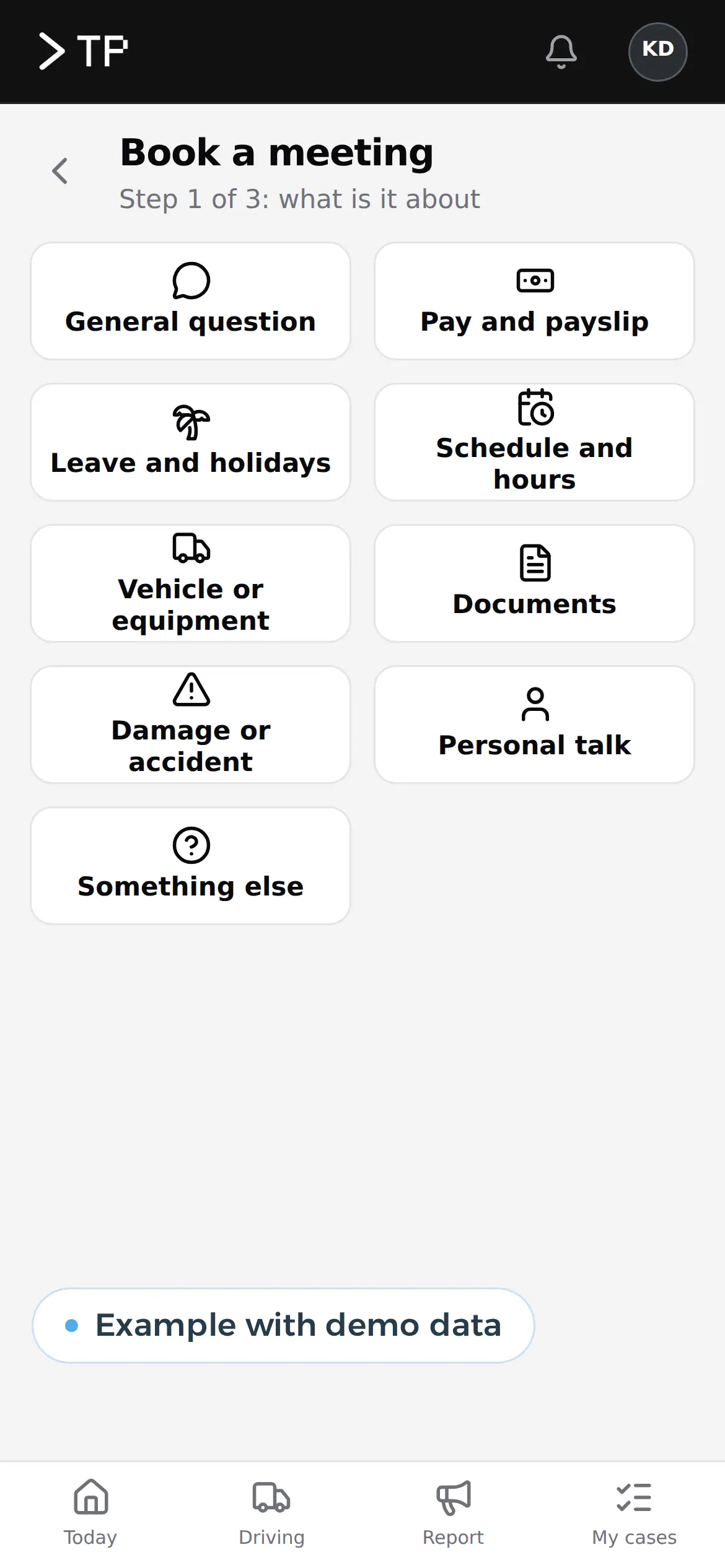
First choose what it is about, with large buttons. A technician picks the type of job the same way. Example with demo data. 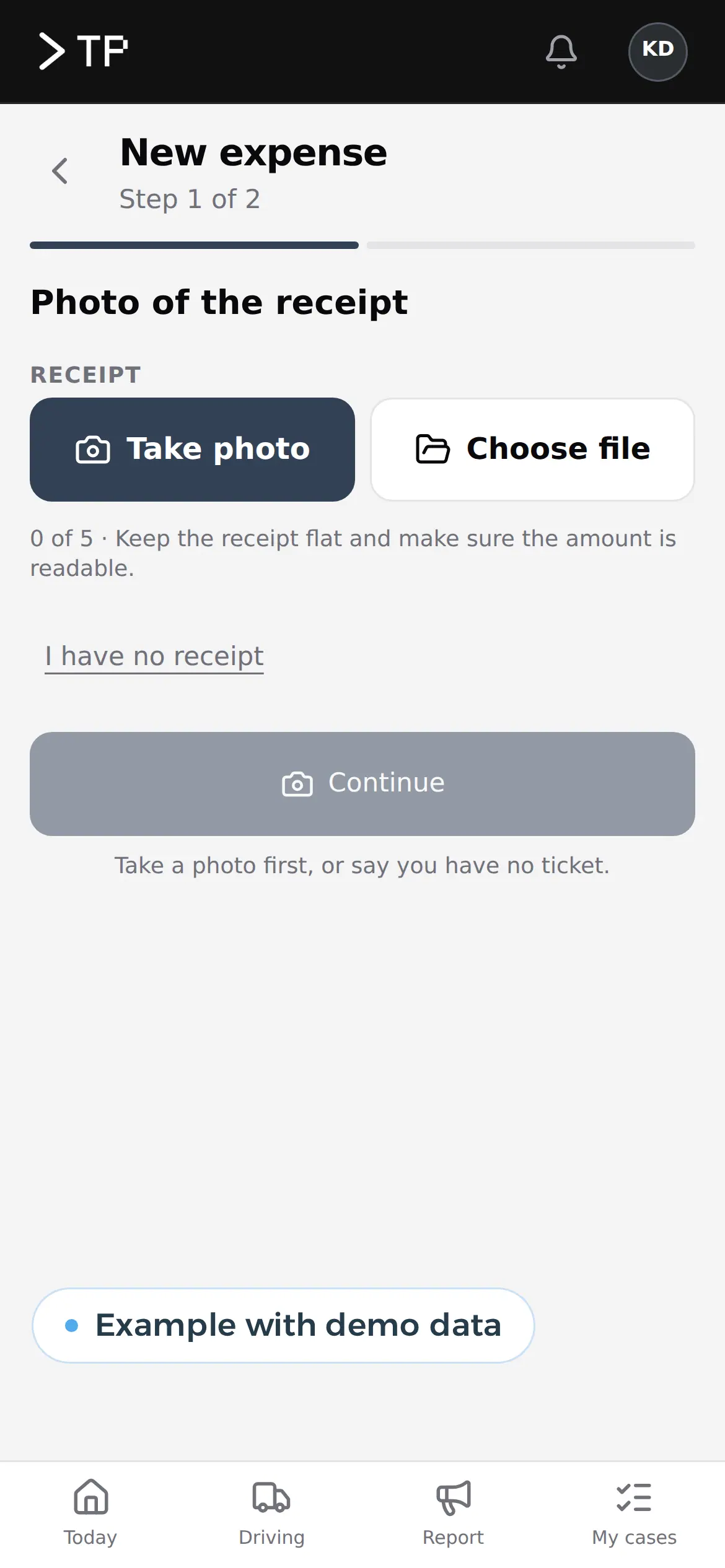
Taking a photo uses the phone's camera, inside the step itself. Example with demo data. 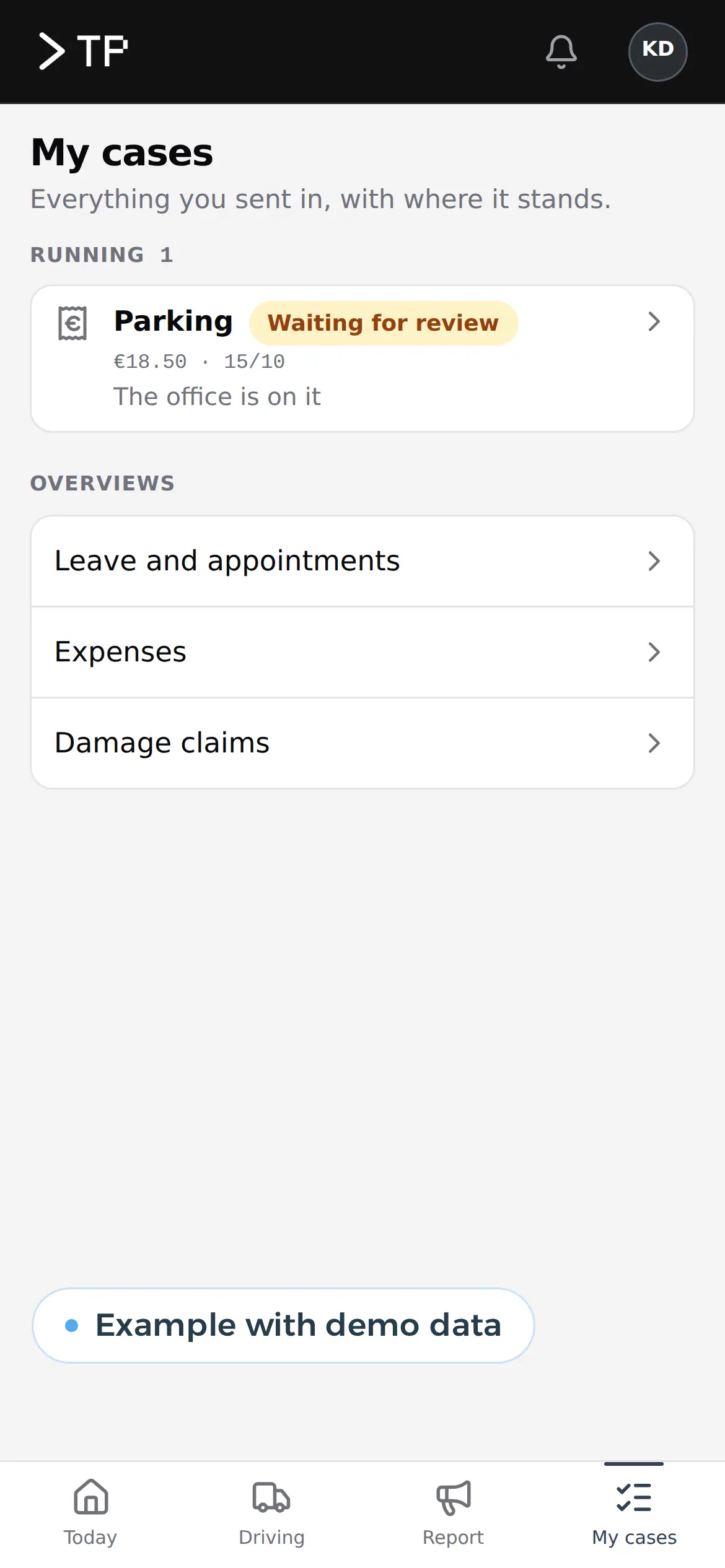
What was submitted, with its status: awaiting review or done. Example with demo data. 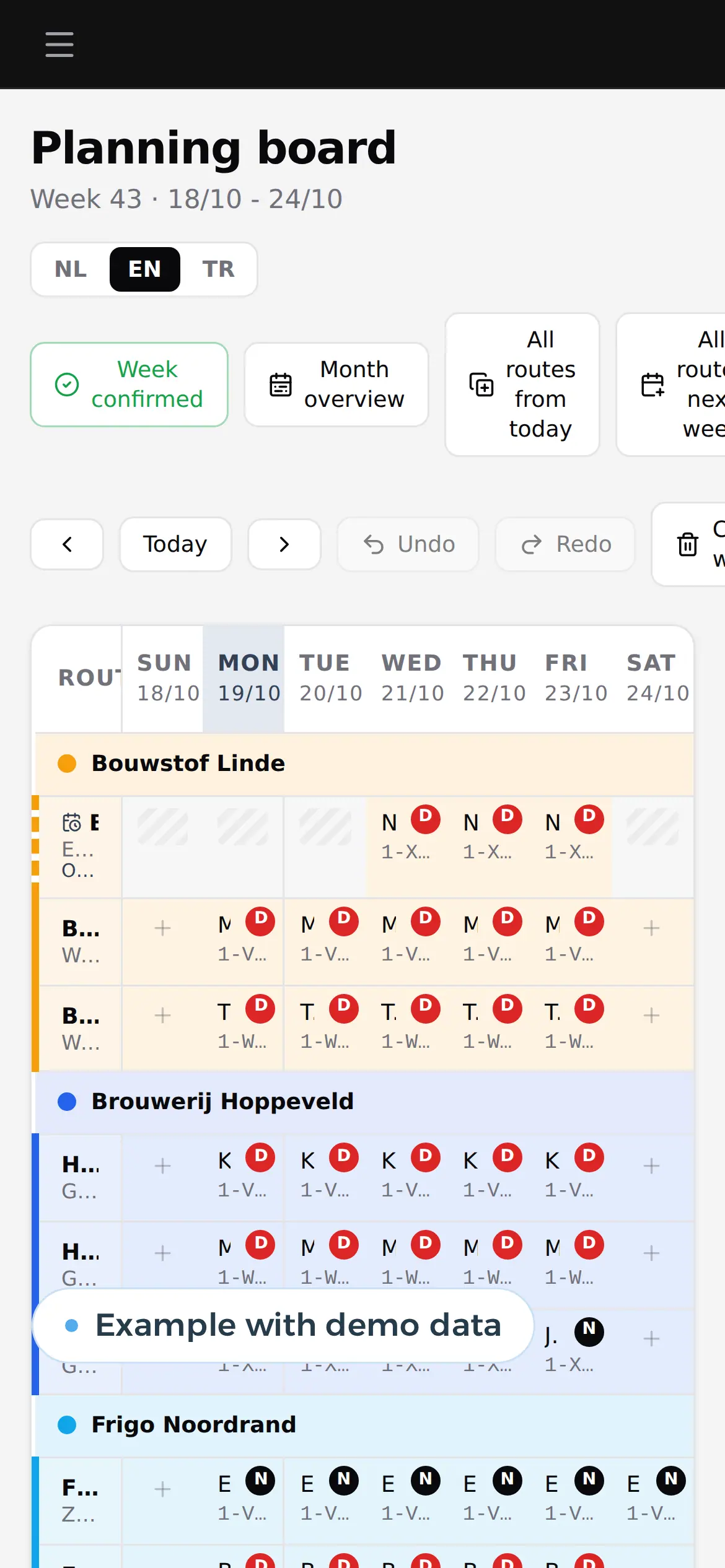
Their own week, day by day. For a technician those become jobs. Example with demo data.
What disappears between the job and the payment
The gain is in the steps that disappear between the job and the payment.
| Process | Today | With your own app | What you gain |
|---|---|---|---|
| Handing over the job | A phone call or a note in the van | The job is on the phone, with address, installation and what needs doing | No technician calling back for the address |
| Filling it in on site | A carbon-copy sheet, half complete | Required fields per type of job; the order only closes when everything is there | Complete work orders, every time |
| Parts | From memory, afterwards | Picked from your catalogue, including what is in the van | No parts you pay for yourself |
| Customer sign-off | A signature if the customer is home, otherwise nothing | Signing on the screen, the customer gets a copy | Fewer disputes about hours and work |
| Back in the office | The pile arrives on Friday | The work order is there as soon as the technician closes it | Invoicing a week sooner |
| Invoicing | Retyping into accounting | Customer, parts and hours flow into the invoice or your package | Hours a week in the office |
| A question three months later | Searching a folder | Work order, photos and signature in the customer's file | An answer in a minute |
The hours on the work order do not need tracking twice: they flow on to payroll and job costing. How to record hours per employee, site or trip is on custom time tracking software. Whoever plans the technicians works with custom scheduling software or, for crews on building sites, construction scheduling software. The work order is often the first step towards a larger system with calls, maintenance and scheduling: read software for installers or, for contractors, software for construction companies. A quote from the photos and notes of a site visit can be drafted with AI: see AI quote generator. Why a team in Belgium can build it for you is on nearshore software development.
Eight technicians, 120 orders a week: the sum
Take an installation business with eight technicians who each do three jobs a day, and an office that processes the work orders. This is a worked example with assumed figures: 120 work orders a week, 46 working weeks, an office cost of 45 euros an hour. Run it again with your own numbers.
| Task per week | Paper work order | Work order app |
|---|---|---|
| Retyping, 5 minutes per order | 10 hours | 0 hours |
| Chasing an incomplete order, 1 in 10, 15 minutes each | 3 hours | 0.5 hours |
| Building and checking the invoice, 3 minutes per order, 1 with the app | 6 hours | 2 hours |
| Total | 19 hours | 2.5 hours |
That is 16.5 hours a week, or 759 hours over 46 weeks. At 45 euros an hour: 759 x 45 = 34,155 euros a year. Add the parts that never make it onto a sheet. Say 2 percent of 5,520 work orders a year miss 40 euros of parts on average: 110 orders x 40 euros = 4,400 euros. Together 34,155 + 4,400 = 38,555 euros a year, before counting the week you invoice sooner.
What does a package with work orders cost? Per month and excluding VAT, for eight technicians and one office user:
| Package | Price | For 9 users per year |
|---|---|---|
| Robaws Go (sites for Belgium, the Netherlands, Germany, the UK and Ireland) | 59 euros a month with one user, 49 euros per extra user, billed yearly; scheduling, work orders and time tracking included | 59 + 8 x 49 = 451 euros a month, 5,412 euros |
| Teamleader Focus GROW with the Work orders add-on | 33 euros per user per month billed yearly, 50 percent off from the sixth user; Work orders 20 euros per account per month | 5 x 33 + 4 x 16.50 + 20 = 251 euros a month, 3,012 euros |
| Odoo Standard | 19.90 euros per user per month in the first year, then 24.90; all apps, including Field Service and Sign | 2,149 euros, then 2,689 euros |
| Your own work order app | The build, then hosting and maintenance; another technician costs nothing | A price after a call |
The Teamleader sum counts every technician as a user; check whether your set-up needs that. A package is cheap as long as your work order fits its fields. When it chafes, with your job types, your certificates or your own catalogue, you pay the difference in hours. An app of your own that saves 38,555 euros a year earns back an investment of about 38,000 euros in one year, and 77,000 euros in two. The packages compared: Teamleader alternatives, Odoo alternatives and what Odoo costs. The decision itself is on build vs buy software.
Seven weeks to the first digital order
- Week 1Your current sheet on the tableYou show us the paper sheet, a full week of orders and how they reach your invoice today. We see where it goes wrong and which fields really matter. On a video call if you are abroad.
- Week 2 to 4A first work order on the phoneFields per type of job, your catalogue and the signature. Two technicians test it on real jobs, next to the paper.
- Week 5 to 7Connected and liveThe work order flows into your invoicing or accounting package. Every technician gets a login, the paper goes.
- After thatWhat comes nextScheduling, maintenance contracts, certificates or a customer portal, when you want them. We maintain the app.
Forms, status and approval already run in the platforms of: DA Logistics and Business Centrum platform.
Built like the DA Logistics driver app
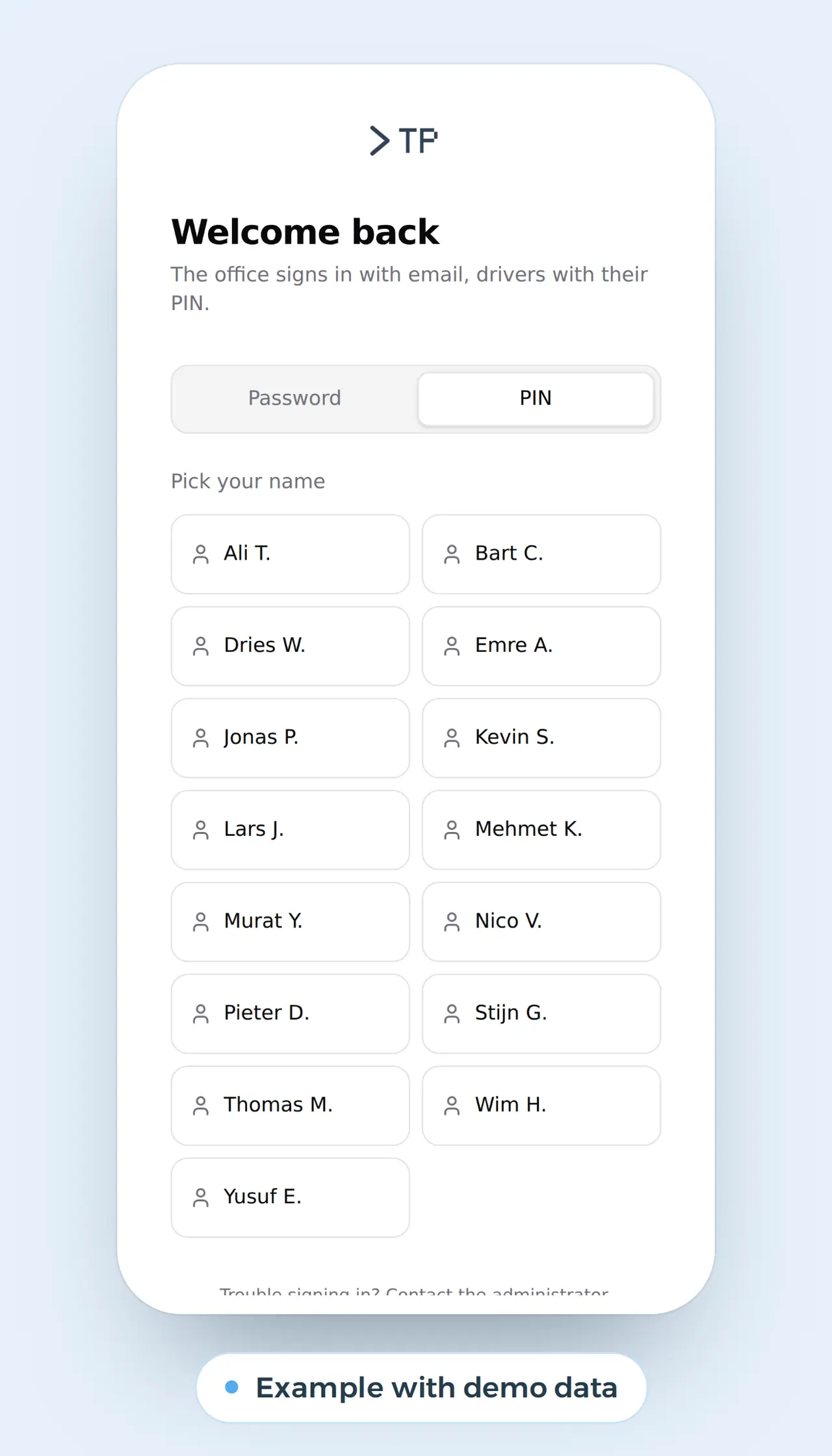
The screens on this page come from the driver app we built for DA Logistics, a Belgian haulier. About thirty drivers use it every day, in Dutch, English or Turkish: they log in with their name tile and four digits, request leave, upload receipts with the camera and report a problem with their truck in four steps, photo included. In the office everything lands in queues. A work order works exactly like that: large buttons, a photo inside the step, and an office that sees it at once. For Business Centrum we built a client portal where employers enter their hours per day: someone outside the office fills it in, the office processes it without retyping.
What we do for your work orders:
- We start from your sheet today, not from a demo: the fields you use now, plus what is missing.
- We build it as a web app: it runs on any phone and needs no app store.
- We connect to what you have: your accounting package stays, the work order feeds it customer, parts and hours.
- You own it: code, data and a server in the EU.
This is how we build apps for teams on the road: app development. Show us your current work order: book a call.
What technicians and owners ask us
Does the work order app work without signal?
Yes. We build it so a technician in a basement or a plant room can keep filling it in. The work order leaves as soon as there is a connection again, and the technician sees what is still waiting to go.
Is a signature on a screen valid?
Under Article 25 of the eIDAS Regulation, an electronic signature cannot be refused as evidence solely because it is electronic, in every EU member state. For a work order that is enough in practice. We store the signature with name, time and the work order exactly as it was signed, so nobody can change it afterwards.
Can the app run in several languages?
Yes. The driver app it is based on runs in three languages; each technician sees their own, while the office works in its own.
Can the work order go to our accounting package?
Yes. We send customer, parts and hours in your package's format, or create the invoice in the system and send it as an e-invoice. Reading supplier invoices can be done with AI, see invoice automation.
What does a work order app cost?
It depends on your job types, the number of technicians and the integrations. Show us your current sheet and job types, and you get a price in euros. If a package is good enough, we will say so.
App development
How VBS helps you with this
We build an app for your clients or your staff, simple and in their own language, linked to what the office sees.
- Sign-in without fuss, also for people who rarely use a phone
- Reports, photos and documents that land at the office at once
- Multilingual, the way your team speaks
How we approach it is on our page about App development.
No more pile of work orders on Friday?
Show us your current work order. We will show you how it reaches your technician's phone, and what it saves you per year.
Rather get in touch right away?