On this page
ChatGPT vs Claude comes down to the extras, the seat price and where your data is stored, because for most office work they do the same job. ChatGPT offers more around images, meeting recordings and scheduled work. Claude gives more room for long documents and costs slightly less per seat. Run your own numbers with the AI cost calculator. Below, ten ordinary tasks of a European business sit side by side, based on what each puts in its plans. It is not a writing contest: which one drafts the better answer depends on your own files and your own customers. What each Claude plan costs is in Claude pricing.
What a seat costs
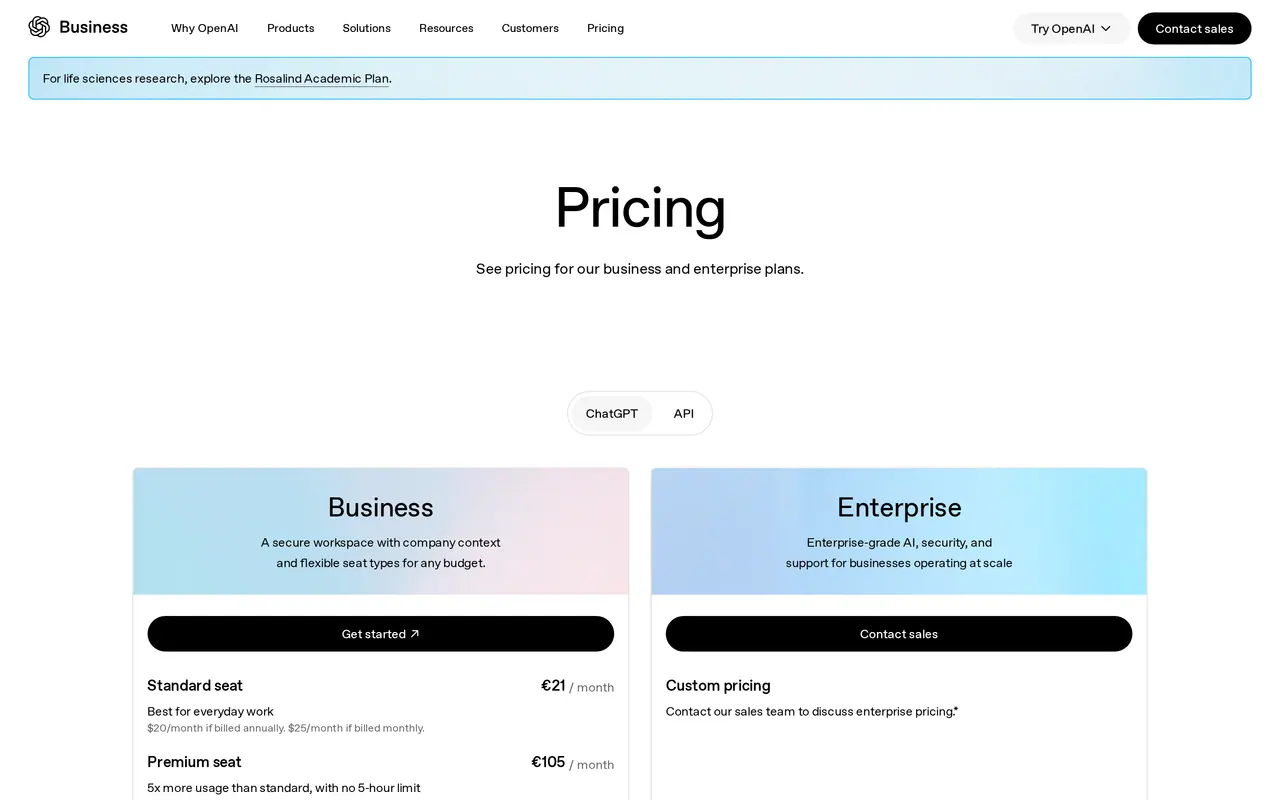
| Plan | Claude | ChatGPT |
|---|---|---|
| Just for you | Pro: 15 euro a month billed yearly, 18 monthly, excl. tax | Plus: 20 dollars a month, billed in euro in the EEA |
| Team, standard seat | 18 euro billed yearly, 21.04 monthly, excl. tax | 21 euro billed yearly; 20 or 25 dollars |
| Team, heavy user | Premium: 90 euro billed yearly | Premium: 105 euro |
| Team size | 2 to 150 seats | 2 to 200 seats |
| Large company | Enterprise: 20 dollars a seat plus usage at API rates, at least 20 seats | Enterprise: quoted by sales |
For a team of ten on annual billing that is 180 euro a month on Claude and 210 euro on ChatGPT, October 2026 prices before tax. On Claude Enterprise the bill follows how much your team uses it, so budget with a margin. Every OpenAI plan, from Free to Enterprise, is broken down in our ChatGPT pricing guide.
Claude vs ChatGPT for business: where your data lives
In Claude Team and ChatGPT Business, what your team types does not train the models by default. On the personal plans it can, until someone switches it off, so keep customer data out of them.
The real difference is storage, which matters once GDPR and your customers' contracts come into play. Anthropic serves European customers through Anthropic Ireland, but states that data is stored in the United States and that processing may run in the US, Europe, Asia or Australia. OpenAI lets a Business workspace pick a storage region at checkout; that option is still rolling out, and a copy for abuse monitoring stays in the US for a limited time. If both storage and processing must stay in Europe, ChatGPT Enterprise is the only one of the two that puts it in writing today.
Which one fits your work
If your people mostly read and write long material, the context window counts. Claude offers up to one million tokens on every plan, depending on the model. ChatGPT Business offers 54,000 tokens in its fast mode, about 40 pages of input, and 256,000 in its reasoning mode, about 320 pages. If your team also makes visuals, records calls with clients or wants one workspace for everything, ChatGPT has more built in.
And if the questions your team asks all day are about your own procedures, price lists or case files, a general assistant is the wrong starting point: then an assistant on your own documents, with access rights per person, is the third route.
Ten tasks, two assistants, what it costs a month
- included
- possible another way
ChatGPT Business210euros a month for ten seats
Claude Team180euros a month for ten seats
Prices billed yearly, October 2026, before VAT. Not a test of the answers: do that with your own work.
Ten office tasks, two assistants
Per task, what each plan includes. How good the answers are, you test with your own work.
- A proposal from your rate card
- ChatGPTWorks, with the rate card in a project. Business also has an Excel and PowerPoint extension.
- ClaudeWorks, with the rate card in a project. Claude also creates and edits files.
- A supplier complaint in German
- ChatGPTWrites in the language you ask for and connects to your mailbox through Microsoft 365 or Google Workspace.
- ClaudeWrites in the language you ask for and has its own connectors for Outlook, Microsoft 365 and Google Workspace.
- A 120-page tender document
- ChatGPTAbout 320 pages of input in reasoning mode, about 40 in fast mode.
- ClaudeUp to one million tokens of context, depending on the model.
- A CSV export from your shop
- ChatGPTData analysis, plus extensions for Excel and Google Sheets.
- ClaudeRuns code on your file and works inside the Microsoft 365 apps.
- Notes from a sales call
- ChatGPTRecord mode captures the meeting and summarises it.
- ClaudeNo recording in the feature list: you give it a transcript.
- An image for a LinkedIn post
- ChatGPTImage generation on every plan, including Free.
- ClaudeNo image generator in the feature list; Claude Design for layouts.
- A pitch deck
- ChatGPTA PowerPoint extension on Business.
- ClaudeClaude Slides on every plan.
- Research on a new market
- ChatGPTWeb search and deep research.
- ClaudeWeb search and Research.
- The Monday KPI report
- ChatGPTScheduled tasks and agents in your workspace.
- ClaudeHand off and schedule tasks, from Pro.
- Your team's own language
- ChatGPTThe app itself comes in many languages, Dutch among them.
- ClaudeThe app comes in English, French, German, Spanish, Italian and a few more; you can chat in any language.
On email, proposals and research they do the same work. ChatGPT adds more around images, recordings and scheduling; Claude gives more room for long documents and costs a little less per seat.
A one-week trial with real work
- Pick three real tasks from last week, with customer names removed, and give them to both.
- Use the same instruction for both: tone, language, length.
- Have the colleague who normally does the work judge the answers without knowing which is which.
- Count how often you still have to correct an answer before you can use it.
- List the connector you need: Outlook, Gmail, Drive or SharePoint.
- Check where the data is stored and whether that matches your customer contracts and your GDPR records.
- Start with a few seats and add more only when they are used every week.
- Write down what never goes into an assistant, such as payroll or health data.
Which assistant for which kind of business
| Kind of business | What counts most | Where to look first |
|---|---|---|
| Law firm or notary | Long files, confidentiality | Claude for reading, with strict data agreements |
| Accounting firm | Exports, figures, client data | Data analysis and the storage region |
| Marketing and communication | Images, posts, presentations | ChatGPT for images, Claude for long text |
| Construction and installation | Quotes, site reports, planning | Projects with your price list, scheduled tasks |
| Team on Google Workspace | Gmail, Drive, Docs | Also Gemini |
| Team on Microsoft 365 | Outlook, Teams, SharePoint | Also Copilot, and check the Outlook connectors of both |
On Google Workspace, ChatGPT vs Gemini is the closer comparison.
Neither replaces someone who knows your trade. An assistant is good at a first draft, a summary or a search. Under the EU AI Act, employers must ensure AI literacy of staff who use it; see do I need an AI policy and the EU AI Act checker. What changes for chatbots that talk to customers is in EU AI Act transparency obligations.
Claude and ChatGPT in a few lines
Can I try Claude for free first?
Yes, Claude and ChatGPT both have a free plan with lower daily limits. Test there only with text that holds no customer data: on free and personal plans your input can be used to improve the models until you switch that off.
Is Claude GDPR compliant?
Anthropic serves EU customers through Anthropic Ireland and states that it stores data in the United States. Whether that fits your obligations under GDPR is for your data protection officer or lawyer to judge, not for a comparison page.
Can I keep ChatGPT data in Europe?
On Enterprise, yes: storage and processing can both be set to Europe. On Business you can choose a storage region at checkout as it rolls out, with a copy kept in the US for abuse monitoring.
Should my team use both?
It works, but it means two subscriptions and two places where company data sits. Pick one for anything that touches customer data and write that down in your AI policy.