Staff scheduling
Custom scheduling software where your team requests leave
Custom scheduling software: your weekly roster, and leave that arrives through the app and updates the plan.
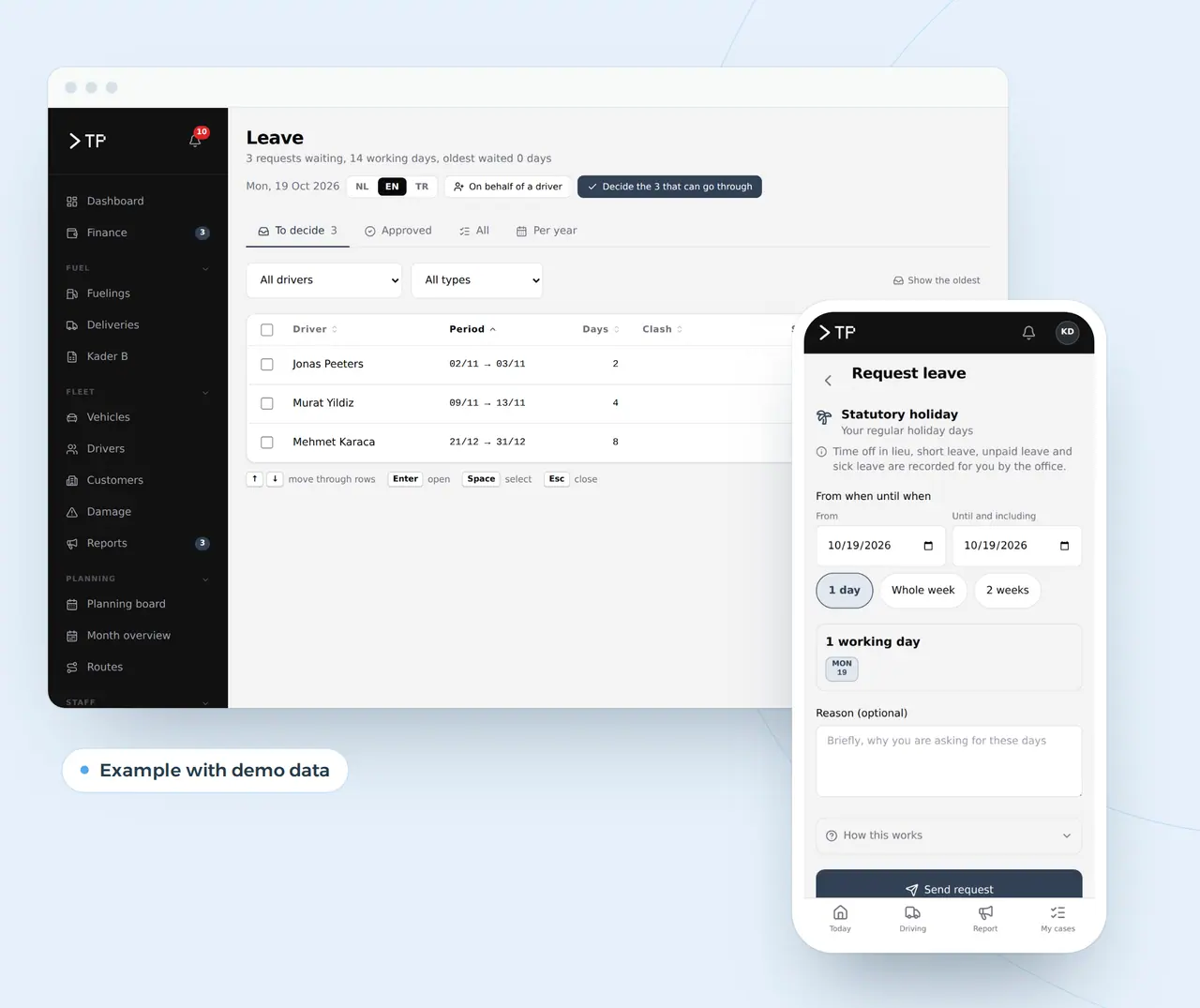
A staff roster that changes three times a day
In a business with shifts, the schedule is never finished. Someone swaps a shift, someone asks for leave on WhatsApp, someone calls in sick at six in the morning. Whoever plans keeps it all in a spreadsheet and a pile of messages, and finds out on Friday that Wednesday is two people short.
Custom scheduling software puts the roster, leave and absences in one place. Your team requests leave in an app, you see at once what it does to staffing and approve with one click. Whoever is missing on a given day shows up before it becomes a problem.
That holds for transport, and just as much for a kitchen, a care team, a warehouse or a shop with shifts. Shifts, staffing, leave and hours work the same everywhere; what differs are the rules of your sector and your own agreements. We build it from Ghent, Belgium, in English, for teams across Europe.
A leave request against the week's staffing
Statutory holiday
Sara, late shift
Requests leave from Wednesday to Friday
- Thursday and FridayAfter the leave still 6 of 6 on the late shift
- WednesdayAfter the leave 5 of 6 on the late shift
Example with made-up names and numbers. The roster calculates with fixed rules; the planner decides.
The working-time rules a roster has to follow
A roster is never just the planner's choice. Working-time rules come from EU law and are filled in nationally, so the details differ per country. These are the rules that most often clash with a week that looks fine on paper.
| Rule | What it asks | What it means for your schedule |
|---|---|---|
| EU Working Time Directive (2003/88/EC) | At least 11 consecutive hours of daily rest, a weekly rest period, at most 48 hours a week on average | A late shift followed by an early one breaks the rest rule |
| Recording working time | The EU Court ruled in 2019 (case C-55/18) that employers need a system to record daily working time | An app that holds planned and worked hours side by side is that system |
| Part-time and variable schedules | Many countries require part-time schedules to be known in advance and deviations recorded | The app keeps the notice and the record |
| Works councils | In Germany and the Netherlands the works council has a say over rostering and monitoring systems | Plan time for that conversation before you roll out |
| EU AI Act, Annex III | From 2 December 2027, AI that allocates work on workers' behaviour or traits is high risk | Fixed rules are not; an AI that rates people is |
| GDPR | Only what is needed, with rights per user | A colleague sees the roster, not the reason for a sick day |
Whether you need an internal AI policy as an employer is answered on do I need an AI policy? Payroll stays with your payroll provider; the schedule delivers hours and absences in the format they import. How you record the hours worked is on custom time tracking software, and whether your own scheduling idea falls under the AI rules shows in the EU AI Act compliance checker.
A leave request through the system, from app to staff file
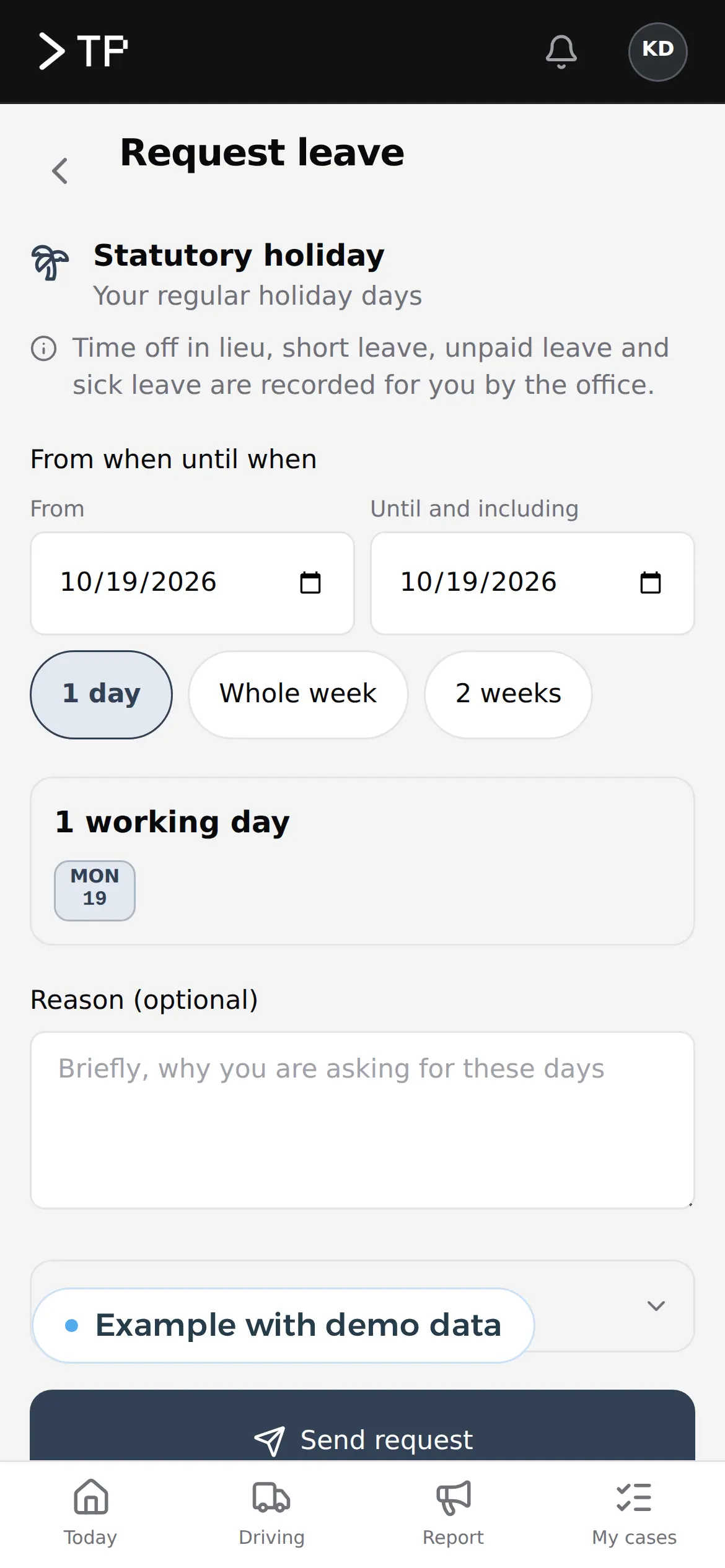
- Your employee requests leave in the appOn the phone, in Dutch, English or Turkish: the type of leave, the days and a reason. Logging in takes a name tile and a four-digit code.
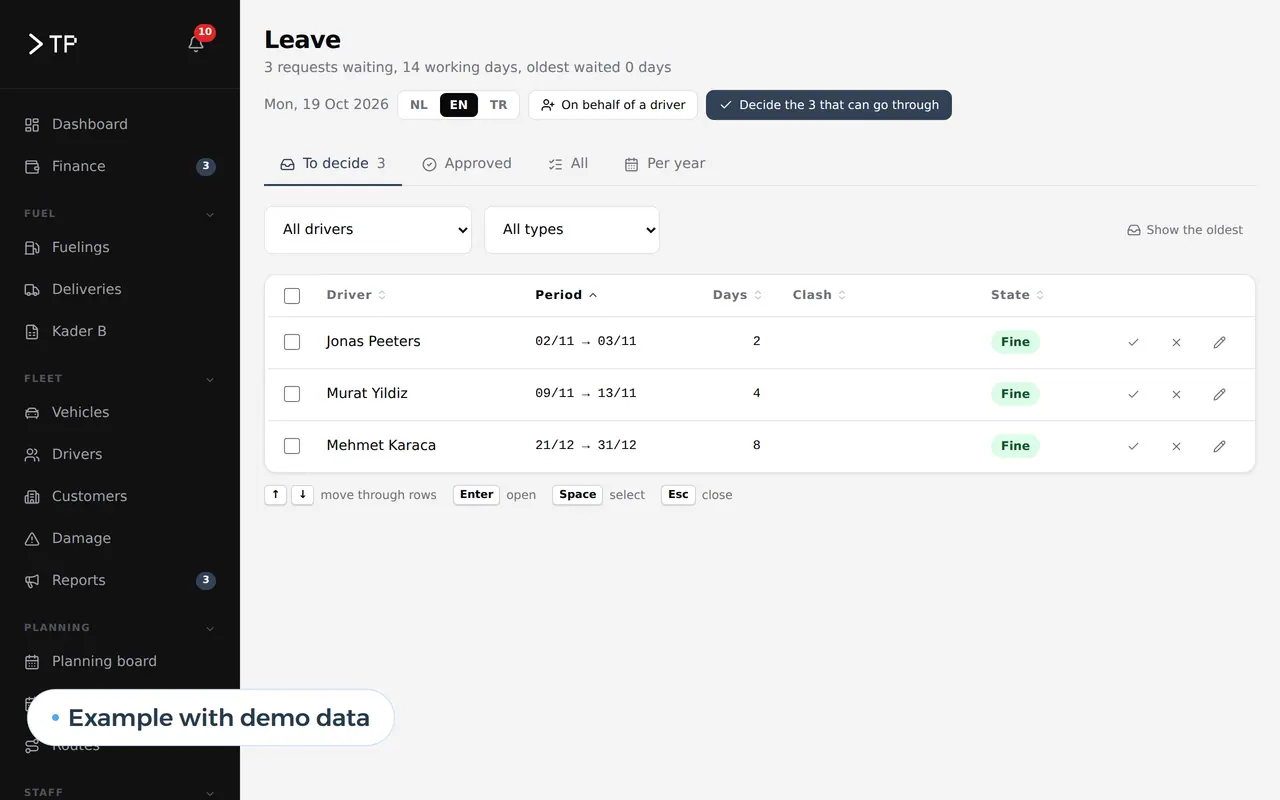
- The office sees what is waitingA queue of what needs a decision, oldest first. If the leave clashes with the plan, it says so.
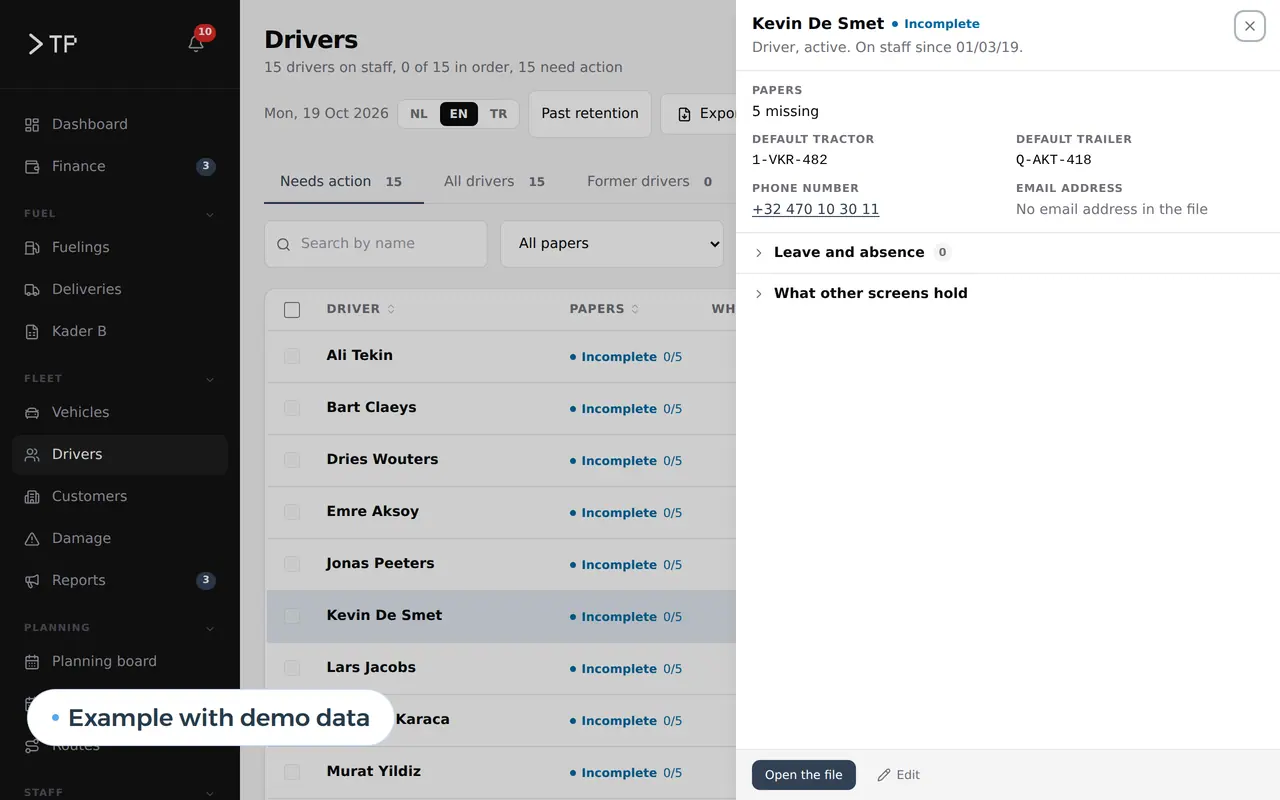
- The staff file stays completeApproved leave, papers and absences sit in the staff file. If a document is missing, it shows in red.
What changes, step by step, once your roster lives in a system
This is what changes per step once your roster lives in a system of your own.
| Process | Today | With your own schedule | What you gain |
|---|---|---|---|
| Building the roster | Every week in a spreadsheet, fixed crews retyped | Fixed crews are already there, you change what differs | Hours a week |
| Requesting leave | WhatsApp, a note, a word in the corridor | In the app, with the days and the type of leave | Nothing lost, everything dated |
| Deciding on leave | By feel, without seeing staffing | Staffing per day next to the request | No day with too few people |
| Swapping shifts | Two colleagues agree, the planner hears later | Swaps in the app, the planner approves | The roster matches reality |
| Certificates and papers | A folder nobody opens | Licence, safety training or medical certificate with a reminder before expiry | Nobody scheduled without a valid certificate |
| Hours to payroll | Retyped at month end | Planned and worked in an export in their format | Fewer corrections on payslips |
Every sector plans differently. A kitchen roster turns on weekend peaks and students who work a few hours a week. In a care team every shift needs the right qualification, and in a warehouse or with field technicians the day's jobs decide who goes where; technicians who log jobs and material on a work order should also read work order app. Planning crews on building sites is on construction scheduling software; lanes and trips on transport management software. For a screen with staffing and leave for the coming weeks, see custom dashboard development. AI helps where there is a lot of reading, such as watching expiry dates in staff files and drafting the right email: see AI for HR. Why a team in Belgium can work for you is on nearshore software development.
Staff scheduling that goes beyond a roster
- Weekly rosterDay and night shifts, fixed crews and loose shifts, with staffing per day.
- Shift swapsTwo colleagues swap in the app, you approve.
- Certificates and papersLicence, professional qualification, safety training or medical certificate with a reminder before expiry.
- Planned against workedHours from the app next to the roster, ready for payroll.
- In your team's languageThe app speaks the language of whoever uses it; the office works in its own.
- A message on every changeWhoever changes shift sees it, without phone calls.
Rent or build, with a worked example for 40 people
Take a team of 40 people in three shifts and a planner who does other work too. The figures are assumptions; run them again with your own team.
| Task per week | Spreadsheet and WhatsApp | Own scheduling app |
|---|---|---|
| Building the roster | 6 hours | 2 hours |
| Handling leave, sickness and swaps | 4 hours | 1 hour |
| Informing everyone and chasing replies | 2 hours | 0.5 hours |
| Preparing hours for payroll | 1.5 hours | 0.25 hours |
| Total | 13.5 hours | 3.75 hours |
That is almost 10 hours a week, or 449 hours over 46 working weeks, worth 20,205 euros a year at an assumed 45 euros an hour.
And renting a roster app? Honestly: for an ordinary roster, that is cheap.
| Option | Price | For 40 people per year |
|---|---|---|
| Shiftbase Premium | 72 euros a month with 12 employees, 5 euros per extra employee, 10 percent off for yearly billing | about 2,290 euros |
| Odoo Standard, with Planning | 19.90 euros per user per month in the first year, then 24.90 | 9,552 euros, then 11,952 euros |
| Custom | The build once, then hosting and maintenance; no price per employee | Depends on what you need |
Rent an app if your roster is ordinary. Build if your schedule is tied to your own work: lanes per client, certificates that must be valid before someone may drive or lift, an app that also handles leave, expenses and reports, or a roster that has to live inside your platform for transport, construction or care. With custom software you do not pay per employee, and every hour saved stays saved. Weighing it up is easier with our build vs buy comparison.
Leave in an app: how it works at DA Logistics
The leave requests and staff file above run at DA Logistics, a Belgian haulier, with about thirty drivers using them every day. For Business Centrum we built a management platform with employees, work permits and a client portal where employers enter hours per day themselves.
What we do for your scheduling:
- We start from your current week: your spreadsheet, your crews and your rules.
- We build the app for your team, as a web app that runs on any phone, no app store.
- We deliver to your payroll provider in the format they import.
- You own it: code, data and a server in the EU.
We build scheduling as a web application with an app for your team. Tell us how you plan today: book a call.
What planners and owners ask us
Does my team have to install an app?
No. The app runs in the phone's browser and sits as an icon on the home screen. Nothing to download from an app store.
Does it work for hospitality or care?
Yes. Shifts, staffing, leave and hours work the same everywhere. We build around the rules of your sector and your team, and export hours and absences in the format your payroll provider asks for.
Can the system build the roster itself?
It can propose one from fixed rules: who is available, who holds the certificate, who already has enough hours. The planner decides. An AI that rates people to divide work is something we do not build: it is high risk under the AI Act from 2 December 2027.
Can we import our current roster?
Yes. We load your spreadsheet with your crews and staff, so your first week in the app is already filled.
Can it follow our country's rules rather than Belgium's?
Yes. Rest periods, notice for schedules and leave types are settings. We set them up with you, or with your HR adviser, for the countries you operate in.
What does custom scheduling software cost?
It depends on the number of people, the types of shifts and the integrations. Once we have seen your crews and your rules, you get a price in euros for the first version. If a rented roster app is good enough, we will say so.
Web application
How VBS helps you with this
We build software in the browser for your whole team, on every computer and phone, around the way you work.
- Roles and permissions per person
- Links to your accounting and your email
- Releases without downtime, with backup and rollback
How we approach it is on our page about Web application.
Your roster out of spreadsheets and WhatsApp?
Tell us how you plan today. We will show you how your team requests leave in an app of your own.
Rather get in touch right away?