On this page
Why are your emails going to spam? Most of the time because the receiving server cannot verify that you sent them. Gmail, Outlook and every serious corporate filter read three records in your domain's DNS for that: SPF, DKIM and DMARC, explained one by one in SPF, DKIM and DMARC. If one is missing, or two of them disagree, your message lands in spam or Junk however carefully you wrote it.
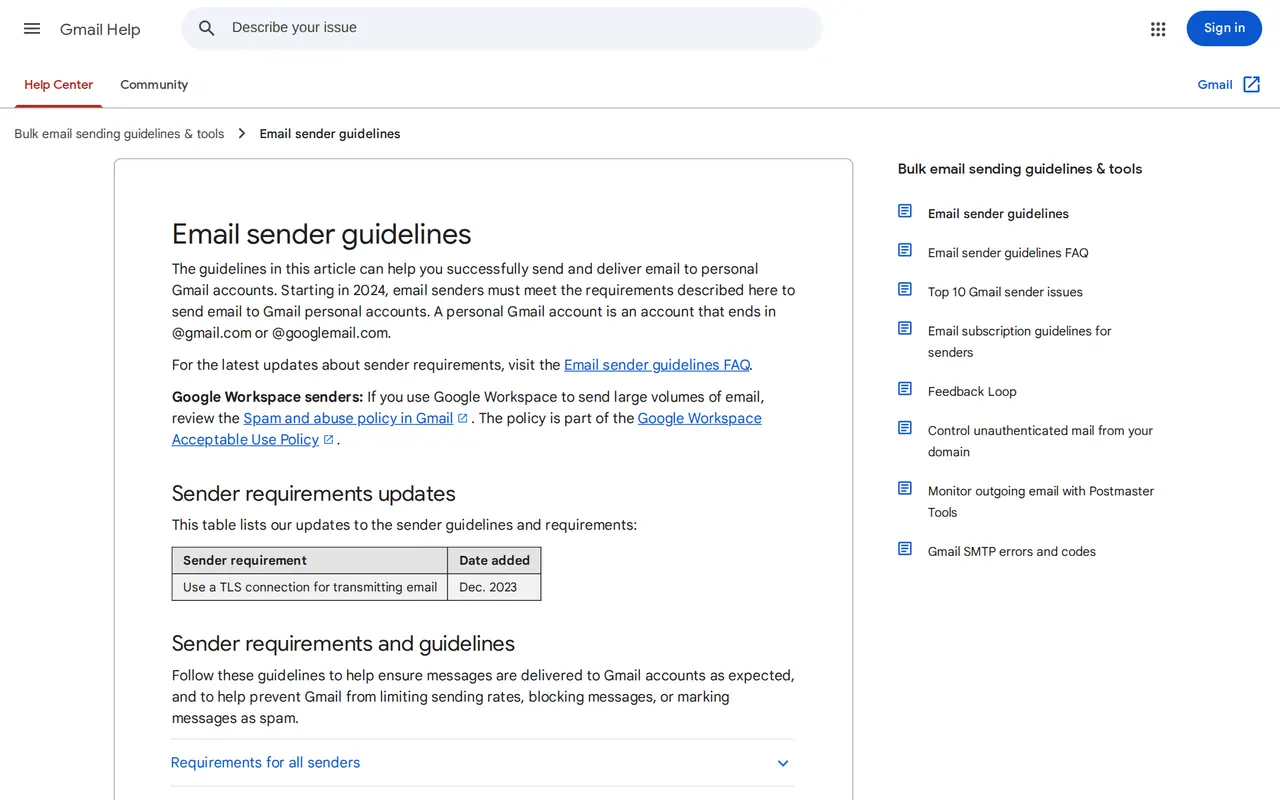
The bar went up twice. Google has required SPF or DKIM from every sender since 1 February 2024, and all three from anyone sending more than 5,000 messages a day to Gmail. Microsoft followed for Outlook.com, Hotmail and Live on 5 May 2025. A company sending a monthly newsletter to a few thousand contacts in the UK, Germany and the Benelux is closer to that line than it thinks, and a sloppy record hurts smaller senders too.
Six causes, in the order to check them
| Cause | How it shows | The fix |
|---|---|---|
| No DMARC record | No TXT record at _dmarc.yourdomain.com | Publish p=none with a report address, tighten later |
| SPF over 10 lookups | More than ten include or mx references | Drop tools you no longer use, or give a tool its own subdomain |
| Sending tool not in SPF, or no DKIM | Headers show spf=fail or dkim=none for those emails | Add the tool's include and switch on DKIM on your own domain |
| Two SPF records | Two TXT records starting with v=spf1 | Merge them into one |
| Shared server with a bad name | Spam everywhere, even with clean records | A sending service with its own reputation |
| Content and links | Only certain emails, with shortened links or one big image | Full links on your own domain, real text beside the image |
The first four live in your DNS and take about an hour to fix, plus the time the change needs to spread. To check, open the headers of a message: in Gmail use "Show original", in Outlook the message properties. Each check reads pass or fail.
Where to start, by mailbox
Where does your email land in spam?
- Your listOnly at GmailToo many recipients mark your mail as spam: above 0.3% in Postmaster Tools.Check: Remove old and bought addresses, add one-click unsubscribe.
- Your volumeOnly at OutlookMore than 5,000 emails a day without SPF, DKIM and DMARC: sent to Junk since 5 May 2025.Check: All three records, and a reply address that receives mail.
- Your toolOnly your newsletterThe newsletter tool is not in your SPF or does not sign with DKIM on your domain.Check: The tool's include in SPF, DKIM switched on in the tool.
Always start with the headers of an email that landed in spam: they show pass or fail for each check.
Why emails go to spam all of a sudden
Mail that arrived yesterday and not today almost always points to a change on your side:
- A new tool that sends as you. A booking system, an invoicing app or a CRM that emails invoices with your address as sender. If it is not in your SPF and does not sign with DKIM, every message from it fails.
- A move. Moving your domain to another registrar (transferring a domain name) or your mailboxes to another provider often leaves the old records behind. SPF still points at the old server.
- A stricter DMARC policy. Switching from p=none to p=reject before every sending source is known tells receivers to refuse mail from the tool you forgot. That is DMARC doing its job, but it surprises people.
- A hijacked mailbox. One stolen password and your account sends spam, which drags your whole domain down. Two factor authentication on every mailbox stops a stolen password from being enough.
One cause you cannot fix in your DNS: a cheap shared server where another customer sends spam. Your records are fine, the IP address has a bad name. Then only sending through a service with its own reputation helps, such as Microsoft 365, Google Workspace or Amazon SES.
Gmail, Outlook and Google Workspace: what to set
| Record | Microsoft 365 | Google Workspace |
|---|---|---|
| SPF | v=spf1 include:spf.protection.outlook.com -all | v=spf1 include:_spf.google.com ~all |
| DKIM | Switch on in Defender, two CNAME records selector1 and selector2 | Generate the key in the Admin console, TXT record at google._domainkey |
| DMARC | TXT at _dmarc: v=DMARC1; p=none; rua=mailto:youraddress | Same record, read the same way |
Gmail also measures how often recipients mark you as spam. Above 0.3% in Postmaster Tools Google stops helping with delivery problems, and it advises staying under 0.1%. Old or bought lists push you over quickly; a newsletter people asked for does not. How to write one they open is in how to write a newsletter.
Website forms that never arrive
An enquiry from your website's contact form that never reaches you is a case of its own. Many sites, often WordPress sites, let the web server send mail itself, with your address as sender but no DKIM. To Gmail that looks forged. An open form also attracts bots; how to stop them without blocking real customers is in stop contact form spam. At Business Centrum such a filter stopped a wave of bot messages; the fleet form of Park & Wash sends through VBS Mail, our own mail service on Amazon SES. A hacked site sending spam can put your whole domain on a blocklist, and what to do when your website is hacked covers the first hours.
Other questions about the spam folder
Does avoiding words like free or offer help?
Little. Filters weigh your records and your reputation far more than single words. An email in capitals with one large image and no text does stand out.
How long until a new DNS record works?
Usually within an hour, sometimes up to 48 hours, depending on the time to live your provider sets. Then send a test to a Gmail address and read the headers.
Do I need DMARC as a small business?
The Gmail and Microsoft rule starts at 5,000 emails a day, but without DMARC anyone can send mail that looks like it comes from your domain. A p=none record costs nothing and protects your name.
My emails reach Gmail but not one client with their own mail server. Why?
Companies with their own filter often apply stricter rules, such as rejecting an SPF softfail. Ask their IT team for the reason in their logs.