On this page
If your web designer disappeared, secure your domain name first, because whoever controls the domain controls your website and your email. Then find out where the site is hosted, rescue what you can without a password, and only then decide whether to take the site over or rebuild it. In that order, because a domain that expires or sits in someone else's name is the one thing you can truly lose.
Usually there is no bad intent. A freelancer quits, a small agency goes under, an inbox stops being read. The problem is that your site's keys sit where you cannot reach them: the domain at a registrar in the designer's name, the hosting on their account, the passwords in their head. This guide goes through the keys one by one, with who to contact for what and how long it takes.
First: who holds your domain name?
Your domain is your address on the internet and the base of your email. Look up whose name it is in and at which registrar:
| Domain type | Where to look it up | What you see |
|---|---|---|
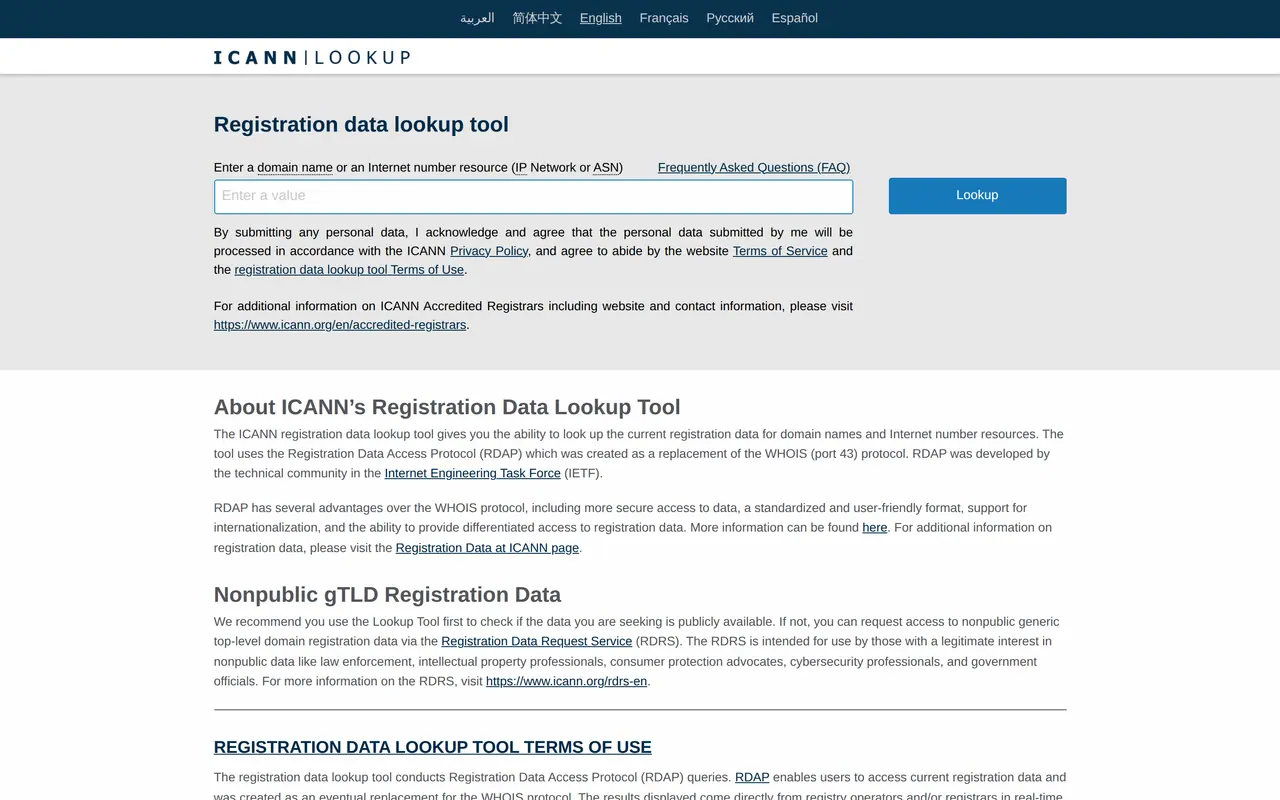
| .com, .net, .org and other generic domains | ICANN Lookup | the registrar, the expiry date and the domain status |
| Country domains such as .co.uk, .de, .nl, .be | the lookup of that country's registry | the registrar and, where the holder allows it, the holder |
| .eu | EURid, the .eu registry | the registrar and limited holder data |
Note three things: the registrar, the expiry date and the holder. The expiry date is your deadline: when the domain expires, your site and email can stop that day, and after a while someone else can register it.
The domain is in your name
Then it is straightforward. For generic domains, ICANN's transfer policy says the registrar must give the registrant the authorisation code within five calendar days of the request, unless you can generate it yourself in your account. Country registries have their own rules; in Belgium, for example, the code for a .be is mailed by the registry to the holder's email address and is valid for seven days. You give the code to a new registrar to move the domain. General steps are in how to transfer a domain name.
The domain is in your designer's name
Then they are the legal holder and you need their cooperation to transfer it. Registries recommend reaching an amicable agreement first and putting it in writing. If that fails, most registries offer a dispute procedure: for generic domains the UDRP, for country domains the registry's own route, such as the CEPANI procedure for .be domains, which takes 55 days on average and costs the complainant 2,000 euro before VAT to start. Whether you stand a chance depends on your rights to the name and on what you agreed with the designer; a lawyer assesses that.
Your website's four keys, and who holds them
1Domain name
Firstexpires, and site and email stop
the registrant at a registrar
the registrar, or the registry for country domains
2Hosting
stops when nobody pays
the customer at the host
the host, with your invoices
3Files and database
gone when hosting stops
whoever can reach the server
the designer, the host or the administrator
4Accounts
Google, analytics, social media
whoever created them
Google, with an ownership request
Then: where is the site hosted?
Hosting is the server your site runs on. Without your designer's login you cannot get in, but you can find out where it is:
- Check your domain's DNS. The A record or CNAME points to a server; a DNS lookup gives you the IP address and often the host.
- Check your invoices. Did you pay hosting to your designer, or directly to a host? An invoice in your name makes you that host's customer.
- Contact the host. If you are the customer, the host can give you access. If your designer is, the host needs their permission.
What you can rescue without a password
| What | How | Why now |
|---|---|---|
| A copy of your public site | save every page, or check a web archive | if hosting stops, the content is gone too |
| Copy and images | copy them from the live site | the base for a new site |
| Your Google Business Profile | request ownership from Google if your designer managed it | the profile brings clients regardless of the site |
| Google Search Console | re-verify through a DNS record once you control the domain | you see what Google knows about your site |
| Your email | once you control the domain, point the mail records to your own mailbox | no lost email during the takeover |
Setting up or reclaiming a business profile is covered in create a Google Business Profile; what Google Search Console shows you in our guide to it.
Take over the site, or rebuild?
Once you have the domain and can reach the files, decide whether to take the site over or rebuild.
- Take it over ifyou get the files and database, the site runs on supported software, and it does what it should. Another developer takes on the maintenance; what that involves is on website maintenance.
- Rebuild ifyou cannot get the files, the site runs on outdated software, or it no longer brings in clients. Your public copy is the starting point, and every old URL gets a 301 redirect to its new page.
Moving to a new host without changing URLs is covered in moving a website to a new host. If you rebuild, read website migration SEO so your rankings follow.
If the agency went bust
If your designer's agency is insolvent, an administrator, liquidator or trustee (the name depends on the country) controls its assets, including the accounts at registrars and hosts. Find who was appointed through the court or the insolvency register of that country and ask them in writing to transfer your domain and files. Explain what is yours: invoices, the quote, the agreements. How best to handle that legally is a question for a lawyer.
Who to contact for what
| You need | Contact | Bring |
|---|---|---|
| The auth code for a .com | the registrar, who must provide it within five days | proof that you are the registrant |
| The code for a country domain | the registrar or the country's registry | access to the holder's email address |
| Access to hosting | the host | invoices in your name, or the customer's consent |
| Your business profile | Google, through an ownership request | access to your business on Maps |
| Files after an insolvency | the administrator or liquidator | invoices and agreements |
| A dispute over the domain | a lawyer, possibly a dispute procedure | your rights to the name |
How to prevent it next time
- The domain in your name, with your email as contact, at a registrar where you hold the account.
- Hosting in your name, or an agreement that you get the files.
- A list of your accounts: registrar, hosting, Google, analytics, social media, and who has access.
- Ownership terms for the site, copy and images in your quote; a template is in quote template.
Choosing between a freelancer and an agency for your next site? See freelancer or agency. From Ghent, Belgium, we take over and rebuild sites for businesses across Europe; see website design.
Getting your site back, the first questions
What do you do if your web designer disappears?
Secure your domain first: look up the holder and the expiry date. Then find where the site is hosted, save a copy of the public site, and decide whether to take it over or rebuild.
How do I get my domain back from my web developer?
If it is in your name, request the authorisation code from the registrar, who must provide it within five days for generic domains. If it is in theirs, you need their cooperation or a dispute procedure; talk to a lawyer.
My web developer disappeared and I have no logins. What now?
Ask the host for access if the hosting is in your name. If you do not know the host, check your domain's DNS and your invoices.
Can another developer take over my website?
Yes, if you get the files and database and the site runs on supported software. Otherwise a rebuild with a 301 per old URL is often the safer route.
What if the agency went out of business?
An administrator or liquidator then controls its accounts. Ask in writing for your domain and files, with your invoices as proof.