Construction software
Software for construction companies, built around your sites
Software for construction companies that puts enquiry, quote, schedule, job file and invoice on one track.
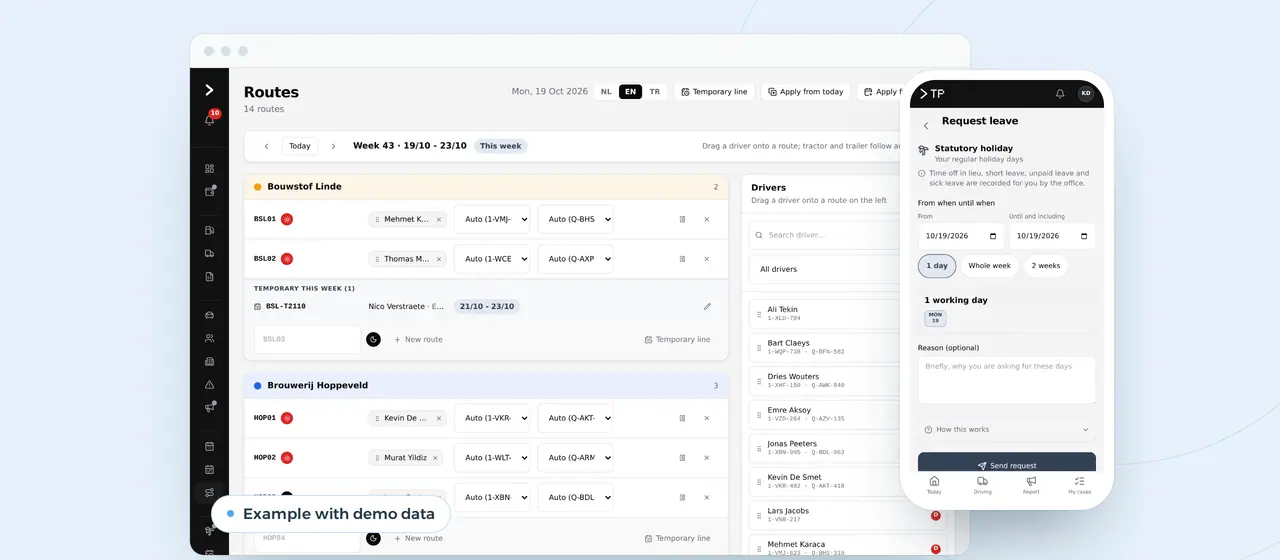
Construction firms lose hours between five programs
The schedule hangs on a whiteboard. Site photos sit in a WhatsApp group, extra work on a scrap of paper in the van, and the quote is retyped from a client's email. The accounting package only learns about a job once the invoice exists.
Each step works, until someone is ill, a crew turns up at the wrong site or the extra work misses the invoice. Then you spend half a day in emails and messages looking for what was agreed. And the rules do not wait: a declaration before the start, a check before you pay a subcontractor, the right VAT on every line.
Software for construction companies, built for your firm, puts those steps on one track. Enquiry, quote, schedule, job file and invoice read from the same data. What your crew lead enters on site shows at the office at once, and the rules sit in the system instead of in someone's head.
Construction software we can build for you
Examples of what we can build. Where it already runs, we say for whom.
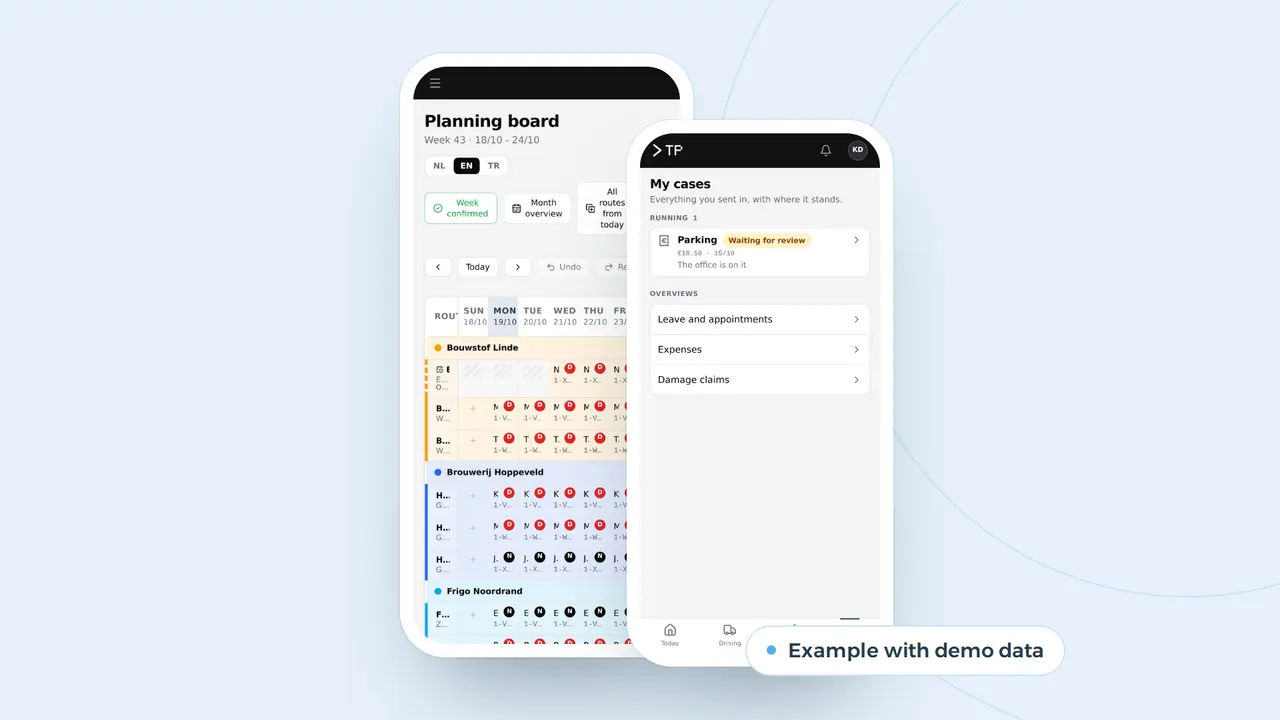
Site schedule per crew and per week
Each crew a row, each site a block. If someone is booked twice or on leave you see it at once, and the crew lead sees his week on the phone. That is how the planning board we built for DA Logistics works.
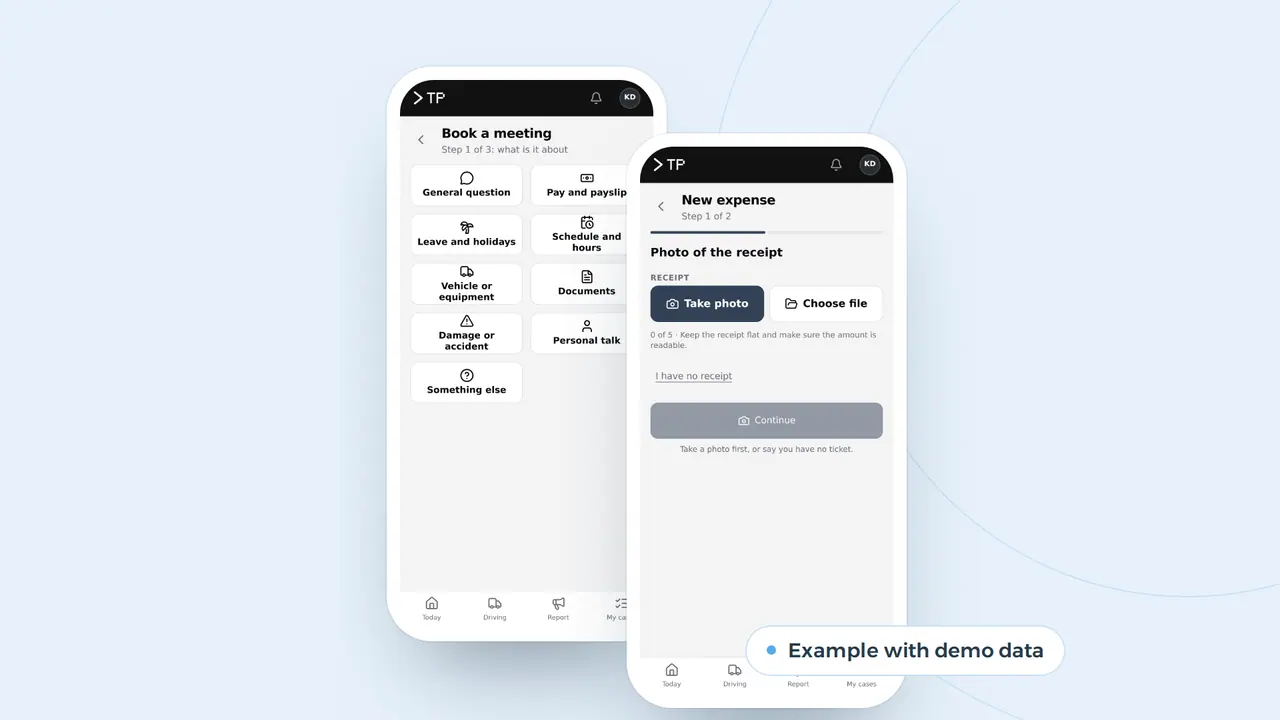
Job file from the phone
Photos, extra work, expenses and appointments go from the site straight into that job's file, with date and name. Like the app DA Logistics drivers use every day.
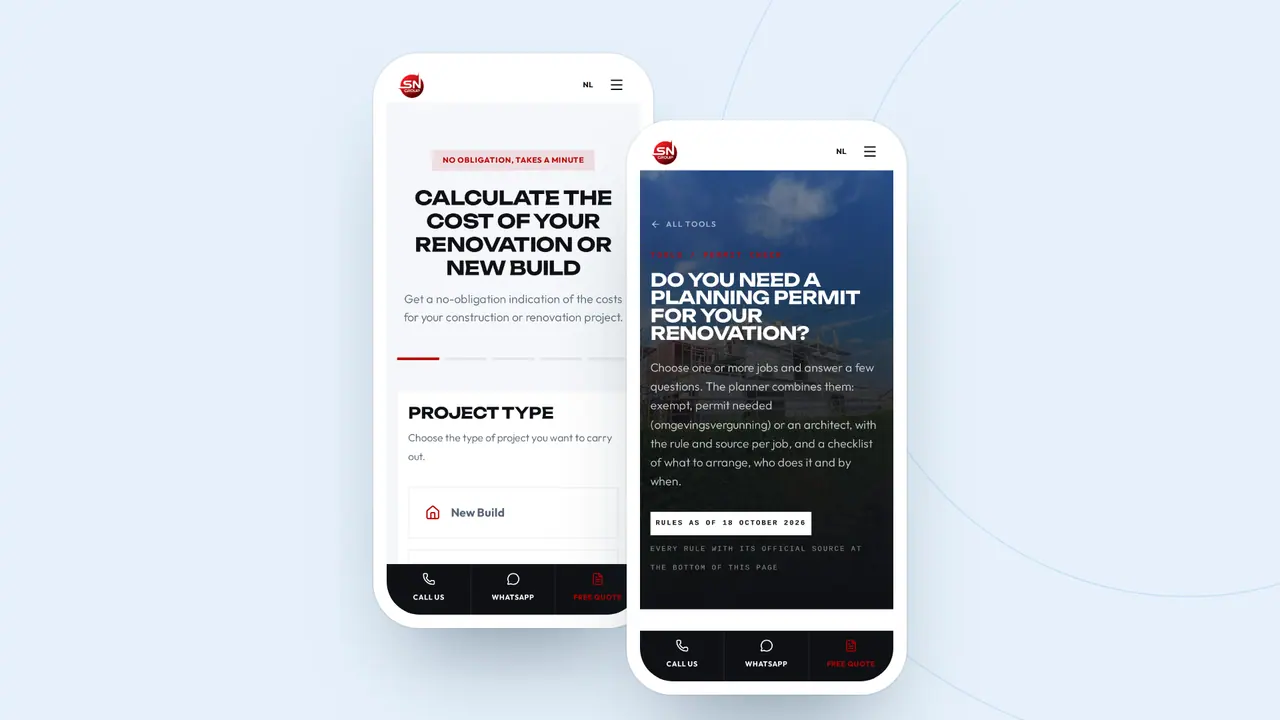
Quotes and checks on your site
A client works out his renovation or checks his permit, and the enquiry arrives with the type of work and his wishes. That already runs for SN Group.
One job, one track: every step reads from the same data
- RequestA client works out the cost of a renovation on your site and leaves his details.Who: Client
- QuoteThe request arrives with the type of work, the floor area and the wishes. Nothing to retype.Who: Office
- PlanThe job gets a crew and a week. A double booking shows at once.Who: Planner
- SitePhotos, extra work and hours go from the phone into the job file.Who: Site lead
- InvoiceThe extra work is already in the file. The invoice is right the first time.Who: Accounts
An example of what we can build. The request through a cost calculator already runs for SN Group, the weekly plan for DA Logistics.
Every step of a job, in one system
Software for construction earns its place when it takes over the tasks that now cost hours or money. Per step of a job, it looks like this.
| Process | Today | With your own system | Gain |
|---|---|---|---|
| Enquiry | An email, a call back for the basics | Arrives from the calculator on your site, with type of work, floor area and wishes | Nothing to retype, a site visit sooner |
| Quote | Copying items from old quotes | Items from your own price list, the right VAT per line with the required wording | A quote in a day, at the right rate |
| Declaring the works | Forgotten, or done the night before | The system warns you once a job passes the threshold, with the data ready | On time, without searching |
| Paying a subcontractor | Withholding duty checked by hand, or not at all | A check before every payment, the withholding already on the payment order | No joint liability from a forgotten check |
| Job file | Photos in WhatsApp, agreements in emails | Per job: photos, extra work, hours and agreements with date and name | An answer to every client question within a minute |
| Extra work | Agreed on site, forgotten on the invoice | Noted on site, approved by the client | No argument over the final bill |
| Invoice | Retyped into the accounting package | From the job file, as an e-invoice into your accounting package | The invoice is right the first time |
| Job costing | A feeling at the end of the year | Planned against worked and bought, per job | You know which jobs make money |
Scheduling has its own page: construction scheduling software. What happens on site, with photos and extra work, can also start as a stand-alone work order app. An invoice that leaves as an e-invoice is on Peppol invoicing software. What AI can add, such as a site report from a voice memo, is on AI for construction; your website and enquiries on website for contractors. If it grows into a system for the whole firm, that is custom ERP development.
Withholding, declarations and VAT: what the system must know
In construction the most expensive mistakes are rarely about concrete. They are about a subcontractor with debts, a job that was not declared or a VAT rate that is wrong. Every country has its own version. We are based in Belgium, where the rules are strict, so here they are as an example of what we build into a system.
Withholding at every payment
If your subcontractor owes social security contributions, you withhold 35 percent of the invoice excl. VAT and pay it to the social security office. For tax debts it is 15 percent. Together never more than 50 percent of the invoice. Whether you must withhold is checked before every payment, because a debt can arise between two invoices. A system runs that check on each payment order and adds the withholding at once.
Joint liability
If you did not withhold when you had to, you can be held jointly liable for your subcontractor's social debts, up to the total price of the works excl. VAT, or 65 percent of that price when the tax liability applies as well. On a 200,000 euro job that is no longer an admin slip.
Declaring the works
Works on buildings are declared from 5,000 euros excl. VAT with at least one subcontractor, or from 30,000 euros with or without. The declaration is made before the work starts, and a system that knows the threshold reminds you as soon as a job crosses it.
Attendance on large sites
On sites from 500,000 euros excl. VAT, everyone who works there registers each day before starting, subcontractors and self-employed included. From 1 April 2027 that becomes registration on arrival and departure.
VAT on renovation and e-invoices
Renovating a home older than ten years carries 6 percent VAT if it is used mainly as a private home afterwards and you invoice the end user. Since 1 July 2022 the conditions go on the invoice, and the client has one month to object in writing. Since 1 January 2026 Belgian VAT-registered businesses send each other e-invoices through Peppol: see e-invoicing in Belgium and the Peppol check.
At SN Group, a renovation starts on the website
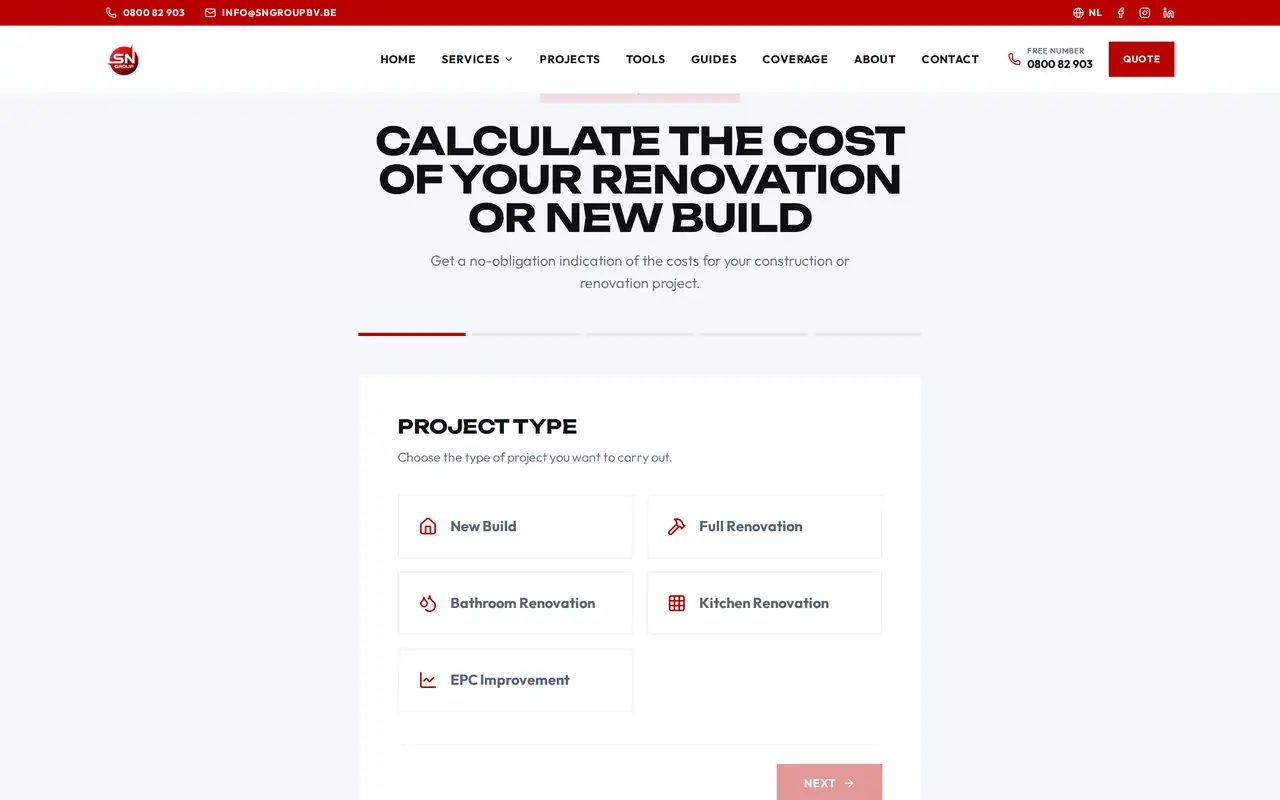
For the Ghent builder SN Group we built a site with a cost calculator in steps, an EPC calculator and four checks: grants, renovation duty, permits and VAT, on a register of 761 facts.
An enquiry arrives with the type of project, the floor area and the wishes already filled in. That is the first step of a job file: what the client enters on the site, nobody has to retype.
- Cost calculator in steps, per type of project
- Checks for grants, renovation duty, permits and VAT
- Every enquiry with the client's details attached
Construction package or custom build: prices side by side
There are packages for contractors, and for some firms they are enough. This is what vendors ask:
| Package | Built for | Price |
|---|---|---|
| Planyard | Budget, purchasing, subcontracting and progress | 99, 149 or 199 euros per project manager per month; 40 euros per supporting user |
| Fieldwire | Tasks, drawings and documents on site | 39, 64 or 89 dollars per user per month, annual |
| Procore | Project management for larger contractors | On quote, a yearly fee on your construction volume |
| Odoo | ERP with accounting, projects and planning | From 19.90 euros per user per month, first year |
| Custom software | Your sites, crews and rules, the way you work | The build once, then hosting and maintenance |
Choose a package if you work the way it thinks and want to start fast. Choose a custom build if your schedule, job files or quotes work differently, if you stitch three packages together by hand, or if you want local rules such as withholding inside the system instead of next to it. A mix works too: your accounting package stays and we build what is missing. More on the choice in build vs buy software, CRM vs ERP and Odoo alternatives.
Twelve users, three years in numbers
A worked example with assumed figures: a construction firm with twelve people using the system, two project managers and an owner who runs the office. We count 44 working weeks and an office cost of 55 euros an hour.
| Task per week | Today | With your own system | Saved |
|---|---|---|---|
| Retyping enquiries into a quote | 3 h | 0.5 h | 2.5 h |
| Collecting extra work and hours for the invoice | 4 h | 1 h | 3 h |
| Checking subcontractors before payment | 1.5 h | 0.5 h | 1 h |
| Searching the job file | 3 h | 0.5 h | 2.5 h |
| Scheduling and calling | 5 h | 1 h | 4 h |
| Total | 16.5 h | 3.5 h | 13 h |
13 hours x 44 weeks = 572 hours a year. At 55 euros that is 31,460 euros. If half of a forgotten 400 euro extra-work item per month comes back, add 2,400 euros. Together 33,860 euros a year, 101,580 euros over three years.
A package costs money too, and it does not win back all those hours if you keep a spreadsheet next to it. Twelve users on Fieldwire Business: 12 x 64 x 12 = 9,216 dollars a year. On Planyard Professional for two project managers and ten supporting users: (2 x 149 + 10 x 40) x 12 = 8,376 euros a year. Over three years that is around 25,000 euros in licences, before implementation.
So what may your own system cost? In this example an investment of about 34,000 euros pays for itself in a year, and one of 68,000 euros in two, before hosting and maintenance. What drives such a project is in custom software development; the questions for a quote go in the software requirements template.
Construction system in steps, starting with what costs most
- Call and process analysisOver one or two weeks we follow a job from enquiry to invoice, by video call and on site where it helps. You get a map of where the hours and the mistakes are, and what we would build first.
- A first module in a few weeksUsually the schedule or the job file. Your crews use it on real sites, next to what you have now.
- Going live, the old list closedWe import your spreadsheets and clients. Every release switches over in seconds, with a backup and a way back.
- The next moduleQuotes, subcontractors, e-invoices or the link with your accountant come in once the first module has paid off.
- Maintenance and growthWe keep the system current when rules change, such as the arrival and departure registration from April 2027, and build on as your firm grows.
Building blocks that already run, and what we do for your sites
No construction firm runs on a platform of ours yet; the building blocks do run. The DA Logistics platform runs daily with a planning board, fleet files and an app for about thirty drivers in three languages, and since September the same core runs for Zuco Logistics. For Business Centrum we built the admin platform that replaces their spreadsheet, and for SN Group the site with the calculators where a building enquiry starts.
What you get, as custom software, wherever you are in Europe:
- A process analysis from enquiry to invoice, on one of your real jobs.
- A first version in weeks, with your own sites and crews in it.
- Your own server in the EU, on AWS, with daily backups, under the GDPR. The code and the data are yours.
- Calls and documents in English, one hour ahead of London.
Tell us which step on your sites costs you the most time: book a call.
What construction owners ask us
Does it work on site, without a laptop?
Yes. Crew leads and technicians use an app on their phone, in their own language where needed. The office works in the browser.
Does my accounting package stay?
Yes. We send clients, invoices and hours in the format your accountant uses, or as e-invoices.
Can you build our country's rules into it?
Yes. We read the official source, record each rule with its date, and build it in. Belgium is where we go deepest today; for another country we start from your current paperwork and your accountant's checklist.
How quickly is something live?
The first module stands in a few weeks, not days. We start with what costs you most time, usually the schedule or the job file.
What does it cost?
For the first version you get a fixed price in euros after a call. No licence per user comes on top; you pay hosting and maintenance.
Custom software
How VBS helps you with this
We build the platform your business runs on every day: your spreadsheets, emails and paperwork in one system that does what you do.
- Your workflow mapped first, then a fixed price
- Screens for the office, the client and the road
- Hosting, backups and security managed by us on AWS
How we approach it is on our page about Custom software.
Which step on your sites costs you the most time?
Tell us how you plan and follow up today. We show you what we can build and where we would start.
Rather get in touch right away?