On this page
To cancel your Wix subscription without losing your website, move your new site and your domain first and cancel the plan last. Cancelling first sends your address back to a free wixsite.com URL with Wix ads once the paid period ends, and if your domain then points nowhere, every result Google shows for you leads to an error.
The cancel button itself takes a minute. The real work comes before it: a Wix site runs on Wix's servers and cannot be moved to another host. You rebuild it somewhere else, and that new site has to be live before you pull the plug.
This guide walks through the move in the order that works: cancelling the plan, the refund rules, your domain and business email, what you can export, and the redirects that keep your rankings. If you are still choosing where to go, read Wix alternatives. For what you pay today, see Wix pricing.
The order that protects your rankings
Five steps, in this order. One rule sits behind all of them: at no point should a visitor or Google land on an address that shows nothing.
- List every URL of your Wix site. Your sitemap lives at yourdomain.com/sitemap.xml. Add the pages that get clicks in Google Search Console. This list becomes your redirect map.
- Build the new site and pair each old URL with its new page. Same question, same topic: the old service page maps to the new service page, never to the homepage.
- Move your domain, or only change its DNS. A domain bought through Wix needs a transfer code. A domain registered elsewhere and merely connected to Wix only needs new records at your registrar.
- Put the 301 redirects live on the new site and test them. Every old URL answers with a permanent redirect to its counterpart.
- Only then cancel the Premium plan, and switch off auto-renewal for your domain, business email and apps separately.
Five steps, and the one you never take first
- 1
Week 1
List every old URL
Sitemap plus Search Console: every address in one sheet.
- 2
Weeks 1 to 4
New site ready
Each old URL paired with the new page that answers the same question.
- 3
Switch day
Move domain or DNS
Transfer code or new records, email records included.
- 4
Switch day
301s live and tested
Twenty old URLs in a browser, sitemap in Search Console.
- 5
A week later
Cancel the plan
Premium Subscriptions, More Actions, Cancel Plan. Domain, email and apps separately.
Not too early
Cancelled first?
After expiry your site falls back to a wixsite.com address with ads. If your domain points nowhere, every link in Google returns an error.
How to cancel a Wix Premium plan
The buttons, as Wix names them in English:
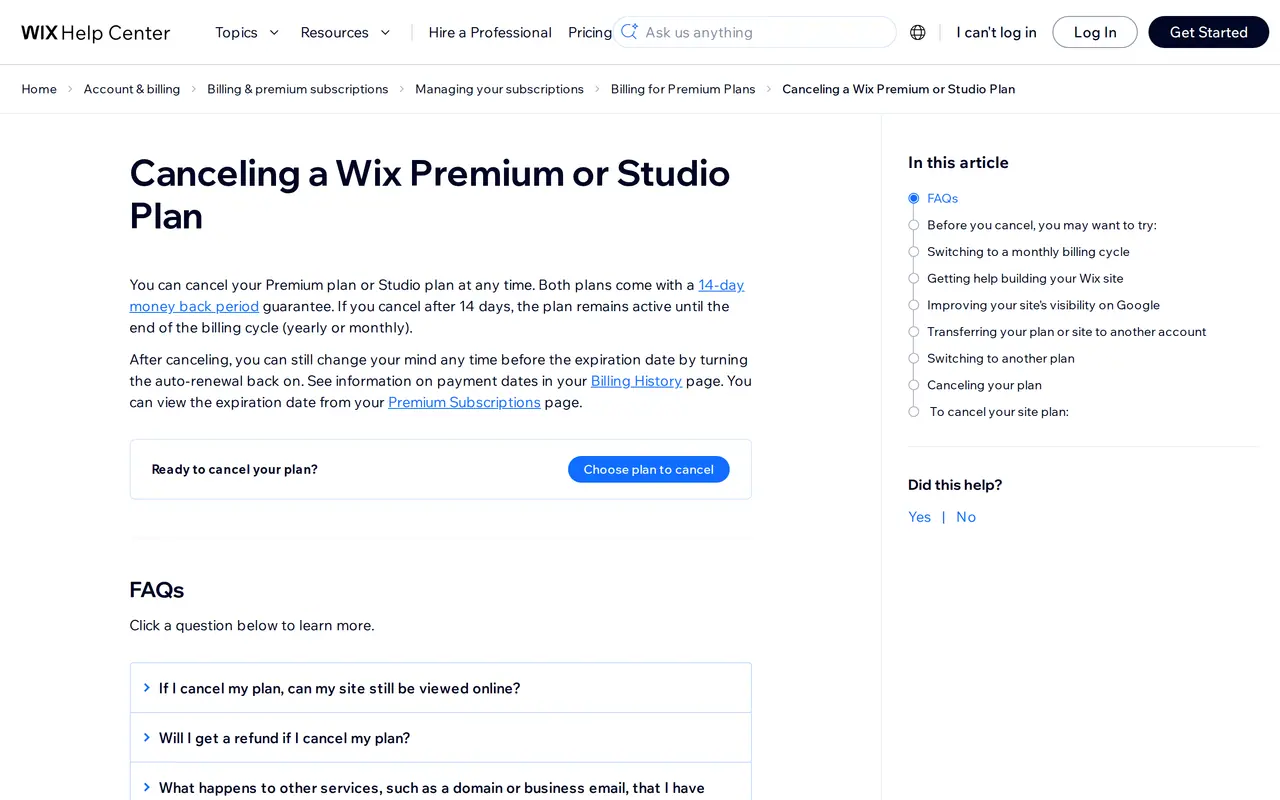
- Go to Premium Subscriptions in your Wix account.
- Click the More Actions icon next to the plan.
- Click Cancel Plan, then Cancel Now to confirm.
Cancelling at Wix means switching off auto-renewal. Your plan stays active until the end of the period you already paid for, monthly or yearly. Until that expiry date you can change your mind by turning auto-renewal back on.
Refunds: the 14 days and the renewal trap
| Situation | What happens | Refund? |
|---|---|---|
| First purchase, cancelled within 14 days | The plan ends at once | Yes, in full; how fast it reaches you depends on your bank |
| Cancelled after 14 days | The plan runs to its expiry date, then stops | No |
| A renewal that already went through | The new month or year is paid | No, the 14 days apply to first purchases only |
| An upgrade of an existing plan | The higher plan runs | No |
One detail that costs people a full year: Wix can renew a site plan up to three weeks before its expiry date, so the site never goes offline. If you do not want another year, cancel well before that window. Your expiry date sits on the Premium Subscriptions page, your payment dates under Billing History.
You can close your Wix account straight after switching off auto-renewal and paying any open charges; you do not have to wait for the period to end. Do it only once you have exported everything you need.
Your domain and business email
Cancelling the site plan does not cancel your domain, your business email or your apps. Each is its own subscription. What you do depends on where the domain is registered.
| Where is your domain? | What you do | Watch out for |
|---|---|---|
| Bought through Wix (.com, .net, .eu and most others) | In Domains, open Domain Actions and choose Transfer away from Wix. Wix emails an authorisation (EPP) code to the registrant; you enter it at your new registrar | No transfer within 60 days of purchase, of a previous transfer or of a change to the registrant details. A transfer usually takes up to seven days |
| Bought through Wix, a .co.uk or .uk | No code: your new registrar gives you an IPS tag and you change it at Wix | Ask your new registrar for its exact tag before you start |
| Registered elsewhere, connected to Wix | Nothing moves. You change the records at your registrar to the new host | Keep your email records if your mail runs elsewhere |
Business email bought through Wix is Google Workspace billed by Wix. After a domain transfer it only works again once you add the MX records at your new registrar. Prepare those records before you enter the code, plan the transfer on a quiet weekday, and send a test email both ways afterwards. The general steps are in how to transfer a domain name.
What you can take with you
Wix says it plainly: a Wix site has to run on Wix's servers, and its architecture does not support external hosting. Your content is yours, though. In practice:
| Part of the site | Export? | How |
|---|---|---|
| Design, layout, template | No | The new site gets its own design. Take screenshots of every page on desktop and mobile as a reference |
| Page copy | Yes, by hand | Copy it across and rewrite what has aged |
| Images | Yes, by hand or in bulk from the Media Manager | Download the originals, not the resized versions on the live site |
| Wix Stores products | Yes, as CSV | Export the product list; images come as links, not files |
| Blog posts | Partly | Post by post, or through CMS collections as CSV. Expect clean-up of formatting and internal links |
| Form submissions and contacts | Yes, as CSV | Export before you close the account |
| Your Google rankings | Yes, with redirects | The most important part of the move, see below |
Treat the move as a clean-out. Pages nobody visits and nobody searches for do not need a new version, but their old URL still gets a redirect to the closest topic.
Keep your rankings: one 301 per old URL
Google knows your site as a set of addresses. After the move those addresses stop existing unless you forward them. A 301 redirect tells browsers and Google that the page now lives elsewhere, permanently, and Google passes the old page's standing on to the new one.
Wix uses fixed prefixes you will rarely keep on a new platform, so each one needs mapping:
| On Wix | On the new site, for example | Redirect |
|---|---|---|
| /post/choosing-floor-tiles | /blog/choosing-floor-tiles | 301, one per post |
| /product-page/oak-table | /products/oak-table on Shopify, or /shop/oak-table | 301, one per product |
| /blog or /blog-1 | /blog | 301 |
| /services-1, /copy-of-services | the real service page | 301 to the page with the same intent |
| /about-us | /about | 301, even when the path looks almost the same |
| yourname.wixsite.com/site | your domain | only if that address ever ranked |
Three rules make the difference:
- One redirect per page, to the page with the same intentSending everything to the homepage reads to Google as a soft 404, and the value is lost.
- No chains and no 302sAn old URL goes to the new one in a single hop. A temporary 302, or a detour through http and www, wastes time and signal.
- The redirects live on the new site, not at WixWix's URL Redirect Manager only works while your site runs on Wix with a custom domain. After the move your new host has to serve them.
On switch day, submit the new sitemap in Google Search Console, inspect ten old URLs, and watch the Pages report for the following weeks. A rising count of 404s means a redirect is missing. The full technical checklist is in website migration SEO.
Switch day, hour by hour
Pick a Tuesday or Wednesday, never the day before a holiday or a campaign launch.
- Morning: everything ready on the new hostThe new site runs on a temporary address with the redirect map loaded and tested there. Email records are written down and ready.
- Midday: move the domain or the DNSEnter the transfer code at the new registrar, or change the records. Then wait until the domain resolves to the new host.
- As soon as it resolves: testTwenty old URLs in a browser, also on a phone over mobile data. Each returns a 301 to the right page, then a 200. One test email in each direction.
- Same day: Search ConsoleSubmit the new sitemap, inspect the homepage and three key pages. Keep the redirect map: you will need it for months.
- A week later: cancelOnce everything has run for a week, cancel the Premium plan and switch off renewal for domain, email and apps at Wix.
Where to go after Wix
The right destination depends on why you are leaving. Someone leaving because the site is slow on phones or because they need three languages needs something different from someone whose shop has outgrown Wix Stores.
- Choose WordPress ifyou want to keep writing pages yourself with a large plugin ecosystem, and you accept the upkeep that comes with it. The trade-offs are in Wix or WordPress.
- Choose Shopify ifselling is the core of the business. How a store moves is covered in Shopify migration, and the two compared as shops in Wix vs Shopify.
- Choose Squarespace ifyou want a similar builder with a different look, knowing you are again inside a closed system. See Wix vs Squarespace.
- Choose a custom site ifthe site has to win clients from Google with a page per service, region or question, in several languages, fast on every phone. When that pays off is in custom website or WordPress.
Do it yourself or have it done
Honestly: a small Wix site can be moved without help. It works when the site has fewer than twenty pages, no shop, one language and a domain registered elsewhere. The work is mostly copying text, building a redirect map and changing DNS: two to four evenings, plus building the new site itself.
Have it done if any of these is true:
- Google brings you clients today. Every lost position is lost revenue, and a complete redirect map with a check after the switch is half the job.
- You run a shop with dozens or hundreds of products, with variants, customer accounts and order history to carry over.
- The site runs in two or more languages, each with its own URLs.
- Your email runs on the same domain and a day without email is not an option.
The DIY mistakes we keep seeing: every old URL sent to the homepage, the plan cancelled before the domain moved, the email records forgotten, or a 302 instead of a 301 because that was a plugin's default. Each one can be repaired, but by then Google has already seen your pages disappear.
To get a feel for the cost of a new site, try the website cost calculator. We build from Ghent, Belgium, for businesses anywhere in Europe: a custom site starts from 1,500 euro, and for a move with redirects, domain and email we agree a fixed price after a first call. See website design.
What our own moves taught us
Business Centrum moved from business-office.be to business-centrum.be. The old address forwards with a single 301 to the new site. In the first five weeks after we put the technical basics in place (one address, titles on real search terms, everything crawlable) the site went from 220 to 10,200 impressions a day in Google. The Business Centrum case shows how.
SN Group moved from a site that builds itself in the browser to a static site with a real 404, redirects and a canonical on every page; an address that does not exist now returns a true 404 instead of an empty page. That is the groundwork Google needs to read a move correctly. More in the SN Group case.
Before you press Cancel Plan
How do I cancel my Wix subscription?
Go to Premium Subscriptions in your Wix account, click More Actions next to the plan, choose Cancel Plan and confirm with Cancel Now. The plan runs to the end of the paid period. Domain, email and apps are cancelled separately.
Does my Wix site stay online after I cancel?
Yes, at the free wixsite.com address with Wix ads. Your content stays. To take the site down you have to unpublish it or hide it from search engines.
Can I move my Wix website to another host?
No. Wix does not support external hosting. You take your copy, images, products and posts with you and rebuild the site, with a 301 for every old URL.
Will I get a refund if I cancel Wix?
Only for a first purchase cancelled within 14 days; then the plan ends at once with a full refund. Renewals and cancellations after 14 days are not refunded.
Can I cancel the Wix plan but keep my domain?
Yes. Cancelling the plan does not cancel the domain. Keep it at Wix and point it to your new host, or transfer it away with an authorisation code once the 60-day lock has passed.
What happens to my Wix business email?
It keeps running while you pay for it, but after a domain transfer it only works once you add the MX records again at your new registrar.