Integrations for construction and installation
Robaws API: connect your construction software to everything else
Quotes that come from your CRM, hours that flow from site into job costing, invoices that reach your accountant without anyone retyping them.
Where Robaws meets the office
The Robaws API lets other software read and write the data in Robaws: clients, quotes, projects, work orders, planning, stock and invoices. For a construction or installation company, Robaws often runs the jobs themselves. Around it sit a CRM for sales, an accountant in another package, a webshop for parts, or an app your crews already use. Wherever those systems do not see each other, someone in the office types the same client, the same hours or the same invoice a second time.
For a contractor with a few crews, that adds up fast. A work order with hours and materials that only reaches job costing on Friday is a week too late to correct course. A client with a different address in two systems sooner or later gets an invoice at the wrong one.
This page covers what the public Robaws API allows today, the difference between the two kinds of integration Robaws recognises, which route fits and what tends to break. Not on Robaws yet and unsure what you need? Start with software for construction companies.
Robaws between site and office
Website and shop
Robaws
Request: new client with the site address
Create the client
POST /api/v2/clients
Idempotency-Key: request-4812No answer: was the client created or not?
The same call with the same key
Idempotency-Key: request-4812The stored answer from the first time: one client, not two
x-robaws-idempotency-cached-response: trueWebhook: work order changed
work-order.updated
Robaws-Signature: t=…,v1=…Checks the HMAC-SHA256 with the secret, confirms with a 2xx within two seconds
Webhook: stock changed
article.stock-changedStock on the shop updated
The door
- A custom integration uses an API-only user with its own role, limited to the modules it needs. It signs in with Basic Auth: an access key and a secret.
- Apps in the Robaws Marketplace use OAuth2 with an authorization code.
- Limit: 10,000 calls a day, live and the read-only replica each counted apart, and 15 a second. Above that comes a 429 and the headers show what is left.
- When Robaws gets no 2xx on a webhook, it tries again. A webhook that never succeeds may be suspended by Robaws. So the integration watches its own address.
Example with made-up names and numbers, based on Robaws's public API documentation. We are not a Robaws partner.
The Robaws API in its current form
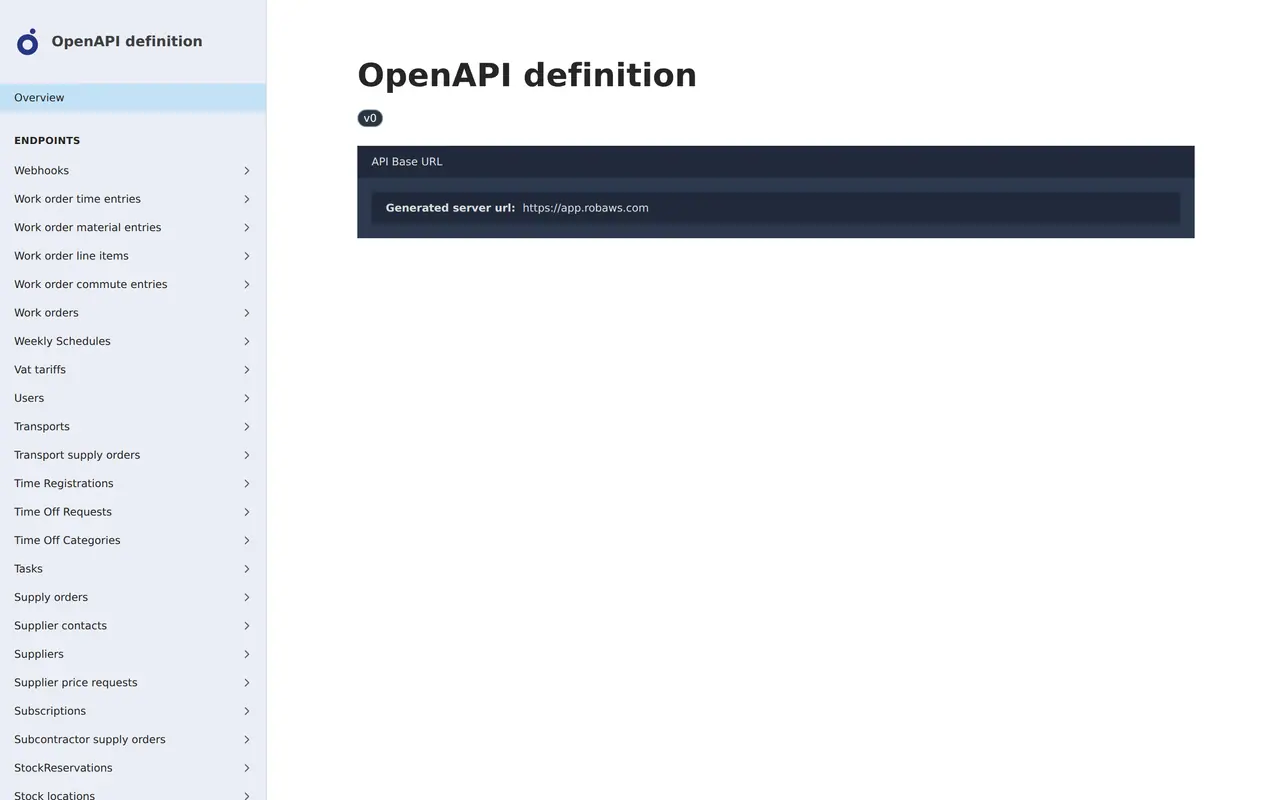
Robaws publishes its API as an OpenAPI definition, with help articles on top. Paths sit under /api/v2, for example POST /api/v2/clients to create a client. Almost every module is reachable: clients and contacts, offers, projects, work orders with their time, material and line items, planning items, articles, stock locations and stock changes, supply orders, sales and purchase invoices, employees, time registrations, installations and documents. An API integration can touch whatever your planner and your accountant touch every day. Changes since a given moment come back with the updatedFrom parameter, in pages.
Limits per day and per second. A tenant gets 10,000 requests a day in live mode and a separate 10,000 in replica mode. Replica mode is read only and meant for bulk syncs; you select it with the header Database-Mode: replica. On top of that sits a ceiling of 15 requests per second. Past either limit the API answers HTTP 429, and the headers X-RateLimit-Daily-Remaining and X-RateLimit-Remaining tell you how much room is left. Robaws warns that an integration that keeps hitting 429 can be blocked for a while. A higher limit can be requested.
Signed webhooks. You register a webhook through the API, at /api/v2/webhook-endpoints, not in the user interface, and only an admin can do it. Every call carries a Robaws-Signature header: an HMAC-SHA256 over the timestamp and the payload, made with the secret you received at registration. Events cover clients, offers, projects, work orders, planning items, articles and stock, invoices, documents, comments and form answers, and each event carries the full record.
Safe retries. Send an Idempotency-Key header, up to 128 characters, with a POST, PUT or PATCH. If the connection drops and you repeat the call, Robaws replays the first answer instead of creating a second invoice. Two calls with the same key at the same moment can get a 409.
Custom integration or marketplace integration
Robaws treats an integration for one company differently from one offered to every Robaws customer.
- Built for
- Custom integrationone company and its own process
- Marketplace integrationevery Robaws customer who switches it on
- Sign-in
- Custom integrationaccess key and secret of a separate user, free when set to API only
- Marketplace integrationOAuth 2 with the authorization code flow, required
- Approval by Robaws
- Custom integrationnot needed
- Marketplace integrationa demo video and a page where the customer starts the flow
- Testing
- Custom integrationa test tenant, free for 14 days and extendable
- Marketplace integrationa test tenant first, then review
- Polling
- Custom integrationpossible within the daily limit, with updatedFrom
- Marketplace integrationdiscouraged, use webhooks
For one contractor with its own tools, a custom integration on an API-only user is the usual route. It costs no extra seat, and the company keeps the key.
Four routes into Robaws
Not every Robaws integration needs code. Robaws ships accounting integrations and its own automation module. Only when those fall short do you need a workflow tool or a custom integration.
| Route | Fits when | What you manage | Limit |
|---|---|---|---|
| Built-in accounting integration | your accountant uses Billit, Yuki, Exact Online, Horus, Minox, Octopus, SnelStart, Visma e-accounting or Twinfield | the settings in Robaws | accounting only, not your CRM or your own app |
| Robaws Automation | rules inside Robaws, such as a task or an email on a status change | the flows in Robaws | Starter includes 1 flow, GO 3, PRO 5; unlimited costs 70 euro a month |
| Make or n8n | a few simple steps to another tool | a scenario with HTTP calls to the API | growing logic, error handling, the daily limit |
| Custom integration on the API | your own process, your own app or high volume | code, hosting and logging | upfront build and upkeep |
If your accountant uses a package outside that list, Robaws can still deliver invoices as UBL files by email or download. Robaws does not do bookkeeping itself: the integration passes invoices on, the books are kept on the other side, where Peppol now matters for Belgian invoices between companies.
Make or n8n does not need a ready-made Robaws module to get going: an HTTP step that calls the API and a webhook that starts the scenario cover a simple flow. Make, Zapier or n8n compares what those tools cost and where they stop. The general trade-off between built-in, workflow and custom code is in API integration services.
Five things that break a Robaws integration
- Duplicate clientsIn Robaws a lead is not a separate record but a status on the client. A CRM that creates a new client for every enquiry leaves you with duplicates within a month. Search on VAT number or email first, and set an existing client to lead.
- A renamed extra fieldBy default the API addresses extra fields by their label. When someone in the office renames one, the integration loses it. The header x-robaws-extra-fields-mode set to id switches to the fixed internal reference.
- Statuses with other namesOffers, projects and work orders each have their own statuses in Robaws, and your CRM or scheduling tool uses different words. Map them before you build, including what happens to a status someone adds later.
- A webhook that went quietA slow server can get a webhook suspended. Have the integration also fetch what changed on a schedule with updatedFrom, and compare it with what arrived through webhooks.
- A first import that eats the daily limitA full sync of thousands of articles or clients burns through a large share of the 10,000 daily requests. Read in bulk in replica mode, write in small batches and watch the rate limit headers.
Building it on your Robaws account
- A call and a fixed priceWe go through your tools, what gets entered twice today and how often. If a built-in integration or Robaws Automation is enough, we tell you. Otherwise you get a fixed price for the build after that call, with upkeep listed separately.
- An API user on your accountThe integration gets its own user in your Robaws, set to API only, with a role that opens only the modules it needs. The key stays yours and sits in a vault. If you stop working with us, you switch that user off yourself.
- Built against a test tenantWe build and test on a Robaws test tenant, with a dry run that lists what it would create or update without writing a thing.
- Live with logs and a way backEvery call is logged, every write carries an Idempotency-Key, and a failed event waits in a queue for a retry. Before the first write we export everything the integration touches, so you can roll back.
Data and direction, flow by flow
An integration starts as a map of the data. For each kind, write down where it is born, where it goes and what triggers the move. When in doubt, the source system is in charge.
| Data | Direction | Triggered by | Watch out for |
|---|---|---|---|
| Clients and leads | website or CRM to Robaws | form or won deal | deduplicate, lead as a status on the client |
| Offers | Robaws to CRM | offer created or recalculated | the CRM shows, Robaws calculates |
| Work orders with hours and materials | own app or site to Robaws | completed work order | right project, employee and article |
| Planning items | Robaws to calendar or crew app | planning item changed | avoid edits from both sides |
| Stock and articles | supplier or webshop to Robaws | price list or stock change | one source for the price |
| Sales invoices | Robaws to accounting | invoice created | VAT codes, Peppol and credit notes |
Running Teamleader for sales and Robaws for the jobs? Then the client is the touchy part: which system wins when an address changes? See the Teamleader integration, and for the CRM choice itself HubSpot vs Teamleader or Teamleader pricing.
Other neighbours of Robaws have their own pages: an Exact Online integration, an Odoo integration or a Business Central integration when the built-in accounting link is not enough. On site, a custom work order app, construction scheduling software or inventory management software covers what Robaws does not do your way, and software for installers looks at technicians. What AI already does for contractors is in AI for construction.
We build integrations as part of AI automation. Tell us through contact what gets entered twice today.
AI automation
How VBS helps you with this
We make emails, quotes, documents and follow-up run by themselves, built into the way you already work.
- One flow per task, from form to confirmation
- A person approves what matters
- Runs on AWS, with a log and an alert when something fails
How we approach it is on our page about AI automation.
Which Robaws integration fits your company?
Tell us what moves by hand today between site, office and accountant. After a call you get the route that fits and a fixed price, or the advice to use the integration Robaws already has.
Rather get in touch right away?