Odoo and your other software
Odoo integration: let the rest of your software talk to Odoo
2028
Web shop, bank, planning tool and accountant exchanging data with Odoo, built on the Odoo 19 JSON-2 API and on a key from your own database.
One record, typed in once
An Odoo integration lets Odoo exchange data with the other software in your business, so nobody has to retype it. A web shop order becomes a sales order, a signed quote becomes an invoice, a bank payment reconciles that invoice and the stock level follows.
In a small or mid-sized business Odoo rarely runs alone. There is a web shop beside it, a planning tool, an accountant working in a package of their own, a bank, and often an old spreadsheet of customers nobody dared to clean up. Every place where those systems do not know each other is a place where someone copies and pastes, and where mistakes creep in that only show up in the VAT return.
How you connect Odoo depends on three things: which Odoo plan you are on, where your database runs, and which side starts the exchange. This page covers what the official Odoo 19 documentation says today, the routes side by side, and the places where integrations break in practice.
The External JSON-2 API in Odoo 19
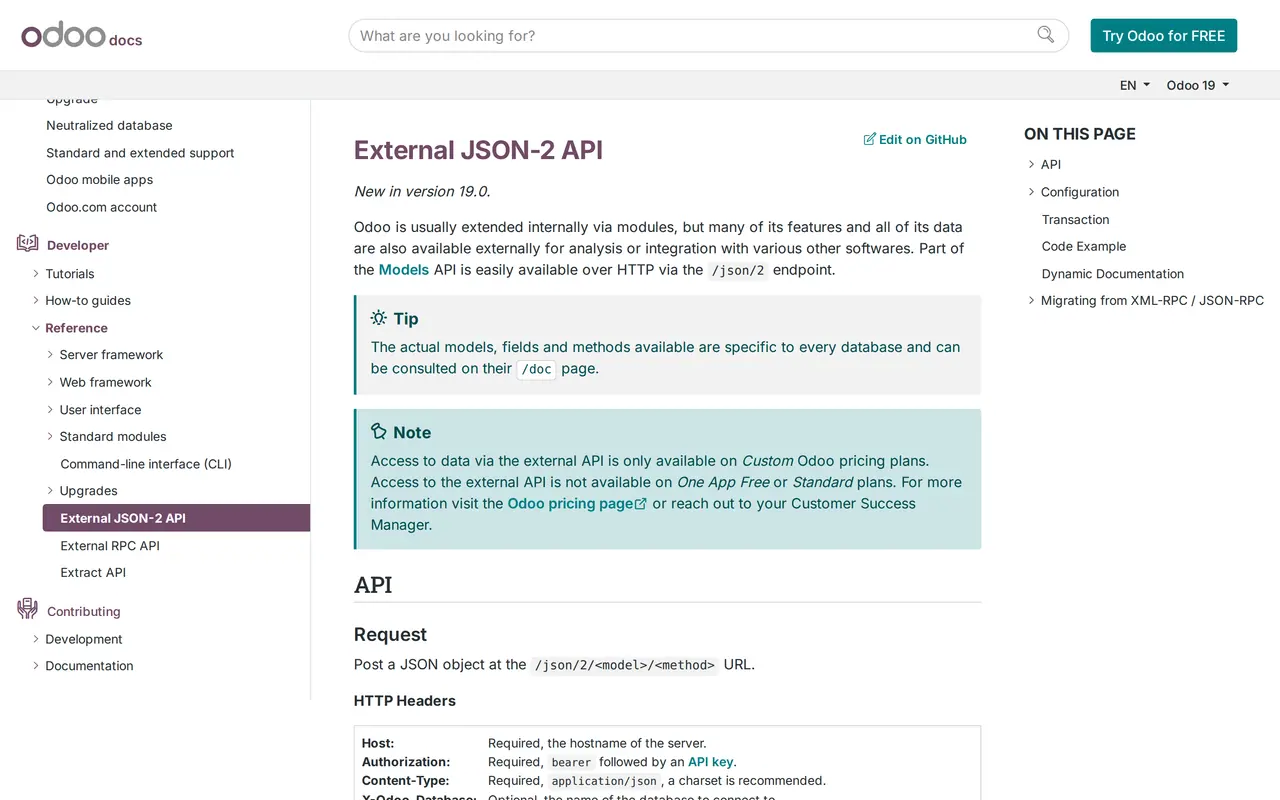
Version 19 brought Odoo a new external API: the External JSON-2 API. An integration sends a POST to `/json/2/<model>/<method>`, with an API key as a bearer token in the header. Looking up a customer is a call on the `res.partner` model; confirming a sales order is the `action_confirm` method on `sale.order`, which checks the order before it confirms it.
Three rules from the documentation shape how you build one:
- Every call is its own transactionTwo calls in a row do not share a database transaction. Search first and read second, and a record a colleague just deleted can vanish in between. So you pick methods that do it in one go, such as `search_read`.
- The API follows the normal access rightsWhatever the user behind the key may not do, the integration may not do either. Odoo recommends a dedicated bot user for each integration, with only the rights it needs. If the key leaks, the damage stays limited to what that bot was allowed.
- Every database has its own `/doc` pageIt lists the models, fields and methods of exactly your installation, including those from extra modules and custom fields.
You create the API key in your preferences, under Account Security, with a description and a duration. A key lives for three months at most, so an integration meant to run for years gets a new key at least every quarter. Odoo shows the key once, when you create it, and never again.
Odoo at the centre of your systems
Integration log
- 09:02✓ done
res.partner/createNew customer from the quote form
- 09:02✓ done
sale.order/createQuote with three lines for that customer
- 09:15✓ done
Scheduling ← from Odoo
stock.quant/search_readStock of the items on the job sheet
- 11:40✕ refused
account.move/createInvoice after the finished job
- 11:52✓ done
account.move/createThe same invoice, after the fix
- 12:00✓ done
Website ← from Odoo
account.move/search_readInvoice status for the customer portal
The door
POST /json/2/<model>/<method>Authorization: bearer <API key>
- The key belongs to a separate user for the integration, with only the rights it needs. That user's access rights and rules apply to every call.
- A key has an expiry date, three months at most. We renew it before it runs out.
- The older XML-RPC and JSON-RPC routes go away in Odoo 22. We build on JSON-2.
11:40, the invoice is refused
The VAT rate on line 2 does not exist in this Odoo. Odoo answers with an error code and a JSON error object holding the message.
What Odoo does
Every call runs in its own transaction. On an error Odoo rolls it back completely: there is no half invoice in your books.
What the integration does
The error goes into the log with Odoo's message, the invoice waits in a queue and the bookkeeper gets a message. After the fix the same call runs again.
You cannot put several calls in one transaction. So the integration writes the customer first, then the quote, and checks every step.
Example with made-up names and times, based on Odoo 19's public API documentation. We are not an Odoo partner.
Four ways to connect Odoo
Not every integration needs code. Look first at what already exists, then at what has to be built.
| Route | Fits when | What you need | Where it pinches |
|---|---|---|---|
| Built-in integration or a module from Odoo Apps | Odoo offers the link itself: payment providers, the bank, carriers such as bpost or Sendcloud | Your plan for built-in integrations; Odoo.sh or your own server for an Apps Store module | Odoo Online runs no Apps Store modules and no custom modules |
| Workflow in Zapier, Make or n8n | A simple one-way flow with few rules | The Custom plan for the external API, plus an account with the tool | Logic scattered over clicks, and error mails in an inbox nobody reads |
| Custom integration on the JSON-2 API | Several flows in both directions, your own rules or real volume | Custom plan, a bot user and an API key from your database | Upfront build, key rotation and a test at every Odoo upgrade |
| File export and import | A flow that may run once a week or once a month | A fixed export from the other system and the Odoo import | Someone has to remember it, and errors show up afterwards |
The second row looks cheapest, and for a simple flow it is. Zapier has an app for Odoo CRM; in Make and n8n you build the flow on the API. Which of the three fits is covered in Make, Zapier or n8n. Once a flow has to make decisions (is this the same customer, which VAT applies to which country), a workflow turns into a program that nobody manages as a program.
For a full rollout, with the choice between Odoo Online, Odoo.sh and your own server, read Odoo implementation. Still unsure whether Odoo is the right package? Exact Online vs Odoo and Odoo vs Business Central help you choose.
Old RPC against JSON-2
Many existing integrations still run on the old API. Odoo has put an end date on it.
- Address
- XML-RPC and JSON-RPC/xmlrpc, /xmlrpc/2 and /jsonrpc
- External JSON-2 API/json/2/ followed by model and method
- Sign-in
- XML-RPC and JSON-RPCDatabase, login and password through the common service
- External JSON-2 APIAPI key as a bearer token in the header
- Status
- XML-RPC and JSON-RPCDeprecated: gone in Odoo 22 (autumn 2028) and in Odoo Online 21.1 (winter 2027)
- External JSON-2 APINew since Odoo 19
- Documentation
- XML-RPC and JSON-RPCGeneral reference
- External JSON-2 APIA /doc page per database, with your models and fields
- What to do now
- XML-RPC and JSON-RPCRewrite before your database reaches the cut-off
- External JSON-2 APIBuild new integrations on it straight away
If your integration runs on XML-RPC or JSON-RPC today, plan the move now. On Odoo Online the old route already disappears with version 21.1 in winter 2027, and an integration that goes quiet is usually noticed only when orders stop arriving.
Before anyone writes a line of code
- You know which Odoo plan you are on, and whether it includes the external API.
- You know where the database runs: Odoo Online, Odoo.sh or your own server.
- For every record that lives in two systems, one system is named as the owner.
- There is one fixed key to match customers on, such as the VAT number or the email address.
- A bot user exists with only the rights the integration needs, and a blank password.
- Someone owns the key expiry date and knows how to replace it.
- There is a test database or a copy to build against.
Which data goes which way
An integration starts with a list, not with technology: which records exist in two systems, and which system is in charge of each one.
| Record | Source of truth | Direction | Where it goes wrong |
|---|---|---|---|
| Customers and contacts | Odoo, unless a separate CRM leads | Both ways, with a fixed key such as the VAT number | Duplicate customers from a typo or a second email address |
| Quotes and sales orders | Odoo | From the web shop or configurator into Odoo | An order that arrives before the customer exists |
| Invoices | Odoo Accounting or your accountant's package | One way, never overwritten on the way back | VAT codes named differently in each system |
| Payments | The bank | From the bank into Odoo | A payment with the wrong reference stays open |
| Stock | Odoo Inventory | From Odoo to the web shop | Two channels selling the same last item |
| Appointments and bookings | The calendar or booking platform | Into Odoo, as a task or an order | A changed booking that arrives as a new one |
The source of truth column is the most important decision in the whole integration. One system leads for each record; the other side reads or proposes. Let two systems write to the same field and you get an integration that overwrites itself and an accountant who no longer knows which version is right.
Two records deserve extra care. Stock has to be fast: wait an hour and you sell what is no longer there. For a web shop on thin margins that is a reason to build stock as the first flow, and more on that choice is in inventory management software. Invoices between Belgian businesses go out as e-invoices over Peppol since 2026. Check whether your package does that itself before you put it in an integration, and read invoice automation for the incoming side.
Five places it breaks
Duplicate customers
The web shop creates a customer by email, the accountant by VAT number and the sales rep by mobile number. Without a fixed key that is three customers in Odoo. Pick a key per flow, search first with search_read and only create a customer when there really is none. A one-off clean-up beforehand saves months of trouble afterwards.
VAT codes and fiscal positions
Odoo maps VAT through fiscal positions: a rule that adjusts the tax and account of a product for a customer abroad or under reverse charge. An integration that sends its own VAT rate goes around that and produces invoices your accountant has to correct. Let Odoo decide the VAT and send only the customer and the product.
A key that expires
An API key lives for three months at most. Forget that, and the integration stops on a Tuesday morning without warning. Put the expiry date in a calendar, create the new key before the old one expires, check that everything runs on the new one, and only then revoke the old one.
Rights of the bot user
A bot user with too few rights gets an error; a bot with admin rights can read everything in your database. Give it only the models the integration needs, and leave its password blank so nobody can log in with it. Record who sees which data in a data processing agreement.
An Odoo upgrade
A new version can change fields and methods, and the move from the old RPC to JSON-2 is the biggest example. Test the integration on a copy of the database before you upgrade the real one, and keep a list of the fields it uses so you know what to check.
Our build, step by step
- A call and a fixed priceWe go through the flows, who owns each record and which Odoo plan you are on. Then you get a fixed price for the whole integration, with maintenance quoted separately.
- A bot user in your databaseYou create the bot user and the API key, or we do it together. The key stays yours: it is not in the code and you can revoke it at any moment.
- Built on a copyWe build against a test database or a copy, never on your real customers first. Every flow gets a key for spotting duplicates, such as the VAT number or the email address.
- A log and a way backEvery call goes into a log: what came in, what the integration did and what Odoo answered. If something fails, you see which record it was and send it again. A new version of the integration can roll back to the previous one.
- Alerts and the next keyIf nothing arrives for a day while there are orders, someone gets an alert. The key expiry date sits in the calendar, with the steps to replace it.
Not a partner, but your key
We are not an Odoo partner and we do not sell Odoo licences. We build integrations on the public API that Odoo documents, with the key and bot user of your own database. For licences, hosting and setting up Odoo itself you work with your own partner or with Odoo directly; we build what has to run in between.
Proof from other work, and the sibling pages
An integration is software talking to software, and our platforms do that every day. The management platform for Business Centrum imports their existing spreadsheet and reports what it took over; we tested that on their real file with 309 employers and 971 employees. The transport platform for DA Logistics builds a bundle for the accountant and sends fourteen kinds of email. Every release there goes live in 2 to 6 seconds, with a backup, a snapshot and a way back.
If you connect more than Odoo, the other packages have their own page: Exact Online integration, Teamleader integration, the Robaws API and Business Central integration. The general story, with every route and a worked example of retyping hours against the build, is on API integration services.
When the question grows beyond an integration because Odoo does not cover part of your work, read Odoo or custom software and custom ERP development. Integrations sit inside AI automation; when one grows into a platform of its own, that is custom software.
AI automation
How VBS helps you with this
We make emails, quotes, documents and follow-up run by themselves, built into the way you already work.
- One flow per task, from form to confirmation
- A person approves what matters
- Runs on AWS, with a log and an alert when something fails
How we approach it is on our page about AI automation.
Which flow do you want off your desk first?
Tell us which systems run next to Odoo, which plan you are on and what gets retyped today. After a call you get the route that fits and a fixed price, with maintenance quoted alongside it.
Rather get in touch right away?