The real difference is how you buy
Odoo vs Business Central looks like a feature contest, but for most small and midsize companies the deciding factor is the buying model. Odoo sells online, per user, and lets you start on your own with a single free app. Microsoft sends you to a partner for Business Central, who supplies licences and sets the package up. Both are a full ERP: accounting, sales, purchasing and inventory.
VBS is a partner of neither and resells no licences. Everything below comes from the official pricing pages and documentation of Odoo and Microsoft, read on 31 October 2026, and from one question we keep asking: what happens when you later need to connect the package to the rest of your software? If you are not yet sure you need an ERP rather than a CRM, start with CRM vs ERP.
Odoo vs Business Central at a glance
Per user per month, billed yearly, as the official pages show it today. Business Central from the Belgian page in euros, with the UK price in pounds.
- Entry price
- OdooOne App Free at 0 euro, unlimited users on one app
- Business CentralEssentials at 69.30 euro (UK: 61.50 pounds), before VAT
- Full package
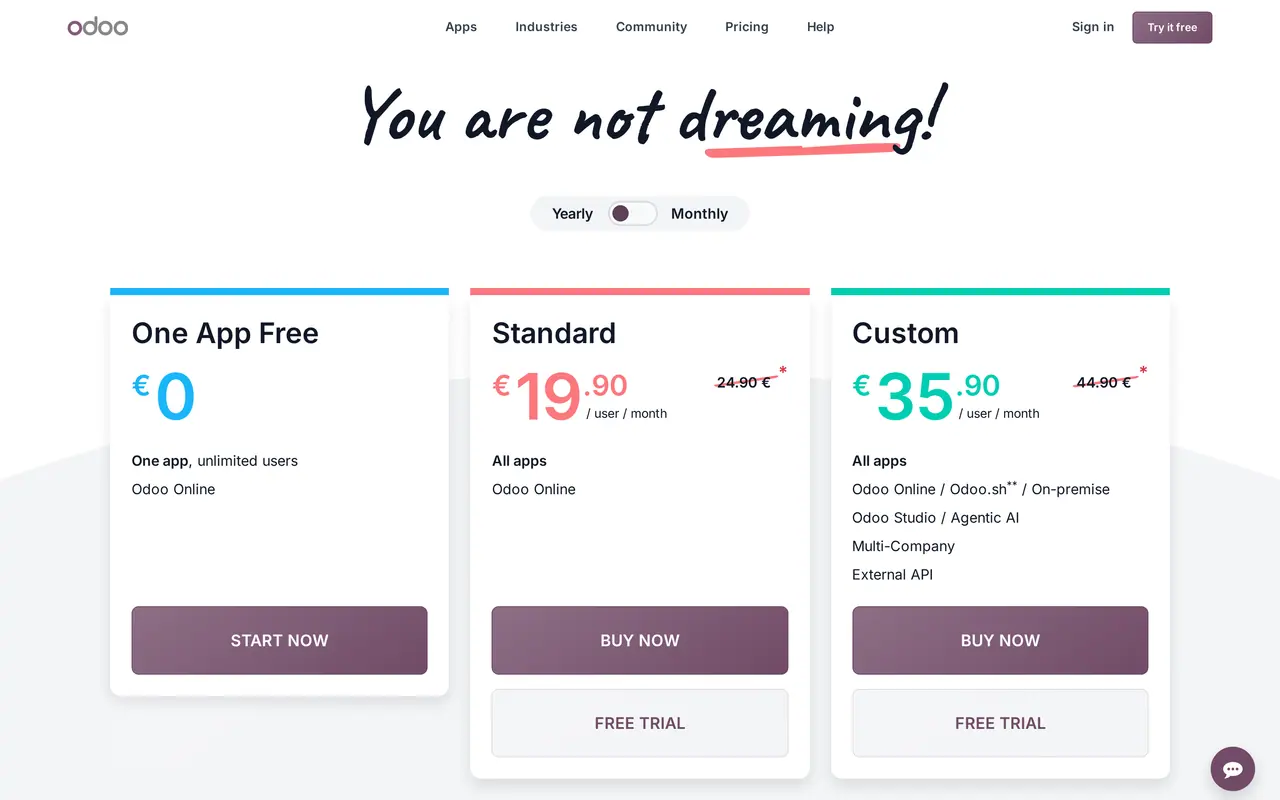
- OdooStandard at 19.90 euro in year one, then 24.90 euro
- Business CentralPremium at 95.30 euro (UK: 84.60 pounds), before VAT
- Light users
- OdooLight user at 7.90 euro, arranged through an advisor
- Business CentralTeam Members at 6.90 euro (UK: 6.20 pounds): read, approve, limited edits
- How you buy
- OdooOnline, directly from Odoo
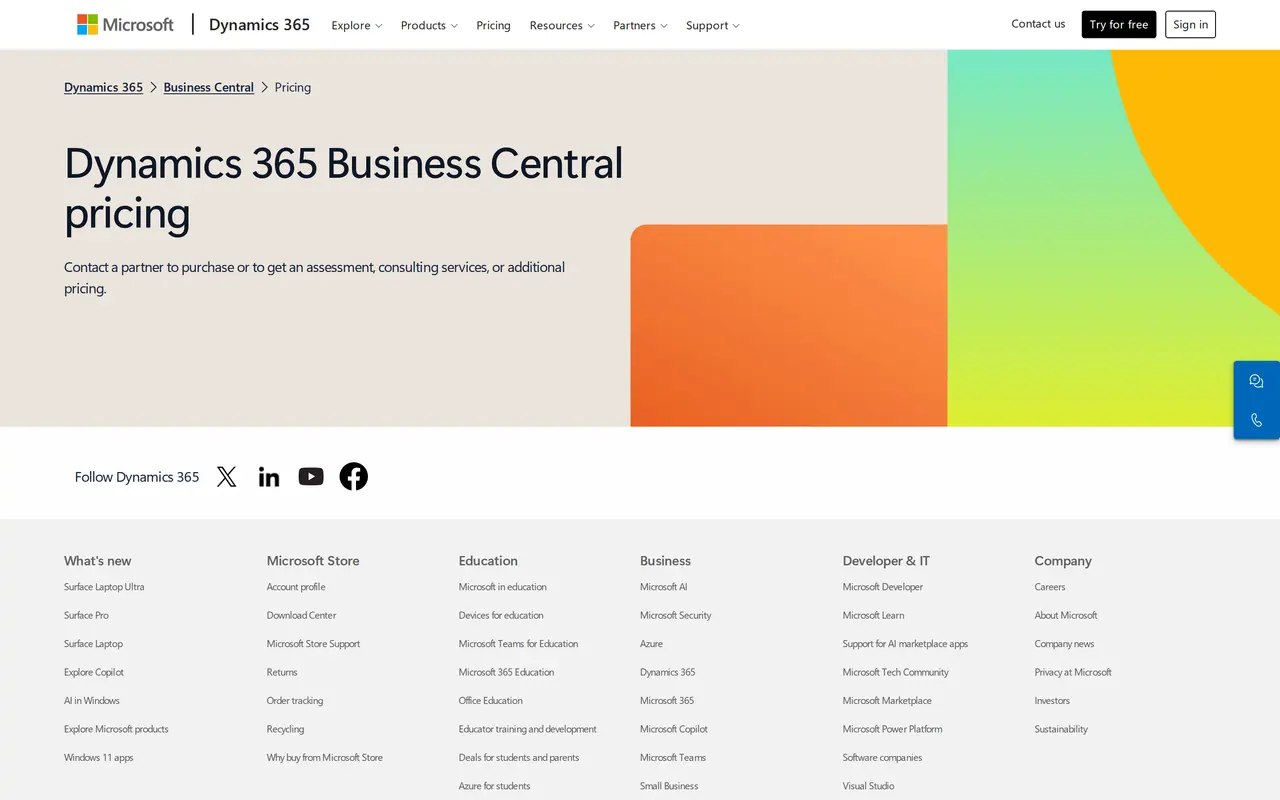
- Business CentralThrough a partner, as Microsoft's pricing page says itself
- Hosting
- OdooOdoo Online included up to 100 GB; Odoo.sh or on-premise only on Custom
- Business CentralHosted by Microsoft; 1 production and 3 sandbox environments included
- API access
- OdooExternal API only on Custom (35.90 euro in year one)
- Business CentralAPI v2.0 on by default, with webhooks and Entra ID sign-in
- Implementation
- OdooNot included; Success Packs from 499 euro for 4 hours as a new customer
- Business CentralNot included; your partner sets their own rate
- Manufacturing
- OdooThe MRP app is in Standard, like every other app
- Business CentralManufacturing and service orders only in Premium
Odoo is cheaper per user and broader. Business Central costs more per user but lets you integrate on any plan, and comes with a partner who sets it up.
Four numbers that frame the choice
- companies Microsoft says trust Business Central
- 55,000
- employees, the size above which Odoo asks you to contact it directly
- 250
- companies one Business Central environment can hold
- 300
- storage included on Odoo Online in every plan
- 100 GB
Price per user, and a worked example
Microsoft states that Business Central prices exclude VAT. Odoo's pricing page does not mention VAT, so ask about it in your quote, especially if you buy from another EU country.
| Plan | Per user per month | What you get |
|---|---|---|
| Odoo One App Free | 0 euro | One app, unlimited users, Odoo Online |
| Odoo Standard | 19.90 euro billed yearly, then 24.90 euro | All apps, Odoo Online |
| Odoo Custom | 35.90 euro billed yearly, then 44.90 euro | Adds Studio, multi-company, external API, Odoo.sh or on-premise |
| Business Central Team Members | 6.90 euro (UK 6.20 pounds), before VAT | Read data, approve workflows, update selected records |
| Business Central Essentials | 69.30 euro (UK 61.50 pounds), before VAT | Finance, sales, purchasing, inventory, projects, warehousing |
| Business Central Premium | 95.30 euro (UK 84.60 pounds), before VAT | Everything in Essentials plus service management and manufacturing |
Odoo's lower price lasts 12 months, for the number of users you first ordered. Paying monthly costs more: 24.90 euro for Standard instead of 19.90 euro. Business Central prices assume a yearly commitment.
Worked example: 10 full users and 5 light ones
An example with assumptions, licences only, no implementation: 10 people work in the package all day, 5 others only read or approve. For Odoo we count the 7.90 euro Light user an advisor can arrange; for Business Central, Team Members. Euro prices throughout.
| Choice | Per month | Per year |
|---|---|---|
| Odoo Standard, year one | 238.50 euro | 2,862 euro |
| Odoo Standard, from year two | 288.50 euro | 3,462 euro |
| Odoo Custom, from year two | 488.50 euro | 5,862 euro |
| Business Central Essentials | 727.50 euro before VAT | 8,730 euro before VAT |
| Business Central Premium | 987.50 euro before VAT | 11,850 euro before VAT |
The licence gap is wide, but it is rarely the biggest number. Setup, data migration and training often cost more than the first year of licences, whichever package you pick. Our guides on ERP cost and Odoo pricing go deeper.
Modules, and where the two part ways
Both cover accounting, sales, purchasing and inventory. The difference is everything around that core.
Breadth
Odoo puts dozens of apps on one database: CRM, website, e-commerce, point of sale, HR, projects, planning and helpdesk. Standard gives you all of them for one price per user.
Finance first
Business Central is built around financial management, purchasing, inventory and warehousing, with multiple companies and environments in Essentials. A website or web shop is not part of it.
Manufacturing
Manufacturing and service order management need Business Central Premium, 26 euro more per user per month. Odoo's MRP app sits in Standard.
Several companies
In Odoo a second company moves you to Custom. In Business Central it is already in Essentials, up to 300 companies per environment.
Microsoft 365
Business Central comes from the maker of Outlook, Teams and Excel. If your people already work there all day, you stay with one vendor and one account.
Customising
Odoo changes through Studio or your own Python modules, both of which need Custom. Business Central grows through AL extensions, built by your partner or an app vendor.
Implementation, step by step
- Week 1Choose and buyOdoo you buy online and use the same day. For Business Central you contact a partner, who quotes licences and setup.
- Weeks 1 to 3AnalysisWith Odoo an advisor does it inside a Success Pack, or a partner does. With Business Central your partner does, at their own rate.
- Weeks 3 to 10Setup and migrationChart of accounts, VAT codes, items, customers and open balances go in. In both packages this is the longest stretch.
- Go-liveTraining and switch-overYour team learns the package. Go live at a quiet moment, ideally at the start of a financial year or quarter.
- After go-liveConnect what is leftShop, planning, portal or field app get wired to the ERP so nobody retypes. On Odoo that needs Custom; on Business Central any plan will do.
Size, hosting and partners
Both packages aim at small and midsize companies, but they start from different ends.
Odoo welcomes the smallest business. With One App Free you begin with one app, invoicing for example, and grow. Odoo's own pricing page says small companies use Success Packs, companies from 50 employees usually work with a partner, and companies above 250 employees should contact Odoo directly. A three-person firm can start without outside help; a company of 120 had better not.
Business Central has no free tier and no self-service purchase: the pricing page sends you to a partner, also for an assessment or extra pricing. Microsoft positions it as ERP for small and midsize businesses. It suits companies that already work in Microsoft 365, hold stock or run a warehouse, and want a partner to set up and look after the package.
The rule of thumb that follows from both pricing pages: the smaller you are and the more you want to do yourself, the closer you sit to Odoo. The heavier your finance and logistics, and the more you want a partner to run the system, the better Business Central fits. Between 20 and 100 people both work, and the partner you find often decides.
Where your data lives
Odoo Online is included in every plan with storage up to 100 GB, upgrades included and daily backups on two continents, according to Odoo. You can download a backup of your database from the control panel at any time. Custom modules or self-hosting need the Custom plan, and Odoo.sh hosting is billed separately.
This comparison covers Business Central online, the version on the pricing page. Microsoft hosts it, and Essentials and Premium include 1 production and 3 sandbox environments at no extra cost. Extra production environments come through a partner. A sandbox lets you test updates and integrations without touching your real books.
When custom software or an integration makes sense
Do not build your own accounting. VAT, e-invoicing over Peppol, your chart of accounts and year-end closing are handled well by both packages, and your accountant knows them. Paying for custom code there costs more than it returns.
Custom software does pay off next to the ERP, for the work no package knows: a planning board for drivers, a client portal where customers track their own orders, an app for technicians on the road. The ERP stays the source for customers, items and invoices; your own software reads and writes through the API.
That is where the two packages differ in a way many comparisons miss. In Odoo, the external API belongs to the Custom plan. If you want your own system to talk to Odoo, you pay 35.90 instead of 19.90 euro per user, for every user. Calls Odoo itself makes to a payment provider or carrier do not count. In Business Central the API is on by default on every plan, with webhooks and unattended sign-in through Entra ID. Our pages on Business Central API integration and Odoo integration explain how each works and where it breaks.
Running other packages too? We wrote the same for Exact Online integration, Teamleader integration and the Robaws API. If you choose Odoo, the Odoo implementation guide walks through the project. Weighing Odoo against an accounting package? Read Exact Online vs Odoo. And if your processes are too particular for any package, look at custom ERP development or custom software. The transport platform we built for DA Logistics is one example: planning and fuel in a platform of its own, in daily use by 31 users.