Employee records
Employee records software that warns you before something expires
A folder per employee in a cabinet, or spread across three folders on the server, works until a driving licence expires and nobody noticed. A digital file knows what should be in it and how long each document is valid.
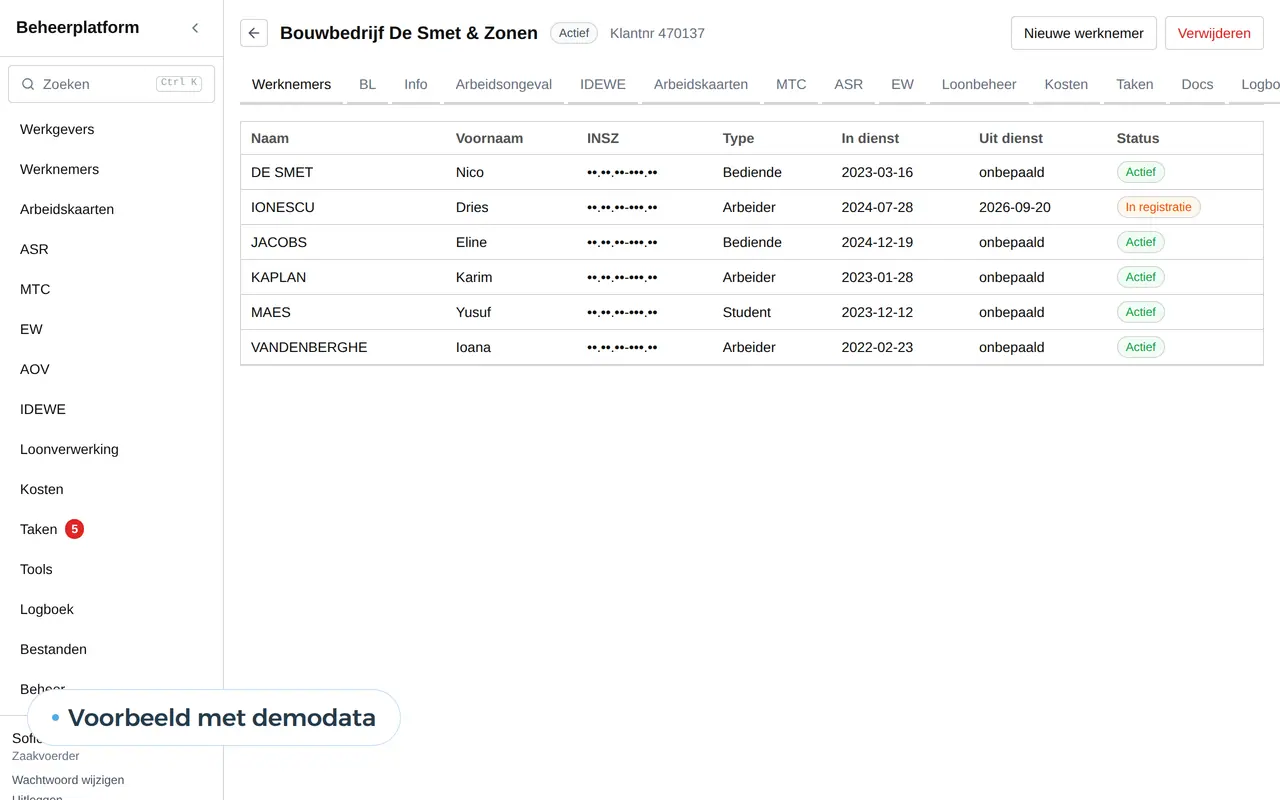
A staff file is more than a folder of PDFs
In most small companies the staff file is a cabinet, an inbox and a shared folder. The contract sits with the payroll provider, the occupational health certificate in an email and the copy of the driving licence on the planner's phone.
As long as nothing expires, that works. Employee records software brings everything together per employee, knows how long each document is valid and warns in time.
A driver's file, with what expires first
Youssef Amrani
Driver, employed since 2021
Medical examination
in 21 days
Driver CPC (code 95)
in 64 days
Driving licence C
in 140 days
Review after contract change
in 175 days
Example of what we can build, with made-up names. Whoever manages the file gets a reminder at 90, 30 and 7 days.
What belongs in an employee file
Which documents you keep depends on your sector. A transport company has different expiry dates from a construction firm or an office.
| Document | Expires? | Who needs it |
|---|---|---|
| Employment contract and annexes | For a fixed-term contract | HR, payroll provider |
| Identity and national number | The ID card does | HR, only those who need it |
| Driving licence and driver CPC (code 95) | Yes | Planning, HR |
| Medical certificate or fitness | Yes | HR; planning only sees valid or not |
| Work permit or single permit | Yes | HR, payroll provider |
| Training and certificates (VCA, forklift) | Often | Team lead, HR |
| Reviews and agreements | No | The manager and HR |
In Belgium, Dimona replaced the paper staff register for most employers; starts and leavers go to social security electronically. Where the staff register is still required, it is kept for five years, like the individual account. Your payroll provider knows what applies to your company.
What good employee records software does
A list per role
A driver needs different documents from an office worker. The file knows what is missing.
Expiry dates with a ladder
Reminders at 60, 30 and 7 days, first to the employee, then to HR.
Rights per role
The planner sees whether a licence is valid, not the medical certificate itself.
Self-service uploads
An employee uploads a new certificate with their phone; HR approves it.
A trail of changes
Who opened, uploaded or deleted what is kept in a log.
Linked to scheduling
Someone without a valid document cannot be scheduled.
Two platforms where the file already runs
For a Belgian transport company we built a platform with a staff file per driver. The file uses an expiry ladder: it warns in time before a document expires, first the driver, then the office. The drivers use their phones for leave, receipts and reports, in Dutch, English or Turkish. Read it in the DA Logistics case.
For Business Centrum we built a management platform for employers and their employees, including work permits and their expiry dates, vouchers and payroll. Clients sign in to a portal with a link by email, and users can switch on two-step verification. Before the start, the platform was tested on their real spreadsheet, with 309 employers and 971 employees. The full story is in the Business Centrum platform case.
How a filing cabinet becomes a digital file
- A list per roleTogether we decide which documents each role needs and which ones expire.
- Roles and rightsWho sees what: HR, the manager, the planner, the employee.
- Build and fillWe build the file and load the existing documents, with the expiry dates printed on them.
- What is missingOn day one the file shows per employee what is missing or has already expired. That is the first to-do list.
Expiry dates that differ per sector
Which documents expire depends heavily on what your team does. Three examples of how the file adapts.
Transport. Driving licence, driver CPC (code 95), medical fitness and the driver card for the tachograph. A driver without a valid document cannot drive, so the file links straight to scheduling. More on transport management software.
Cleaning and construction. Safety training, certificates for aerial platforms or forklifts and sometimes an access badge per client or site. Who may work at which client follows from those certificates. For cleaning companies that often runs together with scheduling per location.
Care. A registration per profession, training hours and vaccinations where the employer may ask for them. In care homes what counts most is that the right people are on the right shift.
The file holds a list per role. A new employee gets the list for their role, and anything missing goes straight to the top of HR's list.
An expiry ladder: who gets a message when
Driver's medical certificate
Example with made-up data
60 days
Employee
A friendly reminder in his own language, with what to bring
30 days
Employee and manager
A second message, with a proposed appointment
7 days
HR
The file at the top of your list, with who has not replied
Expired
Planning
No longer scheduled until the new document is in
The staircase itself is a fixed rule. AI writes the message in the right tone and language, and reads the new certificate when it arrives.
Privacy: what you keep and who sees it
An employee file holds the most sensitive data in your company. The GDPR asks you to keep only what you need, to know why, and to let only those who need it in.
In practice that means three things. Medical data does not belong in the file; you keep only whether someone is fit and until when. A national number is visible to HR, not to scheduling. And an employee can view their own file, as the GDPR allows.
We build the file with two-step sign-in, encryption of sensitive data and a log of who opened what. What the GDPR asks of your website is in the guide on a GDPR-compliant website.
An HR package or your own file
HR packages and payroll provider portals often offer a document folder per employee. For an office with ten staff that is usually enough. Your own file pays off when expiry dates drive your work.
| Folder on the server | HR package | Your own file | |
|---|---|---|---|
| Expiry dates | No | Sometimes, per document type | Per role, with a ladder |
| Link with scheduling | No | Rarely | Direct |
| Rights per field | Per folder | Per role | Per field and per role |
| Employees upload themselves | No | Sometimes | Yes, with approval |
| Cost | Almost nothing | Per employee per month | A build price |
The general trade-off is in build vs buy software. Work out what your own file costs with the software development cost calculator.
Together with your other software
A staff file becomes valuable when other systems can look things up in it.
- SchedulingYour staff scheduling software checks for a valid licence or certificate before it schedules someone.
- LeaveAbsences and balances come from the leave management software.
- IntranetEmployees see their own file on the intranet and upload new certificates there.
- Your payroll providerThrough API integration services, as far as the provider allows.
- AIAn assistant that reads a new certificate and fills in the expiry date. What that takes is in AI for HR.
We build the file as a web application. For clients who supply documents themselves, such as employers at a payroll office, a client portal comes on top.
Questions about employee records software
Can an employee file be fully digital?
Yes, for most documents. A digitally signed contract has the same value as a paper one. Ask your payroll provider which documents you have to keep in a specific form.
How long do you keep a file after someone leaves?
It differs per document. Social documents such as the individual account are kept for five years. Other documents may go sooner. The file can carry a retention period per document type and clean up by itself afterwards.
Can we start with expiry dates only?
That is often the best start: a list of who holds which document until when, with a reminder. The rest of the file follows.
Who loads the existing documents?
We do, together with someone from HR. We transfer the expiry dates and show what is missing.
Can employees sign documents in the file?
Yes. An annex to the contract, a policy or an agreement can be read and confirmed on the phone, and the file keeps who confirmed what and when. For a qualified electronic signature we connect a service recognised for that.
Does an agency worker or freelancer get a file too?
A lighter one. For agency staff the agency keeps the employment file, but you still want to know whether their safety training or licence is valid before they start on your site. The file then holds only those documents, with the same expiry ladder.
What happens when someone leaves?
The file is locked. Nobody can add anything, only HR can view it, and after the retention period per document type the system cleans up.
Want to know what a digital file would do for your team? Get in touch.
Web application
How VBS helps you with this
We build software in the browser for your whole team, on every computer and phone, around the way you work.
- Roles and permissions per person
- Links to your accounting and your email
- Releases without downtime, with backup and rollback
How we approach it is on our page about Web application.
Which document expires next?
Tell us which documents your roles need and where they are today. We sketch the file, the expiry ladder and who sees what.
Rather get in touch right away?