Expense claims
An expense claim app that stops receipts from going missing
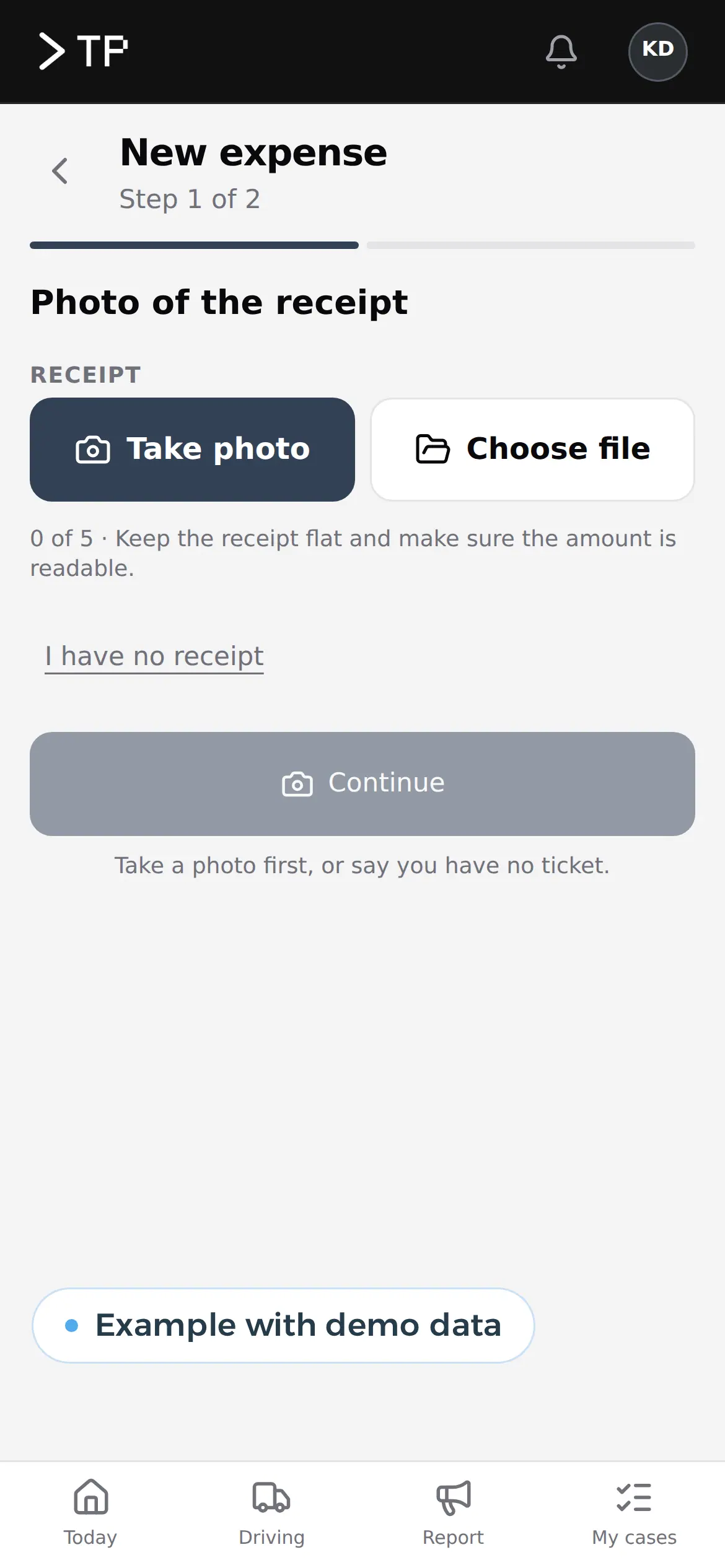
A photo of the receipt, one tap to approve and a bundle for your bookkeeper at the end of the month. No more envelope of tickets on the owner's desk.
A 12 euro receipt that costs three people a quarter of an hour
An employee fills up the van, pays for lunch with a client or buys a spare part. The receipt goes into a wallet, then an envelope, then onto a desk.
At the end of the month someone types it into a spreadsheet, the manager works out which project it belongs to and the bookkeeper asks for the missing ticket. An expense claim app takes over that whole route. The employee records the expense on the spot, and the rest follows.
The kinds of expenses the app has to know
Not every expense works the same way. A good app asks only what each kind needs.
| Kind | What the employee fills in | What the app does |
|---|---|---|
| Receipt or invoice | Photo, amount, category, a project if needed | Reads date, amount and VAT from the photo and puts it in the queue |
| Mileage | From, to, purpose of the trip | Calculates distance and amount at the rate you set |
| Fixed allowance | Nothing, or just the month | Prepares the fixed monthly amount |
| Advance | Amount and reason | Tracks what still has to be settled with receipts |
| Company card | Only the receipt for the payment | Matches the receipt to the line on the card statement |
Reading a receipt is done with text recognition or AI. How that works for invoices is explained in invoice automation.
The route of a receipt, from employee to bookkeeper
Employee
Photo of the receipt
Fuel, 68.40 euros, 14 November
App
Fields filled in
Amount, VAT, date, supplier and project
Manager
Approved
With the photo next to the numbers
Accountant
Monthly bundle
One file with every receipt and a list
Example of what we can build, with made-up names.
What a good expense claim app does differently
Record it on the spot
A photo at the pump or at the table, in ten seconds.
Approve on the phone
The manager sees amount, receipt and reason, and approves with one tap.
Rules per category
A maximum per meal or a required project for materials, checked by the app.
A bundle for the bookkeeper
Each month an export with all documents and an overview per account.
In your team's language
Each employee works in their own language; the bookkeeper sees everything in theirs.
Visible status
The employee sees whether the expense is approved and when it will be paid back.
Mileage and the rules you set in the app
For business trips in their own car, many Belgian employers pay a mileage allowance. For the period from 1 July 2026 to 30 June 2027 the maximum for federal civil servants is 0.4761 euros per kilometre. An employer who pays no more than that can treat it as a cost specific to the employer, without social contributions or tax. Whether you have to pay mileage at all depends on your sector and joint committee.
In the app the rate is a setting with a start and end date. When the amount changes on 1 July, the app calculates June's trips at the old rate and July's at the new one. Nobody has to think about which rate belongs to which trip.
Fixed allowances follow the same principle: an amount per month, per role or per person, with a period. Ask your payroll provider which amounts apply to your company. The app records them and applies them consistently.
Your expense policy, applied by the app
Most small companies have an expense policy on paper that nobody knows by heart. How much can a client lunch cost? When can someone book a hotel? Who approves a purchase above 250 euros? In the app those agreements become rules that apply by themselves.
- A maximum per categoryIf a meal goes over, the app asks for a reason before the manager sees it.
- A second approval above an amountSmall amounts are approved by the team lead, larger ones then go to the owner.
- Required fieldsMaterials belong to a project or a client, a meal to the names of who was there.
- No duplicate receiptsThe same amount on the same day at the same shop stands out before it is paid.
If your team works with work orders, an expense for materials can hang directly on the order. What that looks like is on the work order app page.
What the app reads from a receipt or invoice
Example Building Supplies
1 Example Street, 9000 Ghent
Invoice F-2026-0418
14/10/2026, due 13/11/2026
Client ref.: Kerkstr.
Plasterboard 12.5 mm860.00
Profiles and screws380.00
Total excl. VAT1,240.00
VAT 21%260.40
Amount due1,500.40
SupplierExample Building Supplies
Invoice numberF-2026-0418
Date and due date14 Oct, due 13 Nov
Amount excl. VAT1,240.00
VAT 21 percent260.40
ProjectKerkstraat site?
Five fields ready for your books. The project was uncertain, so it asks you.
Example with a made-up invoice, in euros.
How we build an expense claim app
- A month of receiptsWe look at one month of expenses: which kinds, who makes them, who approves and what the bookkeeper does with them.
- Rules and rolesTogether we set what each category asks, who approves and up to which amount.
- Build and connectWe build the app, the approval screen and the export to your accounting or payroll provider.
- A month next to the old wayIn the first month the app runs alongside the envelope. Whatever does not fit, we adjust before the envelope goes.
Receipts from drivers, straight to the office
For a Belgian transport company we built a platform where drivers send in receipts on their phones, among other things, in Dutch, English or Turkish. In the office they arrive in a queue, next to leave, appointments and reports about the truck. Costs and payroll sit in the same platform, and the bookkeeper gets a bundle.
That is the difference with a separate expense app: the expense does not stand alone, but next to the rest of that driver's work. The full story is in the DA Logistics case.
A package or your own app
Good expense packages exist, and for a team that only wants to scan receipts they are often enough. Your own app pays off when expenses are part of a bigger process.
| Package | Your own app | |
|---|---|---|
| Cost | Licence per user per month | A build price, no licence per user |
| Rules per category | Whatever the package offers | The way your policy works |
| Link with your own platform | Limited to the integrations listed | Direct |
| Expenses per project or client | Often an extra module | From your own project list |
| Staff without an office account | A licence each | A sign-in that fits |
A package is SaaS: you rent it per user and it runs at the supplier. That starts fast, and for ten people with the occasional receipt it is often the best choice. With fifty drivers or engineers who each file a few claims a month, every licence counts. Then a one-off build price weighs differently, especially when expenses go into a platform you already have.
The wider trade-off is in build vs buy software. Work out what your own app costs with the software development cost calculator and read the guide on custom software development cost.
The receipt stays the proof
Reimbursing actual costs requires supporting documents. Keep the receipt or a good photo for as long as your bookkeeper asks, and record in the app who approved what.
Together with your other software
An expense claim app gets stronger when it knows what happens around the expense.
- Your intranetThe app is one part of your intranet, next to leave and documents.
- Your accountingThrough API integration services with your accounting package; what an API integration is, is in the glossary.
- PayrollApproved allowances go to your payroll provider with the monthly input.
- Hours and tripsMileage and working hours from the same time tracking app.
- NumbersExpenses per month, department and project in a custom dashboard.
We build the app as a web application that sits on the phone as a PWA. If it really has to be in an app store, we look at app development.
Questions about an expense claim app
Does it work without internet?
Yes. The employee takes the photo and fills in the expense; the app sends everything as soon as there is a connection again.
Can a manager reject a claim?
Yes, with a reason. The employee sees why and can correct it or add a missing receipt.
How fast are expenses paid back?
You decide. The app prepares the overview per period; payment runs through your bank or with the salary.
What about expenses in another currency?
The employee enters the amount as on the receipt; the bookkeeper sees the converted amount based on the card or bank statement.
Do freelancers and agency staff fit in?
Yes, with their own role. A freelancer usually invoices costs along with their work, agency staff go through the agency. The app keeps those flows apart, so your bookkeeper never pays twice.
Want to know what your own expense claim app would save your team? Get in touch.
Web application
How VBS helps you with this
We build software in the browser for your whole team, on every computer and phone, around the way you work.
- Roles and permissions per person
- Links to your accounting and your email
- Releases without downtime, with backup and rollback
How we approach it is on our page about Web application.
Where are your receipts right now?
Tell us how expenses travel from employee to bookkeeper today. We sketch the app, the rules and what your bookkeeper gets from it.
Rather get in touch right away?