Ticketing
An internal ticketing system where no request gets lost
A broken printer in the group chat, a faulty truck in a text to the boss, a password question in someone's inbox. A ticketing system puts every request in one place, with someone who follows it up.
Who fixes this, and by when?
In a small company, internal requests arrive by ten different routes. Email, WhatsApp, a note on the desk, a call between two meetings.
Whoever receives the request remembers it or forgets it. An internal ticketing system gives every request a number, an owner and a status. The person who reported it sees what happens next. The person who follows up sees what comes first. And you see where things get stuck.
A ticket board with the time left until the promised response
New
#214, Lotte
Printer on the second floor
7 h left
#215, Karim
Access to the shared folder
In progress
#211, Ines
New laptop for Arno
21 h left
Waiting
#207, Tom
Quote from the supplier
Done
#205, Sanne
Forgotten password
on time
Example of what we can build, with made-up names. A ticket nearing its time turns blue and goes to the person responsible.
Which requests belong in an internal ticketing system
An internal ticketing system is more than an IT helpdesk. Anything someone else has to solve fits in it.
| Kind of request | Who reports | Who follows up | What the form asks |
|---|---|---|---|
| IT | Everyone | Your IT partner or in-house IT | Device, access, what goes wrong |
| Equipment or vehicle defect | Engineer, driver | Workshop, fleet manager | Photo, location, can you carry on? |
| Building and facilities | Everyone | Facilities, the landlord | Place, photo, urgency |
| HR question | Employee | HR | Subject, confidential or not |
| Purchase or materials | Team lead | Purchasing | What, how many, for which project |
| Incident or collision | Driver, engineer | Office, insurer | Photos, other party, place and time |
Each kind gets its own form. A driver with a flat tyre gets different questions from someone who cannot open a folder. So nobody has to phone afterwards for the missing details.
What a good ticketing system does
A form per kind
Each request asks only what is needed, with a photo from the phone.
Straight to the right queue
A vehicle report goes to the workshop, a password to IT.
A promised response time
A deadline per kind and urgency, with a nudge before it runs out.
The reporter sees the status
New, in progress, waiting, done. Nobody has to ask how it is going.
A trail per ticket
Who did what and when, with the photos and messages attached.
Numbers per month
How many requests, how fast they were solved, which devices keep coming back.
Five queues at a transport company
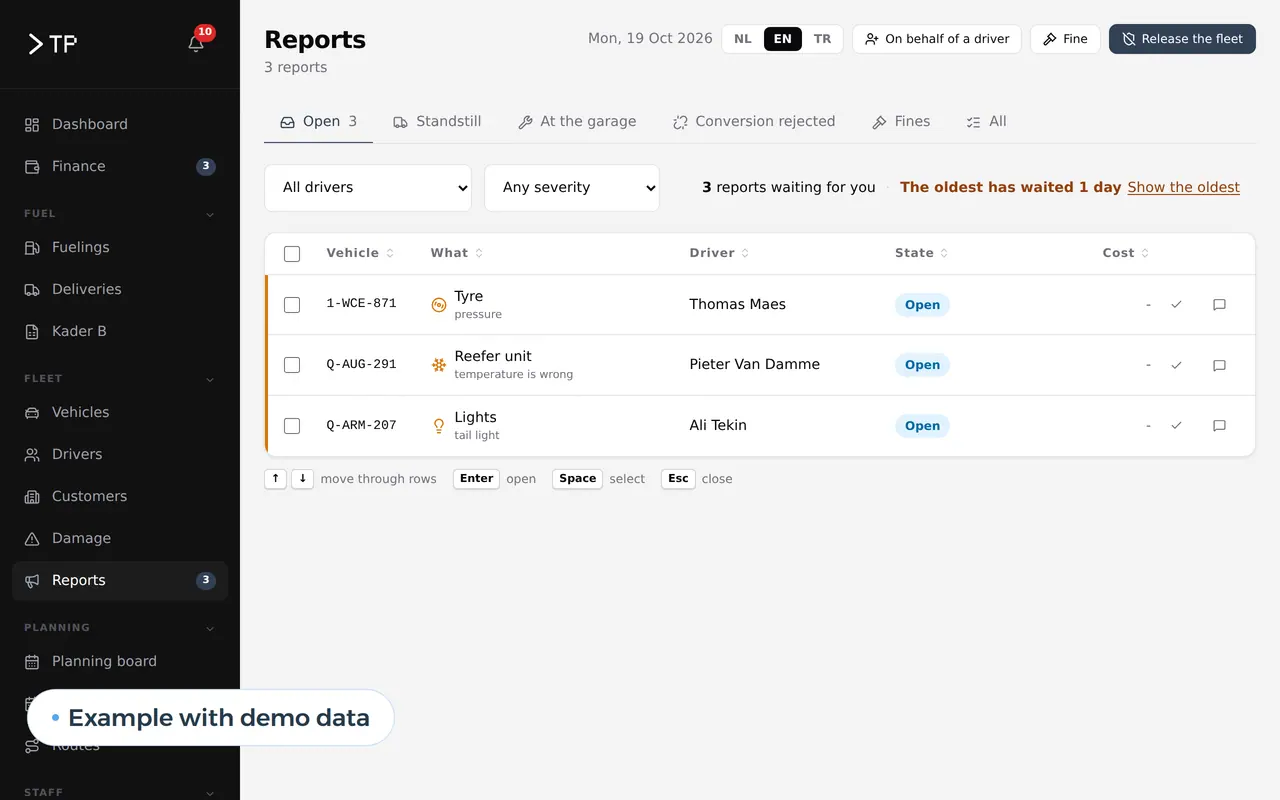
For a Belgian transport company we built a platform where drivers report problems with their truck or pass on a collision from their phones, in Dutch, English or Turkish. They sign in with a tile showing their name and four digits. In the office everything arrives in five queues, next to leave, receipts and appointments. So a report about brakes does not end up between the leave requests.
That is a ticketing system without anyone calling it one. The driver reports from wherever they are, the office sees who follows up and what is still open. Read the full story in the DA Logistics case. How such a platform plans and runs the rest is on transport management software.
Urgent, normal or it can wait
Not every request is equally urgent, and that decides who has to respond when. A truck that will not start at six in the morning is not the same as a printer leaving streaks.
Most teams work with three levels. Urgent means someone cannot work or there is a safety risk; that request goes straight to whoever is on duty, outside office hours too if you want. Normal means the work carries on, but slower or more awkwardly; the system promises a response within the working day. It can wait is a wish or an improvement, discussed together with the other wishes.
The reporter does not always choose the urgency. A good form asks the right question: can you still drive? Is the rest of the team working? The level follows from the answer. So not every request becomes urgent because it feels that way, and a real emergency does not sit among the rest.
Per queue and per level you set a response time. The board shows how much time is left on each ticket, and whoever follows up gets a nudge before that time runs out.
How we build a ticketing system
- Two weeks of requestsWe collect how requests arrive today: which kinds, by which route, with whom they land.
- Queues and deadlinesTogether we set the queues, who follows them up and which response time you promise.
- Build and connectWe build the forms, the board and the notifications, and connect to your scheduling or your IT partner.
- Close one channelFrom a fixed day, a request only goes through the ticketing system. The group chat goes back to being a group chat.
A ticket without an owner is a ticket that stays open
The system routes the requests, but every queue needs a name. Someone who checks each morning what came in and what has been open too long.
A helpdesk tool or a system for the whole company
Most ticketing tools on the market are built for a helpdesk that serves customers: a mailbox that turns into tickets, with reply templates and satisfaction scores. For an internal IT helpdesk that works well. For the rest of your company less so.
A customer helpdesk is about fast answers and a customer history. Good packages exist for that, and it often belongs with your CRM. More on that in custom CRM development.
An internal ticketing system is about who follows up and what has to happen. An engineer reports a defect, the workshop schedules the repair, and the vehicle is taken out of the schedule in the meantime. That work runs across departments, and that is where a helpdesk package pinches.
An IT ticketing system sits in between. If you have an external IT partner, they usually run their own system. Your internal system then passes the IT requests on to theirs, so your team has only one place to report.
| Helpdesk package | Your own ticketing system | |
|---|---|---|
| Cost | Licence per agent per month | A build price, no licence per user |
| Who reports | By email or a portal | Everyone, also without an email address, on the phone |
| Form per kind | Limited, often a free text field | Its own form per kind of request |
| What happens after the request | Send a reply | Schedule a repair, block a vehicle, place an order |
| Languages | The package's languages | Any language your team speaks |
The general trade-off is in build vs buy software. Work out your own case with the software development cost calculator.
Together with your other software
A ticketing system gets stronger the more it knows about what happens around the request.
- Your intranetReporting is one of the tasks on your intranet, next to leave and documents. On Microsoft 365, compare SharePoint intranet alternatives first.
- Work ordersA report about a defect at a client becomes a job in your work order app.
- StaffWho may follow up which requests follows from the employee records software.
- NumbersLead times per queue and per month in a custom dashboard.
- Your IT partner or your packagesThrough API integration services. What an API integration is, is in the glossary.
- AIAn assistant that reads a request, suggests the kind and urgency and shows similar tickets. How such an assistant works is in AI agent development.
We build the system as a web application that sits on the phone as a PWA.
Questions about an internal ticketing system
What exactly is a ticketing system?
Software that gives every report or question a number, puts it with the right person and tracks it until it is solved. The ticket is the request plus everything that happened to it afterwards.
Does it work for people without a computer?
Yes. A driver or engineer reports on their phone, with a photo, in their own language. Signing in works with a link or a name tile and a code.
Can a request be confidential?
Yes. An HR question or a report about a colleague is seen only by whoever has to follow it up. The system logs who opened the ticket.
Can we start with IT requests only?
You can, and it is often a good start. Defects, building and HR follow once the first queue runs.
What does a custom ticketing system cost?
No licence per user, but a build price. That depends on the number of request kinds, the integrations and the languages. How custom work is priced is in the guide on custom software development cost.
Want to know which requests get lost in your team? Get in touch.
Web application
How VBS helps you with this
We build software in the browser for your whole team, on every computer and phone, around the way you work.
- Roles and permissions per person
- Links to your accounting and your email
- Releases without downtime, with backup and rollback
How we approach it is on our page about Web application.
Where does a request land in your team today?
Tell us by which routes requests come in and who follows them up. We sketch the queues, the forms and what your team gets back.
Rather get in touch right away?