On this page
- 01Four free plans side by side
- 02Which free plan for which list
- 03Why Outlook, Gmail or Word make no newsletter
- 04Your first newsletter in eight steps
- 05Your own domain makes the difference
- 06Who you may email
- 07What goes in your first newsletter
- 08Free, but still a processor
- 09When paying pays off
- 10Have it made
You can create a newsletter for free with Brevo, Mailchimp, MailerLite or Klaviyo. Each of the four has a free plan with an editor, a sign-up form and an unsubscribe link that appears in every email by itself. The difference is the limit: Brevo counts emails per day, Mailchimp and Klaviyo count contacts and emails per month, MailerLite counts emails per month.
For a list of a few hundred people and one newsletter a month, any free plan will do. Send more often, grow your list or want automated flows, and you soon hit the limit. This guide puts the four side by side, explains why Outlook or Gmail is no good substitute, and walks through the steps for your first email.
Four free plans side by side
| Tool | Free limit | What you miss | Price when you grow |
|---|---|---|---|
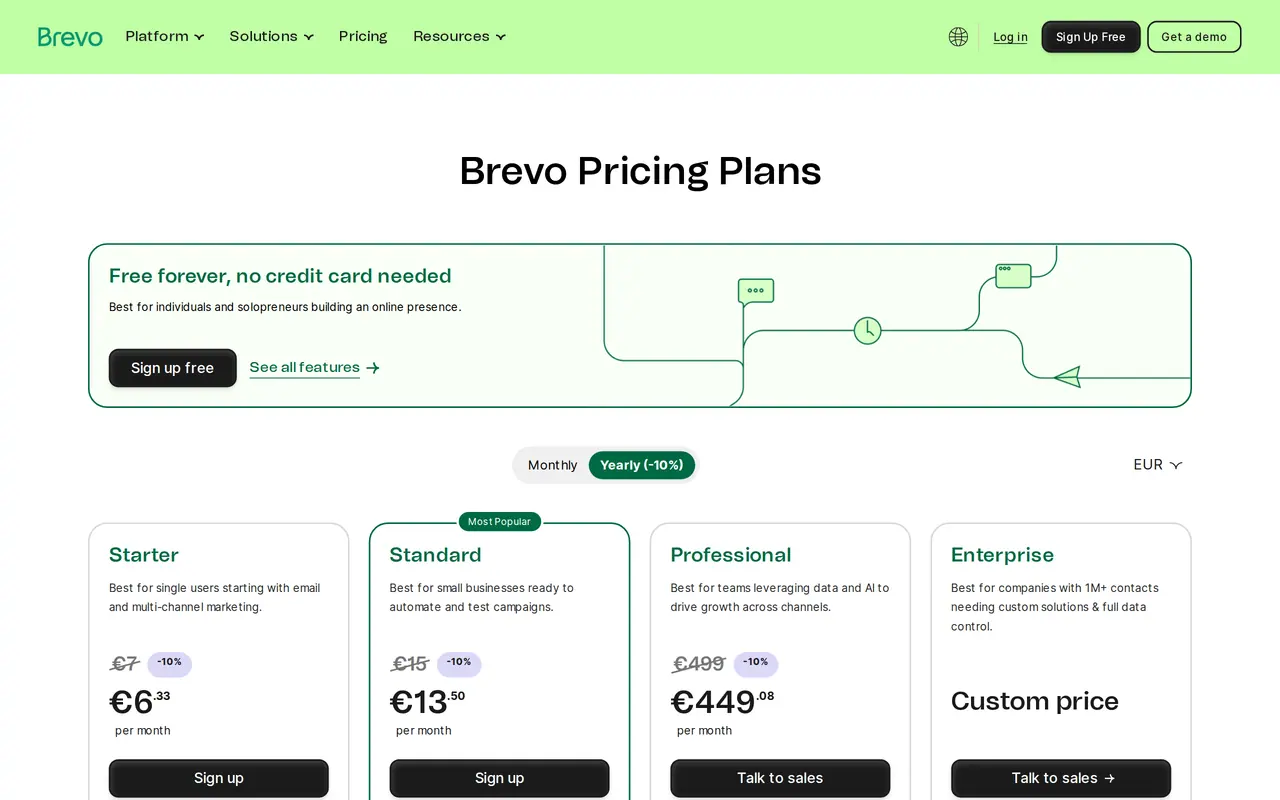
| Brevo | 300 emails a day | The Brevo logo sits in every email | Starter from 7 euro a month |
| Mailchimp | 250 contacts, 500 emails a month, 250 a day | One user, limited flows | Essentials from 11.73 euro a month |
| MailerLite | 2,500 emails a month | Limited templates and flows | Comfort from 12 dollars a month |
| Klaviyo | 250 profiles, 500 emails a month | Built for webshops | Paid above the free limit |
Most free plans put the tool's logo at the bottom of your email. For a club that is fine; for a business that guards its house style, sometimes not.
Which free plan for which list
Brevo counts per day, not per contact. With 2,000 addresses and one email a month, the free plan reaches your whole list over seven days, 300 a day. Slow, but free. Mailchimp allows only 250 contacts on the free plan, and counts unsubscribed contacts too. MailerLite gives 2,500 emails a month: enough for a few hundred readers who get an email each week. Klaviyo is built for webshops and connects smoothly with Shopify and WooCommerce, but its free limit is low.
A rule of thumb: small list and one email a month, pick what you like working in. Big list that rarely sends, Brevo. Webshop, Klaviyo or Brevo. To see what the tools cost as you grow, read Mailchimp pricing and our overview of Mailchimp alternatives.
A free tool or Outlook with BCC
- Unsubscribe
- Free newsletter toolA link in every email, unsubscribes leave the list by themselves
- Outlook or Gmail with BCCYou track yourself who no longer wants it
- Consent
- Free newsletter toolThe form keeps the date and source of each sign-up
- Outlook or Gmail with BCCNo trace of who gave consent and when
- Delivery
- Free newsletter toolSent through servers set up for bulk email
- Outlook or Gmail with BCCLarge BCC lists are quickly seen as spam or blocked
- Design
- Free newsletter toolA template that reads well on phone and laptop
- Outlook or Gmail with BCCA plain email, or an image nobody can read
- Measuring
- Free newsletter toolClicks per link and per reader
- Outlook or Gmail with BCCNothing
Why Outlook, Gmail or Word make no newsletter
People search a lot for how to create a newsletter in Outlook, in Word, in Gmail or in Canva. It can be done, but it is a detour. An email with fifty addresses in BCC has no unsubscribe link that works by itself, and the law asks that unsubscribing be easy. You have no proof of consent. And since 2024 Gmail looks harder at senders who send a lot: a personal mailbox is not built for that.
Canva is useful, but for design. A newsletter that is one image reads badly on a phone, spam filters distrust it and screen readers can do nothing with it. Use Canva for an image in your email, and put the text as text in your newsletter tool. Word is for documents; a newsletter pasted from Word brings formatting that breaks differently in every email app.
Your first newsletter in eight steps
Your first email in six steps
- Pick the toolLook at your list and your rhythm, and pick one of the four plans above.
- Use an address on your own domainSend as news@yourcompany.com, not as a gmail.com address. Gmail refuses email that poses as a Gmail address through another platform.
- Set up your domainAdd the SPF and DKIM records the tool gives you, plus a DMARC record. Check them with a DMARC checker.
- Import only who may receive itCustomers under the existing-customer exception, and people who signed up. No purchased lists.
- Put a form on your siteA field for the address, an unticked box, a line about what the reader gets.
- Make a templateYour logo, your colours, one column of text. Keep it simple and it stays readable everywhere.
- Write and testOne subject, one ask of the reader. Send a test to Gmail and Outlook, on phone and laptop.
- Send and lookAfter a few days, look at clicks, replies and unsubscribes, not only at opens.
Your own domain makes the difference
Every free plan sends through the tool's servers. Whether your email arrives depends partly on your own domain: with SPF, DKIM and DMARC you tell Gmail and Outlook that the tool may send on your behalf. Those are three records in your DNS, which your tool hands you ready-made. Our DMARC checker shows whether they are right, and what they do is explained under SPF, DKIM and DMARC. Newsletter still in spam? Read why emails go to spam.
Who you may email
A free tool changes nothing about the rules. In the EU, whoever emails advertising needs consent first, except for existing customers you email about similar products and who could refuse at collection. What double opt-in means and how to prove consent is in our glossary, and the GDPR website checklist shows what belongs on your form.
What goes in your first newsletter
A newsletter that gets read is about one thing. A tip, an answer to a question customers often ask, a look behind the scenes. How to build it from subject line to sign-off is in how to write a newsletter. Test your subject line in our subject line tester: on a phone, Gmail shows only 37 characters. Want to fit your newsletter into a bigger plan? Read email marketing strategy.
Free, but still a processor
A free tool still stores your readers' addresses. That makes the tool your processor under the GDPR, which calls for a data processing agreement. With the big tools it sits in the terms you accept when you sign up; read them once and keep a copy. Look at where the data lives too. Brevo is a French company, Mailchimp belongs to the American Intuit. For most small businesses that is no deal breaker, but do name the tool in your privacy policy, with what you send and how someone unsubscribes. If a customer or a public body asks for European storage, that is a reason to look past the best-known free plan.
When paying pays off
| Situation | What you miss on free | Paid entry |
|---|---|---|
| List above 250 contacts on Mailchimp | You can no longer send | Essentials from 11.73 euro a month |
| Reaching the whole list in one day on Brevo | 300 emails a day | Starter from 7 euro a month, 6.33 on a yearly plan |
| More than 2,500 emails a month on MailerLite | Sending limit | Comfort from 12 dollars a month, 10.80 on a yearly plan |
| You want a Belgian tool with local support | Free plans are American or French | Flexmail from 17 euro a month for 1,000 contacts |
Prices on 1 November 2026, for the smallest list.
Have it made
Want someone else to pick the tool, set up your domain and build a template in your house style? Look at our email marketing services. We build the sign-up form along with your website design, and for Park & Wash the fleet form runs on VBS Mail, our own email service on Amazon SES. Still unsure? Ask us.
Free newsletters, answered briefly
What is the best free newsletter tool?
For a big list that rarely sends, Brevo, because it counts per day. For a small list that sends often, MailerLite. Mailchimp is well known, but its free plan stops at 250 contacts.
Can I create a newsletter in Outlook?
You can send an email in BCC, but you get no unsubscribe link that works by itself, no proof of consent and a bigger chance of landing in spam.
Can I design my newsletter in Canva?
Use Canva for images, not for the whole email. A newsletter that is one image reads badly on a phone and stands out to spam filters.
Is there advertising in a free newsletter?
Most free plans put the tool's logo at the bottom. How you remove it differs: on Mailchimp and MailerLite with a paid plan, on Brevo Starter with a paid add-on.