On this page
- 01Seven parts on one page
- 02Start with a list you may use
- 03What Gmail and Yahoo have asked since 2024
- 04Segments: who gets what
- 05Content worth opening
- 06Rhythm: pick what you can keep up
- 07Automated flows do most of the work
- 08Measuring without staring at opens
- 09Which tool you need
- 10Do it yourself or hand it over
An email marketing strategy answers seven questions: what the email has to achieve, who you may email, how you split those people up, what you send them, how often, with which setup, and how you measure whether it works. Put those seven on one page and you have a plan you can explain to a colleague in an hour.
The difference with other channels: your list is yours. No algorithm decides who sees your message. The flip side is that the rules are stricter than on social media. EU law asks for consent per address, and Gmail and Yahoo have refused email that is not set up properly since 2024. A strategy that does not start there ends in the spam folder.
Seven parts on one page
| Part | The question | An answer for a heating installer |
|---|---|---|
| Goal | What should the email bring in? | Service appointments in the autumn |
| List | Who may I email, and can I prove it? | Customers of the last five years, under the exception for existing customers |
| Segments | Which groups get something different? | Homeowners with a boiler, businesses with a service contract |
| Content | What is worth the reader's time? | One tip per season, a reminder about the yearly service |
| Rhythm | How often, on which day? | Once a month, plus a flow after each installation |
| Setup | Which tool, which domain? | A tool with automated flows, SPF, DKIM and DMARC on the own domain |
| Measuring | How do I see it works? | Appointments booked through the button in the email |
The installer is an example; the questions are the same for any small business.
Start with a list you may use
In Belgium, article XII.13 of the Code of Economic Law puts it briefly: whoever sends advertising by email needs the prior consent of the recipient. That consent is free, specific and informed, and you must be able to prove it. A pre-ticked box or a purchased list does not count. Other EU countries follow the same ePrivacy rule. What double opt-in means and how to keep the proof is in our glossary.
A Belgian royal decree of 4 April 2003 makes two exceptions. The first is for existing customers: you got their address directly during a sale, you email only about similar products or services of your own, and you offered a free and easy way to refuse when you collected it. The second is for impersonal business addresses such as info@ or sales@. An address with a name in it is a person, even on a company domain.
The Belgian data protection authority adds a practical demand in its checklist: unsubscribing must be easy, and a sentence in your privacy policy is not enough as a way to object. Hold your forms against our GDPR website checklist and you quickly see what is missing. The wider rules for your site are in a GDPR-compliant website.
Where a list may come from
Existing customers
Address received during a sale, email only about similar own products, refusing was possible at collection.
Sign-up on your site
A form with an unticked box and a line about what the reader gets. Keep the date, source and wording.
Trade fair or event
Ask for consent on the form or scan itself, not afterwards in an email.
Generic business addresses
An info@ address of a company falls outside opt-in, an address with a name does not.
Purchased lists
Do not. You cannot prove consent, and spam complaints put pressure on your domain.
What Gmail and Yahoo have asked since 2024
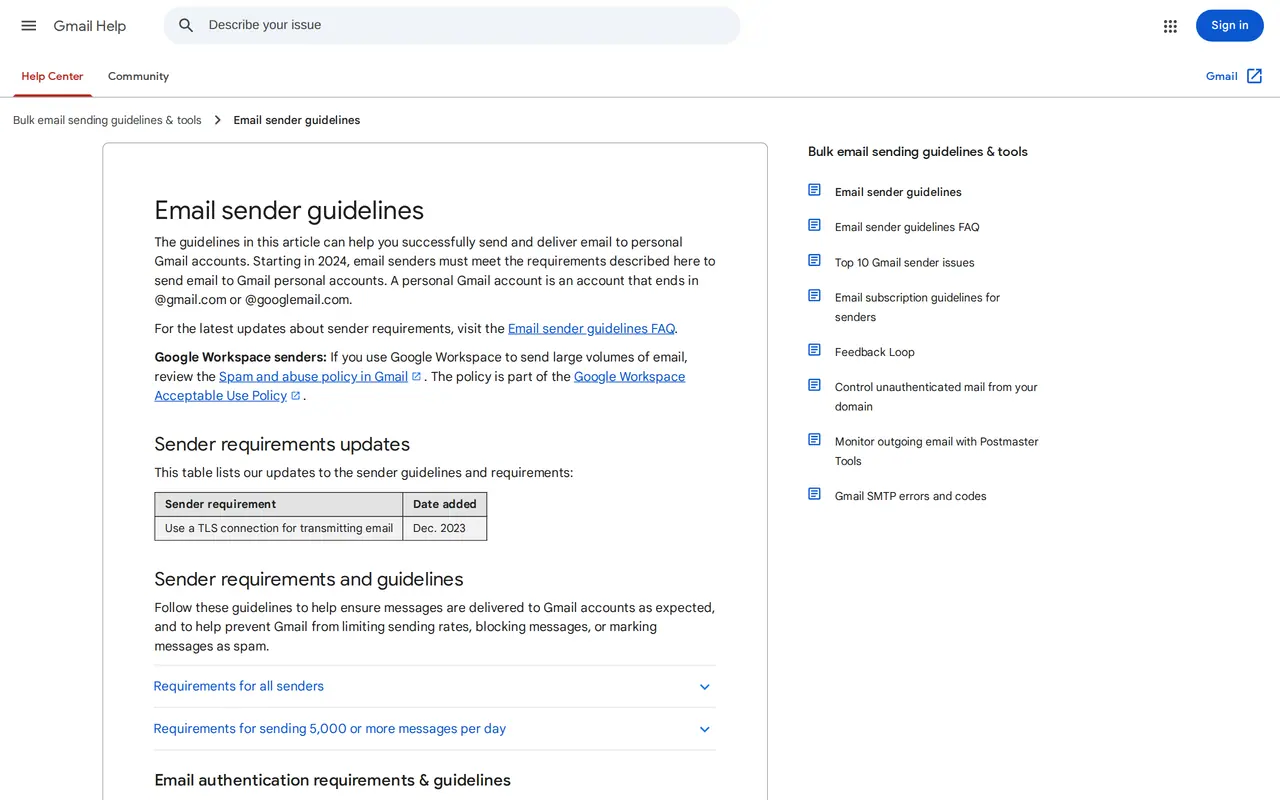
Consent is one half. The other half is setup. Since 1 February 2024, Google has rules for every sender to a Gmail address, and stricter rules for anyone sending more than 5,000 emails a day. Yahoo asks for much the same.
| Rule | Every sender (Google) | Over 5,000 a day (Google) | Yahoo |
|---|---|---|---|
| SPF and DKIM | SPF or DKIM | SPF and DKIM | SPF and DKIM |
| DMARC | Not required | Required, p=none is fine | Required, at least p=none |
| Sending domain | Valid reverse DNS and TLS | From domain aligned with SPF or DKIM | DMARC must pass |
| Unsubscribe | Not set | One click, in the header and as a visible link | One click, honoured within 2 days |
| Spam complaints | Below 0.3 percent, ideally below 0.1 | Below 0.3 percent | Below 0.3 percent |
Never send 5,000 emails a day? Set up DMARC anyway. It is one line in your DNS and it protects your domain against spoofing. Our DMARC checker shows in ten seconds whether SPF, DKIM and DMARC are right, and what the three do is explained under SPF, DKIM and DMARC. Already landing in spam? Read why emails go to spam.
Segments: who gets what
A list is rarely one group. A customer who bought last week wants to read something else than a prospect who downloaded a guide. Start with two or three segments, not ten: customers and prospects, or consumers and businesses, or one per language. A segment you cannot fill with its own content every month is better merged.
Content worth opening
The question is not what you want to say, but why the reader would open the email. A tip that saves time or money, an answer to a question customers often ask, a look behind the scenes, an invitation. An email with one subject and one ask works better than a round-up of five pieces of news. How to build such an email is in how to write a newsletter. Plan your topics a quarter ahead with the content calendar template and you reuse the same topics on LinkedIn and Instagram.
The subject line decides whether someone opens. On a phone, Gmail shows about 37 characters and Apple Mail around 48. Test yours in our subject line tester, which shows how the line and the preview text appear in four inboxes.
A newsletter each month or each week
- Fits
- MonthlyServices, construction, B2B, anything with a long decision
- WeeklyWebshops, hospitality, training with a fixed calendar
- Content
- MonthlyOne subject worked out well
- WeeklyA short message with an offer or a date
- Work
- MonthlyHalf a day per month
- WeeklyA fixed slot in your week, ideally with a template
- Risk
- MonthlyReaders forget who you are if you skip a month
- WeeklyUnsubscribes when you have nothing to say
Rhythm: pick what you can keep up
The best rhythm is the one you keep up for a year. A monthly newsletter that goes out every month does more than a weekly one that stops after six weeks. Fix the day it goes out and who writes it. When your audience reads differs per sector; the logic of the best time to post on social media holds here too: test two moments and watch what happens.
Automated flows do most of the work
A flow starts the moment someone does something: signs up, buys, asks for a quote. Three flows cover most of what a small business needs:
- A welcome flow of three emails for new subscribers: who you are, what to expect, a first useful piece.
- An email after a purchase or an appointment: what happens next, who to call, a request for a review.
- A reminder at the right moment: a service after a year, a renewal, a product that runs out.
You write flows well once and let them run. What sits behind them is explained under marketing automation. Connect your forms to your CRM and you also know which subscriber became a customer; see what a CRM does.
Measuring without staring at opens
Since Apple Mail started loading images in advance, the open rate says little: part of the opens are not people. Look at what the reader does.
| Number | What it says | What to watch |
|---|---|---|
| Clicks | Who read and wanted to act | Clicks per email, not per open |
| Replies | Who wants a conversation | A question in the email brings more replies |
| Unsubscribes | Who no longer wants it | A spike after one email says something about that email |
| Spam complaints | Who sees your email as unwanted | Above 0.1 percent it is time to review your list |
| Revenue or appointments | What the email brought in | Measure with a link of its own per email |
Which tool you need
Mailchimp, Brevo, MailerLite, Flexmail and Klaviyo can all send a newsletter and a flow. The difference is price, language, server location and links to your webshop. What Mailchimp costs today is in Mailchimp pricing. Starting with a small list? Read how to create a newsletter for free and which of the Mailchimp alternatives suits you.
Do it yourself or hand it over
A strategy on one page is something you can carry out yourself. Want someone to set up the domain, the template and the flows? Look at our email marketing services. For Park & Wash, the fleet form for businesses runs on VBS Mail, our own email service on Amazon SES; that is how we know how an email leaves your own domain and arrives. If your sign-up sits on a form on your site, we build it along with website design, and flows that go beyond email fall under AI and automation. Prefer to talk first? Get in touch.
Questions about a plan for your emails
How big must my list be to start?
There is no minimum. A list of 200 customers who know you is worth more than 5,000 addresses without a bond. Start with who you have, with consent or under the exception for existing customers.
May I email customers who never signed up?
In Belgium, yes, if you got their address during a sale, you only email about similar own products and they could refuse at collection. Otherwise you need their consent.
How often may I send?
The law sets no rhythm. Send as often as you have something useful, and watch unsubscribes and spam complaints after every email.
Do I need DMARC if I send little email?
For Gmail, DMARC is only required above 5,000 emails a day, but it is one line in your DNS and it protects your domain. Set it to p=none and read the reports.
What makes a good subject line?
One that says what is inside and is not cut off halfway on a phone: around 40 characters. Put the key word first.