On this page
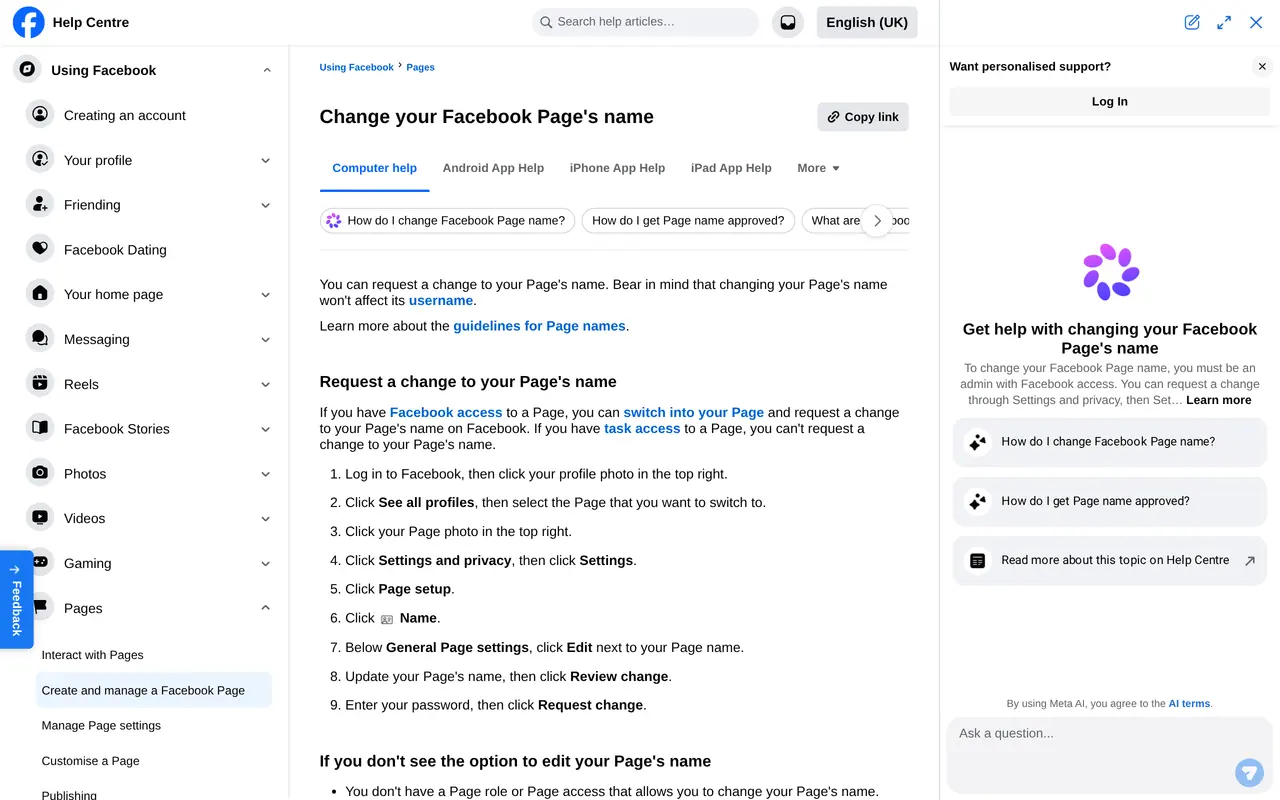
To change a Facebook page name you need Facebook access to the page. Switch into your page, open Settings and privacy, choose Settings and then Page setup. Next to Name, click Edit, type the new name, click Review change, enter your password and click Request change. Facebook reviews the request first.
That review is why requests are sometimes refused. Facebook checks whether the new name follows the rules for page names, and whether it strays too far from what the page always was. Below you read who can change the name, which names Facebook refuses, what does not change with it and what to do after a refusal.
Who can change the name
Only people with Facebook access to the page can request a new name. Someone with task access only, such as an agency working from Business Suite, cannot. If a colleague cannot see the option, check their access under Page access. How access works is in how to add an admin to a Facebook page.
A name Facebook approves
- Simple and specific, as on your shopfront and invoices
- Grammatically correct, without needless capitals or punctuation
- No variation of the words Facebook or Meta
- Not just a generic word, such as Pizza or Baker
- No slogan, description or keywords after the name
- No symbols used as decoration
- A name that fits what the page always was
Why Facebook refuses a name
A new name that differs sharply from the old one can be refused. A page with thousands of followers that suddenly carries another company's name is exactly what Facebook wants to prevent: that is how pages with a large audience get resold. With a genuine new company name, make the link visible. Put the new name on your website, logo and cover photo before you request it, and post that the name is changing.
| From | To | Chance of approval |
|---|---|---|
| Janssens Bakery Ghent | Janssens Bakery | High: a small correction |
| Janssens Bread | Janssens Bread and Pastry | High: the core stays |
| Janssens Bread | Bread and Co | Lower: a different name, make sure site and logo already match |
| Janssens Bread | Best baker in Ghent | Low: a description, not a name |
| Janssens Bread | Janssens Bread Facebook | None: Facebook is in it |
Your name and being found
Your page name is what people type when they look for you on Facebook or Google. It is tempting to add a service or a city, like "Janssens Bread, the best baker in Ghent". That does not help: Facebook refuses descriptions in a name, and a customer searches for your real name. Put what you do and where you are in the category, the intro and your address. Facebook reads it there too, and a searcher sees it right under your name.
Use the same spelling as on your website and your Google Business Profile, down to the capitals and the hyphen. Someone who finds you in three places with three spellings wonders whether it is the same business. So pick one version and stick to it, in your email signature and on your invoices too.
The steps on a computer
Request a new name
- Switch into your pageClick your profile picture, choose See all profiles and pick the page.
- Open the settingsClick the page picture, choose Settings and privacy, then Settings.
- Page setup, then NameNext to Name, click Edit and type the new name.
- Review the changeClick Review change. Facebook shows the old and new name side by side.
- Request the changeEnter your password and click Request change. You get a notification when the review is done.
What does not change with it
The username. The part after facebook.com/ in your web address stays the same. To change that too, do it separately in the page settings. Then update your website, business cards and email signature, because the old link stops working.
Your other channels. The name of your linked Instagram account does not change. Do that in Instagram itself. If your company is on LinkedIn as well, that page has its own rules: a small page is renamed by its super admin, a large or verified page through LinkedIn. More in how to delete or rename a LinkedIn company page.
Reviews, followers and posts. They stay. That is the big advantage of renaming over a new page.
After a refusal
If the request was refused, first check whether the name breaks a rule: a slogan, a description, a word like Facebook. Adjust the name and request again. If the name was fine, make sure your website, logo and cover photo already show the new name, and try again later. If the new name really is a different business, a new page is the right route; you can leave a last post on the old page pointing to the new one.
The same name on every channel
A new name on Facebook alone makes things more confusing. A customer searching for you still finds the old name on Google, Instagram and LinkedIn, and wonders whether it is the same business. So make the change on one day, on every channel.
| Channel | Where you change the name | What to watch |
|---|---|---|
| Facebook Page | Page settings, Name | Facebook reviews the request first |
| Edit profile, or Accounts Center | Instagram limits how often you change your name | |
| LinkedIn company page | Edit page in the admin view | At most 100 characters; large or verified pages through LinkedIn |
| Google Business Profile | Edit profile | The name must be your real business name, as on your sign |
| Website and email | Logo, footer, email signature | Check old links to your social channels |
On LinkedIn the route depends on your page. A small page you rename yourself; if your page has many associated employees or is verified, you ask LinkedIn. Employees update their own profiles themselves. The Google Business Profile is where a new name counts most for people searching locally; how that profile works is in create a Google Business Profile. Link your Instagram account to the page properly with link a Facebook Page to Instagram.
A plan for the day of the new name
| When | What | Why |
|---|---|---|
| A week before | New logo, cover photo and website ready | Facebook sees the link between old and new name |
| On the day, morning | Name request on Facebook, then Instagram and LinkedIn | All channels in the same week |
| On the day | A post explaining why the name changes | Followers recognise you and respond |
| First week | Google Business Profile, email signature, invoices | Customers find the same name everywhere |
| After a month | Check old links and mentions on other sites | No lost visitors |
A trading name that really changes should also be updated in the official company register of your country. That is separate from Facebook, but a name that appears nowhere official convinces the reviewer less. A post about the new name is easiest to plan in your content calendar. Unsure how social media fits your business? Read how to use social media for business. Should LinkedIn move in the same week, we cover that in LinkedIn management.
A new name is more than a field
A name change touches your whole brand. Logo, colours, website, email address and business cards must move at the same time, or customers wonder whether they are dealing with the right company. What belongs to a brand is under branding. The sizes of your new profile and cover photo are in social media image sizes.
Does the website need to follow? You can have your website designed in the new style, from 1,500 euros. And we can manage your Facebook page or your whole social media management. Need a new page rather than a new name? Start with Facebook page setup for business.
Names, waiting times and usernames
How long does the review take?
Facebook does not give a fixed time. You get a notification when the review is done.
How often can I change the name?
Facebook names no fixed number for pages, but frequent changes are refused sooner. Pick a name that lasts.
Why can I not see the Name option?
You only have task access, or you have not switched into the page. Ask someone with full control for Facebook access.
Does my web address change too?
No. You change the username in the web address separately in the page settings.