On this page
WordPress is open source. You download it, put it on any host and change whatever you like, because the licence is the GPL. That freedom is the reason it runs so much of the web: no vendor holds your site, thousands of themes and plugins exist, and every city in Europe has people who know it.
So why look for a WordPress alternative at all? The reasons tend to repeat. The site slows down. Plugins ask for updates every week, and one of them breaks a page after an update. The bill for hosting, a premium theme and plugin licences keeps growing. If your site was hacked, start with whether WordPress is safe. If speed is the complaint, read why WordPress gets slow first; plugins and cheap hosting cause most of it, not the core software.
This page is written for businesses in the EU, where a few things weigh more than on American comparison sites: whether a price includes VAT, which local payment methods a builder accepts, which languages the editor speaks, and who signs your data processing agreement. Not sure what your current site runs on? The CMS detector tells you in a few seconds.
Self-hosted WordPress against a hosted builder
The first choice is not which builder, but whether you want one. A builder takes the upkeep off your hands and keeps your site on its servers in return.
- Upkeep
- WordPress on your own hostYou or your agency: core, theme and plugins.
- Wix or SquarespaceIncluded in the subscription.
- Extending
- WordPress on your own hostPlugins for almost anything, and full access to the code.
- Wix or SquarespaceWhat the builder and its app market offer.
- Leaving
- WordPress on your own hostMove files and database to any host.
- Wix or SquarespaceThe site runs on the builder's servers; the design does not move to another host.
- Price in November 2026
- WordPress on your own hostThe software costs nothing; hosting, theme, plugins and maintenance come on top.
- Wix or SquarespaceWix Light 14 euro a month, Squarespace Basic 12 euro a month, both billed yearly.
- Bancontact in Belgium
- WordPress on your own hostThrough your payment provider's plugin.
- Wix or SquarespaceWix Payments charges 1.4% plus 0.30 euro per Bancontact payment; Squarespace accepts no Bancontact through Stripe.
Pick a builder when upkeep is the problem and the site is small. Stay on WordPress when you actually use its freedom and its plugins.
Why teams outgrow WordPress
Upkeep that never ends
Core, theme and every plugin ship their own updates. Skip them and you fall behind on security; apply them fast and a page may break.
A site that slows down
Each plugin loads its own scripts and styles. A few years in, the home page depends on twenty parts nobody remembers installing.
Costs that stack up
Premium theme, page builder, forms, backups: each asks for a yearly licence on top of hosting.
Nobody left who knows it
The person who built it moved on, and no one can tell which plugin is safe to remove.
Wix: everything in one plan
Wix hides the server completely. On its Dutch-language price page in euro, Light costs 14 euro a month, Core 25 euro and Business 34 euro. Those are yearly plans paid up front, and Wix adds surcharges on top based on your billing address. In November 2026 Wix also showed a temporary discount on the first term, which we leave out here. Online payments start at Core, and Bancontact runs through Wix Payments at 1.4% plus 0.30 euro per transaction.
The trade-off is lock-in: a Wix site only runs on Wix. For a deeper look, read our Wix alternatives page and the classic question of Wix or WordPress.
Squarespace: strong on design, thin on local fit
Squarespace has the most refined templates of the big builders. Basic costs 12 euro a month on a yearly plan or 17 euro month to month; Core costs 18 or 24 euro. In November 2026 the price page does not say whether VAT is included. Basic adds a 2% fee on store sales.
Two details matter in the Benelux. Your site can be in Dutch, but the editor and account are not available in Dutch. And through Stripe, Squarespace accepts neither Bancontact nor iDEAL. If you sell to Belgian or Dutch customers online, that alone can decide it. The head-to-head with Wix is in Wix vs Squarespace.
Webflow: a builder for designers
Webflow gives a designer close to the freedom of code without a server to run. Basic costs 15 dollars a month billed yearly and has no CMS. For a blog or collections you need Premium at 25 dollars a month. Prices are in US dollars, per site, with tax added at checkout. A second language is a paid add-on called Localize, from 9 dollars a month. The full trade-off with WordPress is in Webflow or WordPress.
Jimdo and other European builders
Jimdo has built sites in Germany since 2007. Its Dutch price page lists Start at 12.20 euro and Grow at 20.34 euro a month, VAT included, on a twelve-month term; Grow adds SEO settings, statistics and support within a day. Webador, which sells in Belgium in euro, starts lower but raises the price after the first year. Both suit a small site: a salon, a practice, a club. Both also offer a free plan on their own subdomain.
WordPress.com: the same software, managed
If you like WordPress and hate the upkeep, WordPress.com runs the same software with hosting and updates included. Personal costs 4 euro a month on a twelve-month term, Premium 8 euro and Business 20 euro, all excluding VAT, in November 2026. You can install plugins from Personal upwards. The free plan shows ads and allows no plugins.
| Platform | Cheapest paid plan | How the price is stated |
|---|---|---|
| Wix | Light, 14 euro a month | yearly, paid up front, surcharges extra |
| Squarespace | Basic, 12 euro a month | yearly; 17 euro month to month |
| Webflow | Basic, 15 dollars a month | yearly, in USD, tax at checkout |
| Jimdo | Start, 12.20 euro a month | twelve months, VAT included |
| WordPress.com | Personal, 4 euro a month | twelve months, VAT excluded |
| WordPress, self-hosted | no licence fee | hosting, theme and plugins extra |
| Custom build by VBS | from 1,500 euro | one-off build price, agreed up front |
All third-party prices come from each vendor's official price page in November 2026. What self-hosted WordPress costs over a year is worked out in our WordPress cost guide.
Webflow beside a custom build
Teams that leave WordPress for speed and control often end up choosing between these two. They look alike; they differ on ownership and running costs.
- Who builds
- WebflowA designer in the visual editor.
- A custom buildA developer, in code.
- Editing text
- WebflowIn Webflow's editor, for anyone with access.
- A custom buildIn files, or in a content panel you have built in.
- Languages
- WebflowLocalize add-on, from 9 dollars a month.
- A custom buildEach language with its own URLs, part of the build.
- Where it runs
- WebflowOn Webflow's servers, site and CMS together.
- A custom buildOn any host, including one in the EU of your choosing.
- Cost in November 2026
- WebflowPremium with CMS at 25 dollars a month, billed yearly.
- A custom buildA one-off build price; at VBS from 1,500 euro.
Webflow wins when you keep designing yourself. A custom build wins when you want no platform fee and the site has to grow in pages and languages.
Sign a data processing agreement first
Under the GDPR, any builder or host that stores your visitors' form entries processes personal data for you. Whichever platform you pick, sign its data processing agreement and note where it keeps your data. Our GDPR website guide lists what else a site in the EU needs.
A custom build: no plugins, but a developer
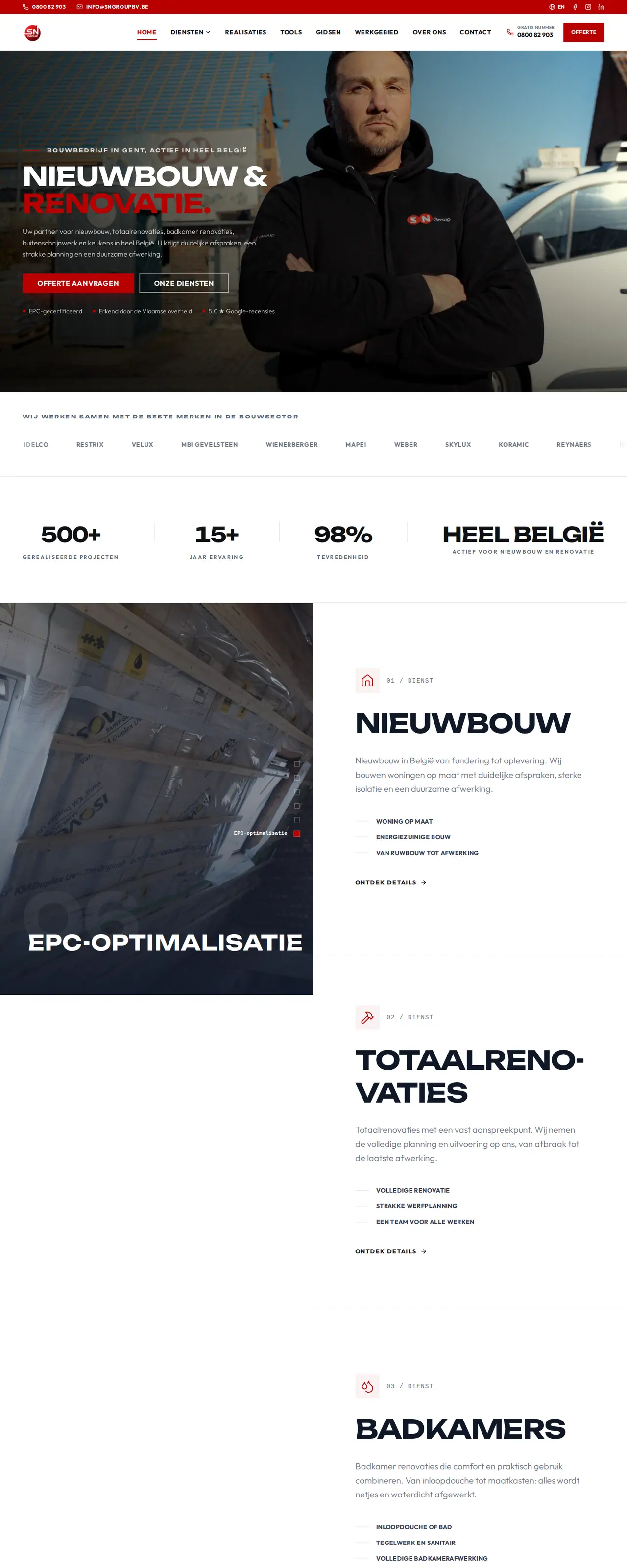
A custom site is code written for your business. There is no admin panel full of plugins to patch, pages are plain files that load fast, and the code goes with you to any host. The SN Group site at the top of this page is an example: a building firm in Ghent, in Dutch and English, with two cost calculators built into the site. You can see it in the SN Group case.
What you give up: the start costs more than a subscription, and a new feature means calling a developer. Custom website or WordPress shows where the line falls. If you want to keep an editing panel, a headless setup is the middle road, and a multilingual build is where custom code tends to pay off first.
When WordPress is still the right call
Not every problem needs a new platform. A slow site often recovers with better hosting, fewer plugins and lighter images; see how to improve website speed. A missing developer is solved by someone who takes over maintenance, not by a rebuild.
We follow that advice ourselves. For No.4 Lange Ast, a holiday home in Flanders, we built an availability calendar and a request form as a WordPress plugin on the existing hosting, in four languages. The site stayed on WordPress because it worked for that client. The story is in our No.4 case.
| Why you want to leave | Try this first | A switch that fits |
|---|---|---|
| Too much upkeep | WordPress.com or a maintenance contract | Wix or Squarespace |
| A slow site | Better host, fewer plugins | A custom build |
| More design freedom | A different theme | Webflow |
| A small site on a small budget | A cheaper hosting plan | Jimdo |
| More customers from search, in several languages | Better content per page | A custom build |
If none of these fits
Joomla is the other open source option, compared in Joomla vs WordPress. If you want an AI tool to generate the site, read Lovable vs WordPress and the wider list of Lovable alternatives. Whatever you choose, keep every old URL alive with a redirect; our migration guide explains how to keep your rankings while you move.
If you are torn between two visual builders, Webflow vs Framer puts them side by side on pricing, CMS and languages. Selling online from day one means picking a payment provider too; Mollie vs Stripe covers the fees for Bancontact, Wero and cards. And once the site is live, TikTok Ads vs Meta Ads helps you decide where to pay for the first visitors.
Common questions on leaving WordPress
Is there a free alternative to WordPress?
Jimdo and Webador both have free plans on their own subdomain, each with the builder's limits. What Wix allows without paying is covered in is Wix free. For a business site on your own domain, every builder charges a subscription. WordPress itself costs nothing as software, but you always pay for hosting.
Which WordPress alternative is European?
Jimdo has been built in Germany since 2007 and quotes euro prices with VAT included. If you want to decide which country your site runs in, a custom build or WordPress on an EU host gives you that control.
Will I lose my Google rankings if I leave WordPress?
Not if every old URL redirects to its new page and the content stays. Without redirects you lose traffic. See moving a website to a new host for the steps.
Is WordPress.com an alternative to WordPress?
It is the same software in a managed package. You trade some freedom for less upkeep. Personal costs 4 euro a month on a twelve-month term, excluding VAT, in November 2026.
Can you move my WordPress site to a custom build?
Yes. We carry over text, images and URLs and rebuild the design in code. How that works is on our website design page.